214323 416 Revision A
5.11 Adapter Stripper Bars and Feed Deflectors
5.11.1 Removing Stripper Bars
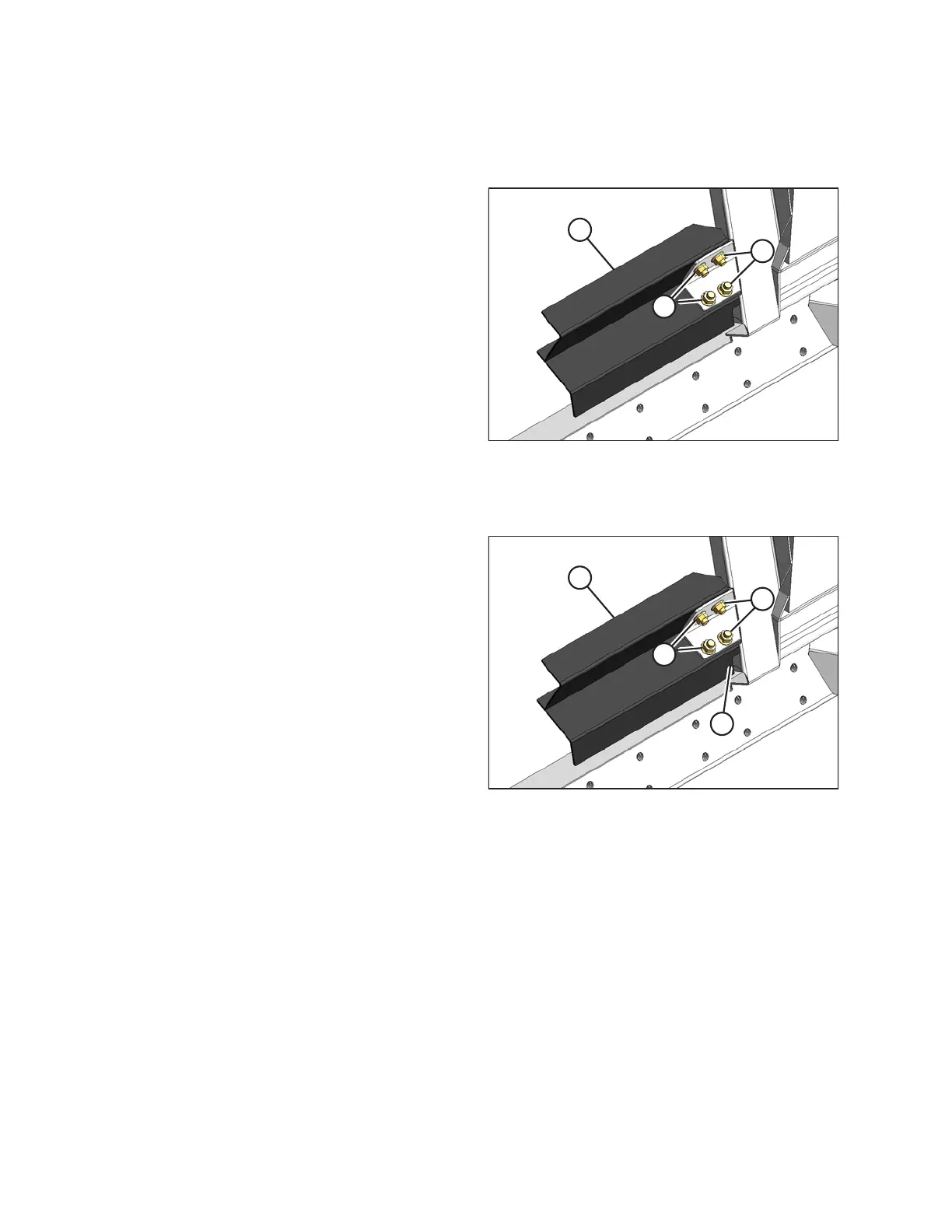
Figure 5.181: Stripper Bar
1. Detach the header from the combine. Refer to 4 Header
Attachment/Detachment, page 269.
2. Remove the four bolts and nuts (A) securing stripper
bar (B) to the adapter frame, and remove the
stripper bar.
3. Repeat at the opposite side.
5.11.2 Installing Stripper Bars
Figure 5.182: Stripper Bar
1. Detach the header from the combine. Refer to 4 Header
Attachment/Detachment, page 269.
2. Position stripper bar (A) so that notch (B) is at the
corner of the frame.
3. Secure stripper bar (A) to the adapter with four bolts
and nuts (C). Ensure the nuts are facing the combine.
4. Repeat at the opposite side.
MAINTENANCE AND SERVICING









 To Next Page