214323 351 Revision A
5.6.3 Removing Driveline Guard
The main driveline guard must remain attached to the driveline during operation, but it can be removed for
maintenance purposes.
DANGER
To avoid bodily injury or death from unexpected start-up of machine, always stop engine and remove key
from ignition before leaving operator’s seat for any reason.
NOTE:
The driveline does NOT need to be removed from the adapter in order to remove the driveline guard.
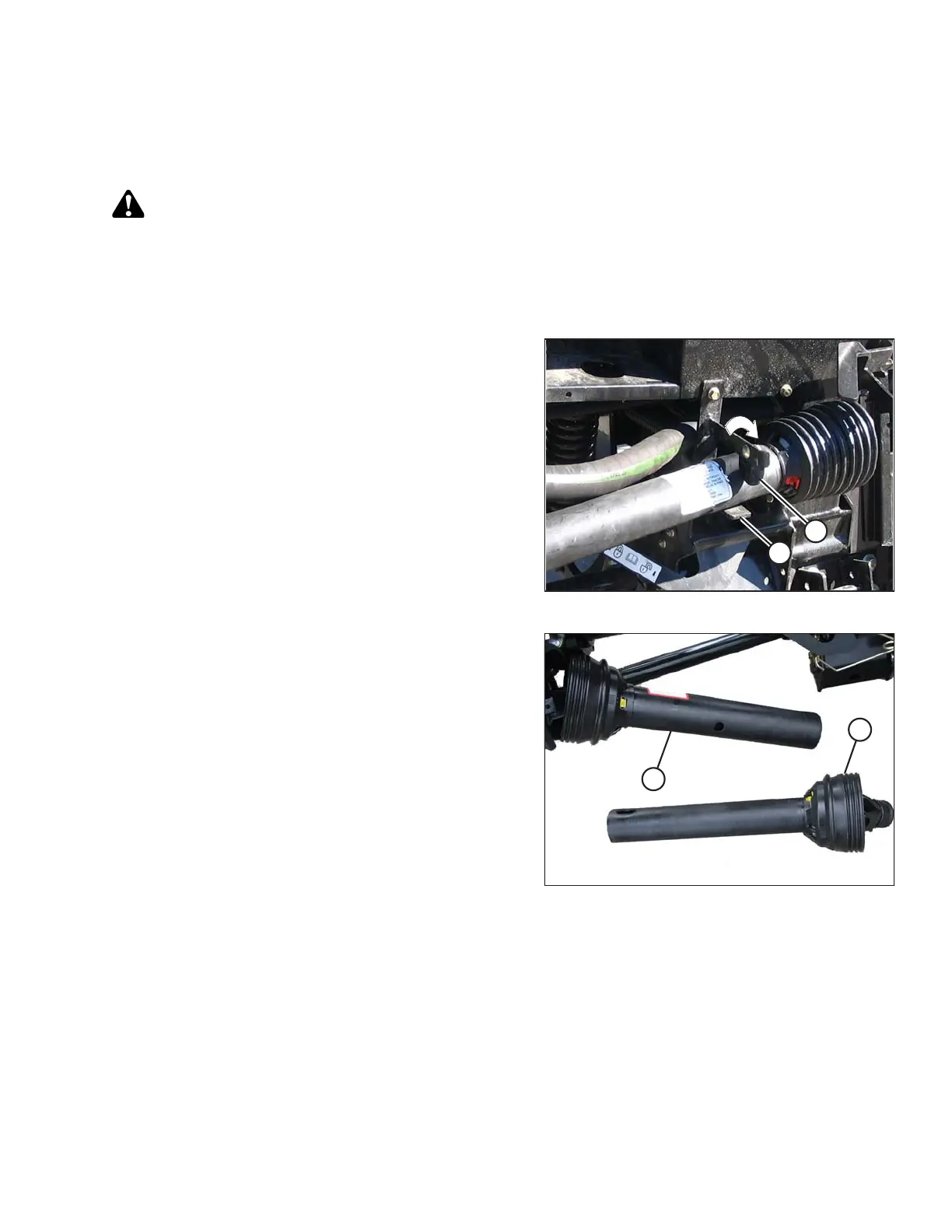
Figure 5.42: Combine End of Driveline
1. Shut down the combine, and remove the key from
the ignition.
2. If the driveline is in the storage position, rotate disc (B)
on the adapter driveline storage hook (A), and remove
the driveline from the hook. If the driveline is attached to
the combine, remove the driveline from the combine by
pulling the quick disconnect collar to release the
driveline yoke at the combine shaft. Refer to 4 Header
Attachment/Detachment, page 269.
Figure 5.43: Separated Driveline
3. Lift the combine end of the driveline (A) from the hook,
and extend the driveline until it separates. Hold the
adapter end of the driveline (B) to prevent it from
dropping and hitting the ground.
MAINTENANCE AND SERVICING









 To Next Page