214323 175 Revision A
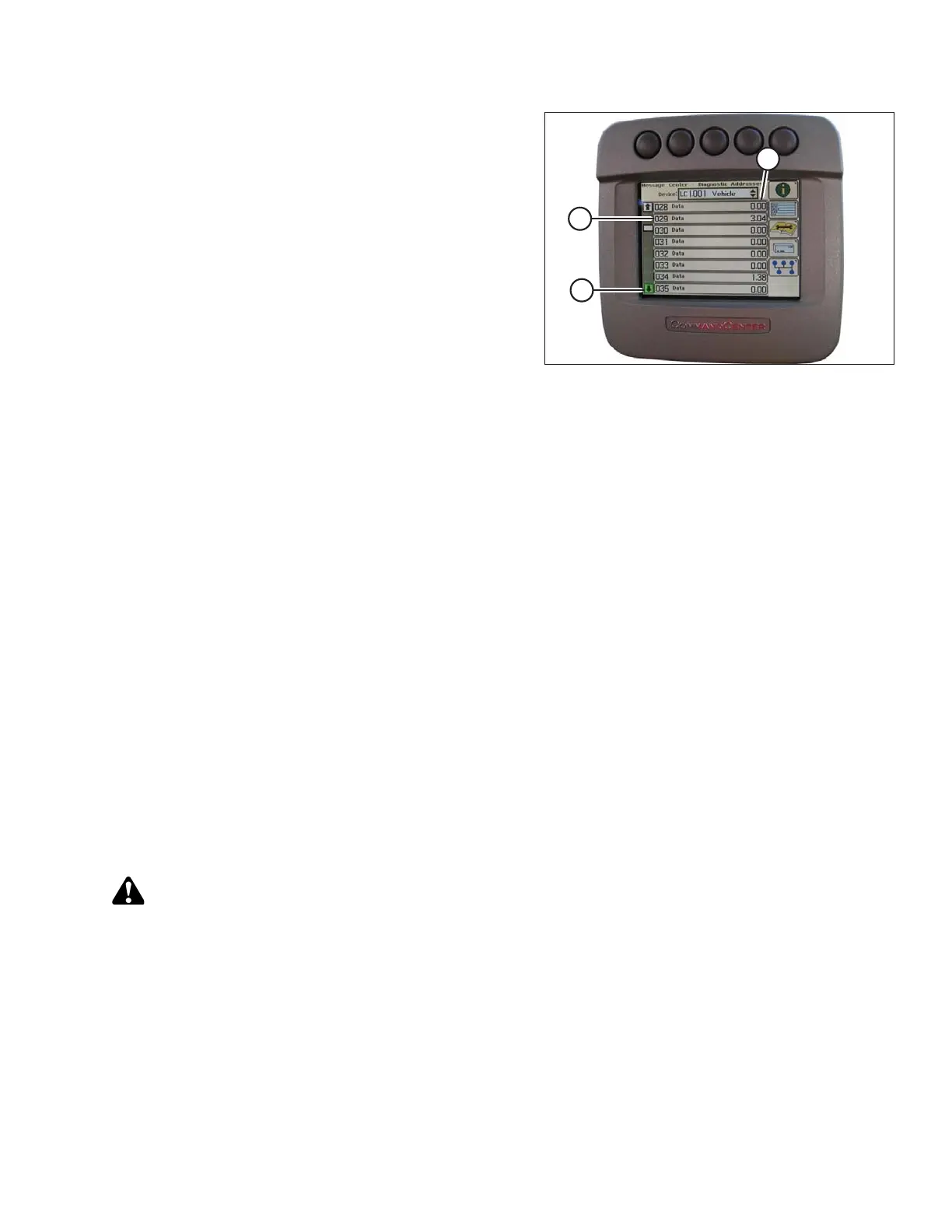
Figure 3.276: John Deere Combine Display
10. Use scroll knob to highlight down arrow (A) and press
check mark button to scroll through list until 029
DATA (B) is displayed and voltage reading (C) appears
on combine display.
11. Ensure header float is unlocked.
12. Start combine and fully lower feeder house to the ground.
NOTE:
You may need to hold HEADER DOWN switch for a few seconds to ensure feeder house is fully lowered.
13. Check sensor reading on monitor.
14. Raise header so it is just off ground and recheck sensor reading.
15. If sensor voltage is not within low and high limits or if range between low and high limits is insufficient, refer to
Adjusting Voltage Limits, page 105.
Calibrating Feeder House Speed (John Deere 70 Series)
The feeder house speed must be calibrated before you calibrate auto header height control (AHHC) system. Refer
to combine operator’s manual for instructions.
Calibrating Auto Header Height Control (John Deere 70 Series)
For best performance of auto header height control (AHHC), perform these procedures with center-link set to D.
When setup and calibration are complete, adjust center-link back to desired header angle. Refer to 3.7.4 Header
Angle, page 76.
NOTE:
Changes may have been made to combine controls or display since this document was published. Refer to
combine operator’s manual for updates.
CAUTION
Check to be sure all bystanders have cleared the area.
1. Ensure center-link is set to D.
2. Rest header on safety props and unlock adapter float.
3. Place wings in locked position.
4. Start combine.
OPERATION









 To Next Page