214323 176 Revision A
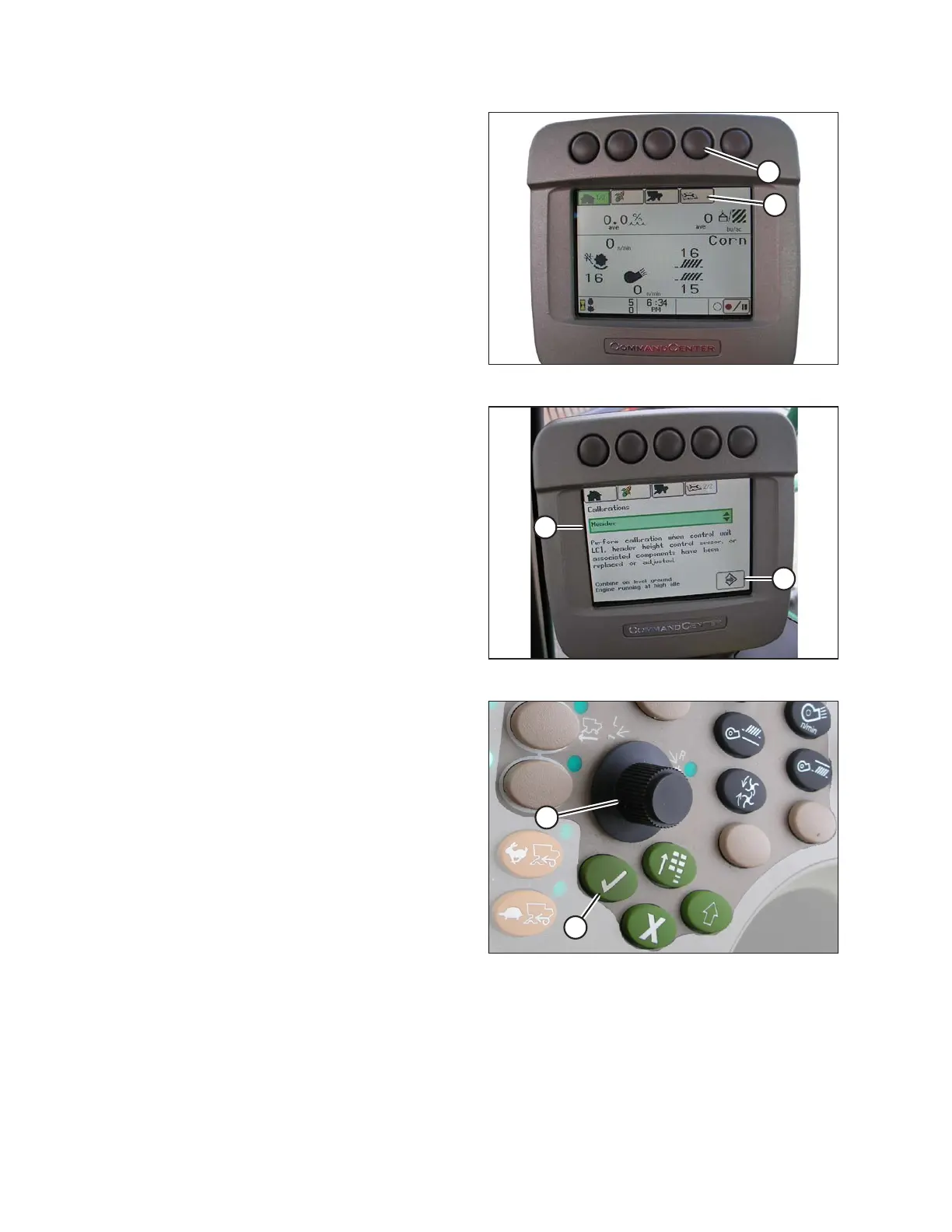
Figure 3.277: John Deere Combine Display
5. Press button located fourth from left along top of
monitor (A) to select icon that resembles an open book
with a wrench on it (B).
6. Press top button (A) a second time to enter diagnostics
and calibration mode.
Figure 3.278: John Deere Combine Display
7. Select HEADER in box (A) by scrolling down to box
using scroll knob, and then pressing check mark button
(knob and button are shown in Figure 3.279, page 176).
8. Scroll down to lower right icon that resembles an arrow
in a diamond (B) and press check mark button to
select it.
Figure 3.279: John Deere Combine Control
Console
A - Scroll Knob B - Check Mark Button
9. Follow steps listed on combine display to perform the calibration.
OPERATION









 To Next Page