214323 181 Revision A
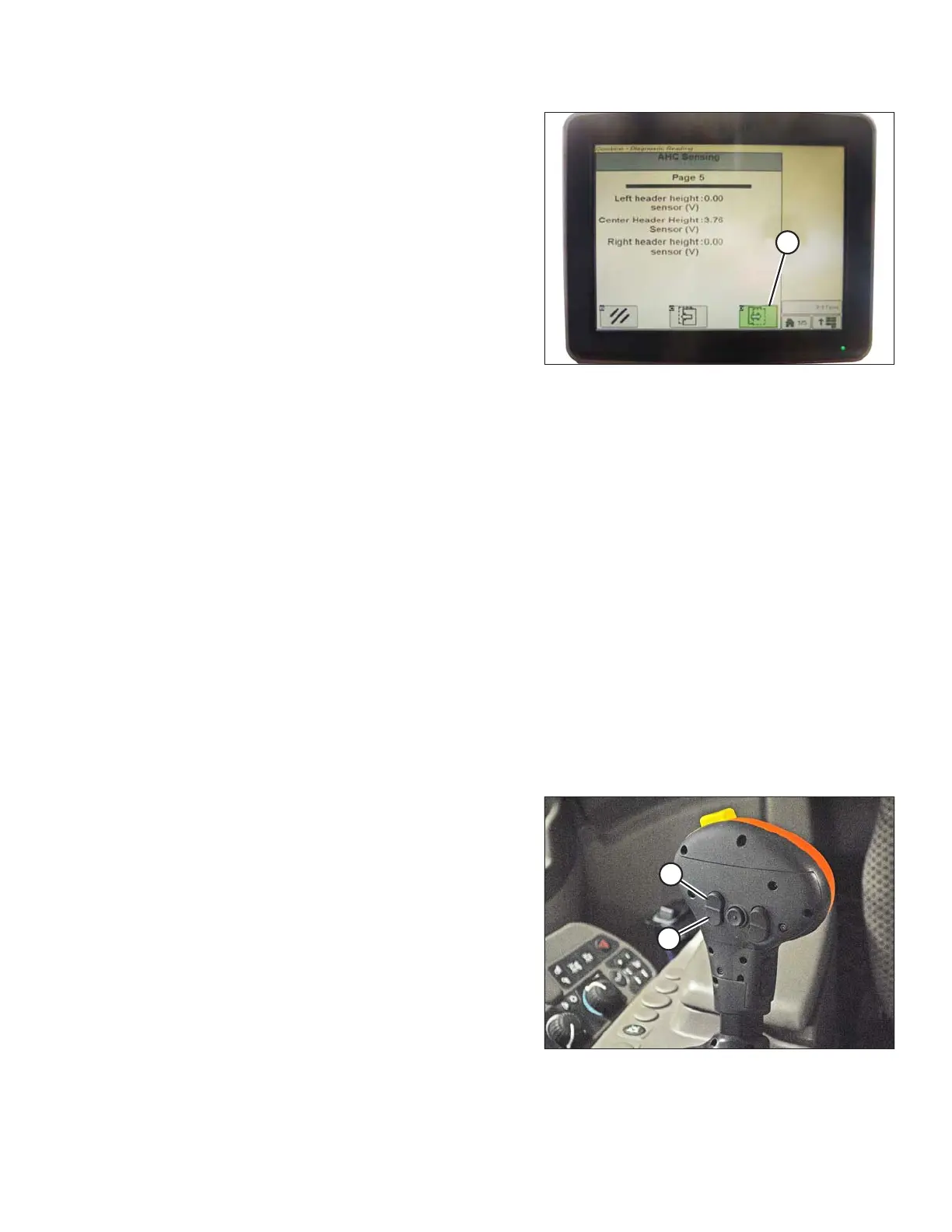
Figure 3.290: John Deere Combine Display
9. Press icon (A) until it reads Page 5 near top of the page
and following sensor readings appear:
• LEFT HEADER HEIGHT
• CENTER HEADER HEIGHT
• RIGHT HEADER HEIGHT
A reading is displayed for only center header height
sensor. On MacDon header, there is only one sensor
located in float indicator box on top of the CA25.
10. Ensure header float is unlocked.
11. Start combine and fully lower feeder house to the ground.
NOTE:
You may need to hold HEADER DOWN switch for a few seconds to ensure feeder house is fully lowered.
12. Check sensor reading on monitor.
13. If sensor voltage is not within low and high limits or if range between low and high limits is insufficient refer to
Adjusting Voltage Limits, page 105.
Calibrating Feeder House Fore/Aft Tilt Range (John Deere S and T Series)
For best performance of auto header height control (AHHC), perform these procedures with center-link set to D.
When setup and calibration are complete, adjust center-link back to desired header angle. Refer to 3.7.4 Header
Angle, page 76.
This procedure applies only to model year 2015 and later John Deere S and T Series combines.
NOTE:
Changes may have been made to combine controls or display since this document was published. Refer to
combine operator’s manual for updates.
Figure 3.291: John Deere Hydro Handle
The feeder house fore/aft tilt is controlled by buttons (C) and
(D) at back of hydro handle.
OPERATION









 To Next Page