214323 244 Revision A
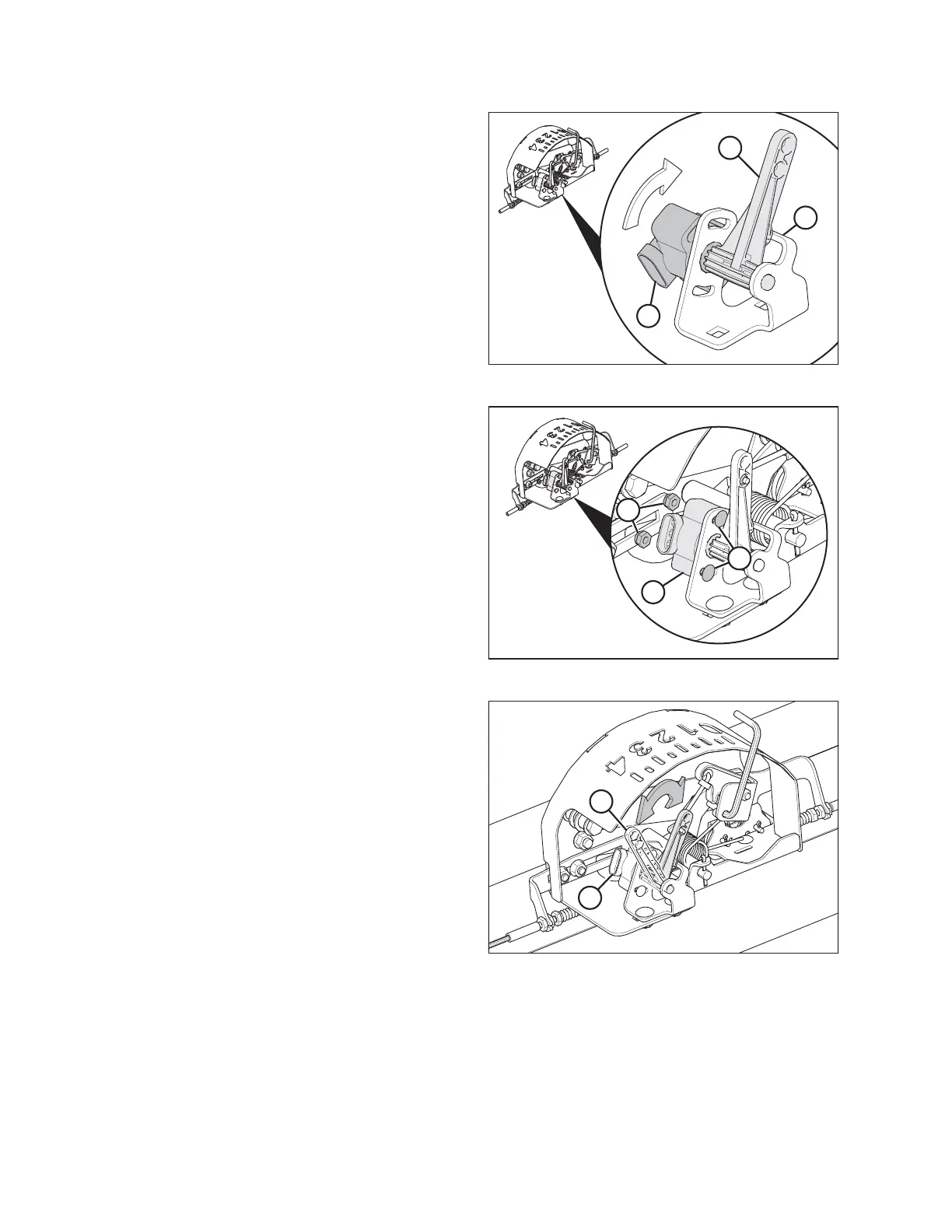
Figure 3.436: AHHC Sensor
3. Position sensor control arm (A) against stop (B).
4. Install new sensor (C) onto linkage arm with wiring plug
facing away from stop.
5. Pretension sensor’s internal spring by rotating
sensor (C) until bolt holes align with holes on bracket.
Figure 3.437: AHHC Sensor
6. Secure new sensor (A) to bracket with two nuts and
bolts (B).
Figure 3.438: AHHC Sensor Range
7. Ensure linkage (A) operates freely (arrow indicates
approximate range).
8. Reconnect wiring harness to plug (B) on sensor.
9. Check voltage range of new sensor and adjust if necessary.
OPERATION









 To Next Page