214323 63 Revision A
Table 3.6 Float Settings
Header Size
Torque Settings
Cutting on Ground Cutting off Ground
9.1 m (30 ft.) 1-1/2 to 2 2 to 2-1/2
10.6 m (35 ft.) 1-1/2 to 2 2 to 2-1/2
12.2 m (40 ft.) 2 to 2-1/2 2-1/2 to 3
13.7 m (45 ft.) 2 to 2-1/2 2-1/2 to 3
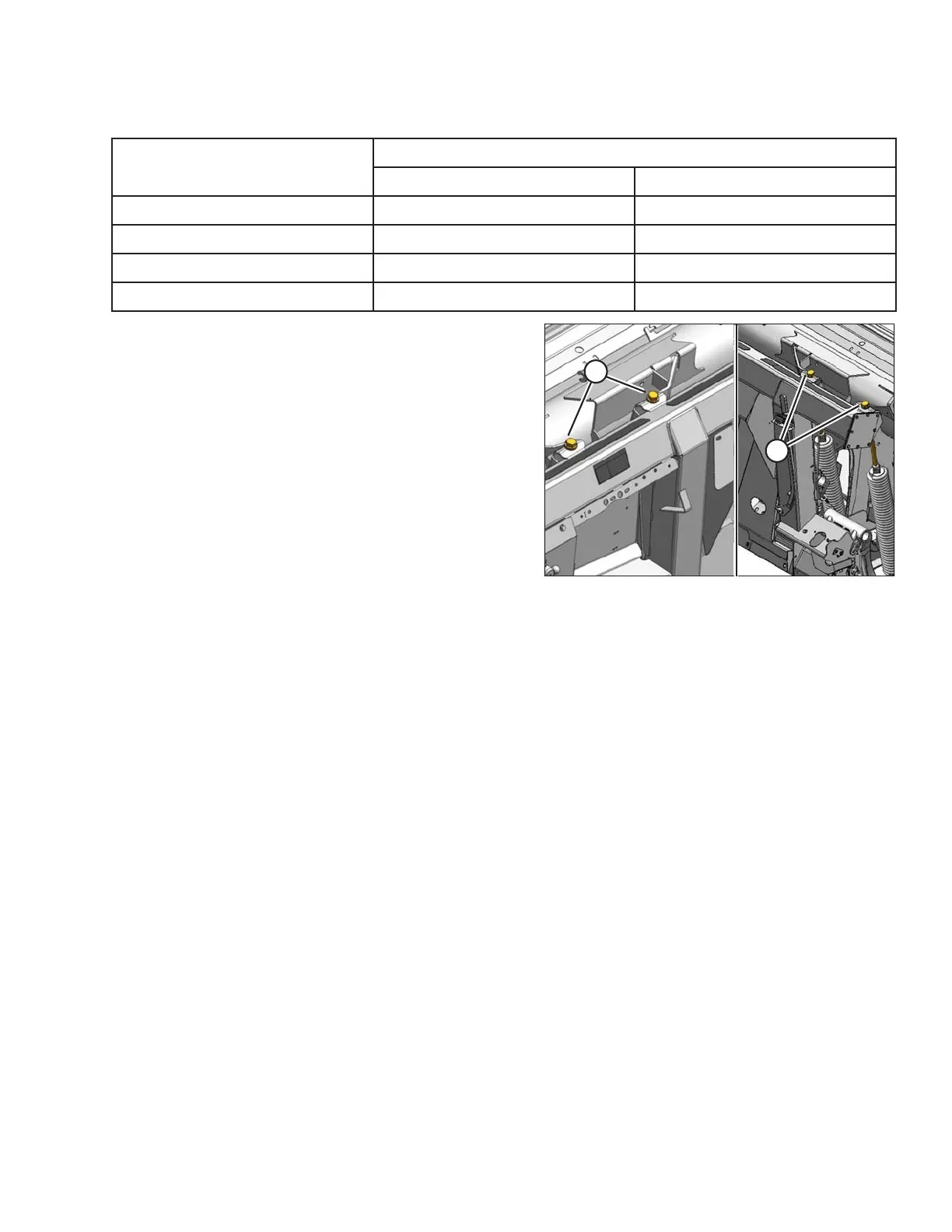
Figure 3.44: Float Adjustment
14. To increase float (decrease header weight)
a. Loosen jam nuts.
b. Turn left adjustment bolts (A) and right adjustment
bolts (B) clockwise.
c. Tighten jam nuts.
15. To decrease float (increase header weight)
a. Loosen jam nuts.
b. Turn left adjustment bolts (A) and right adjustment
bolts (B) counterclockwise.
c. Tighten jam nuts.
16. Use following guidelines when adjusting float:
• Adjust float so wrench readings are equal on both sides of the header.
• For 40- and 45-foot double-knife headers: adjust float so wrench readings are equal at both sides, and
then loosen both right spring bolts two turns.
• Turn each bolt pair equal amounts. Refer to Step 12, page 62, and repeat torque wrench
reading procedure.
• Set header float as light as possible without causing excessive bouncing to prevent knife component
breakage, soil scooping, or soil build-up at cutterbar in wet conditions.
• Use a slower ground speed with a light float setting, if necessary, to avoid excessive bouncing and leaving a
ragged cut.
• Use stabilizer wheels in conjunction with header float to minimize bouncing at header ends and to control
cut height when cutting off ground. Refer to 3.7.1 Cutting Height, page 53.
NOTE:
If adequate header float cannot be achieved using all of available adjustments, an optional heavy duty spring is
available. See your MacDon Dealer or refer to parts catalog for ordering information.
OPERATION









 To Next Page