214323 118 Revision A
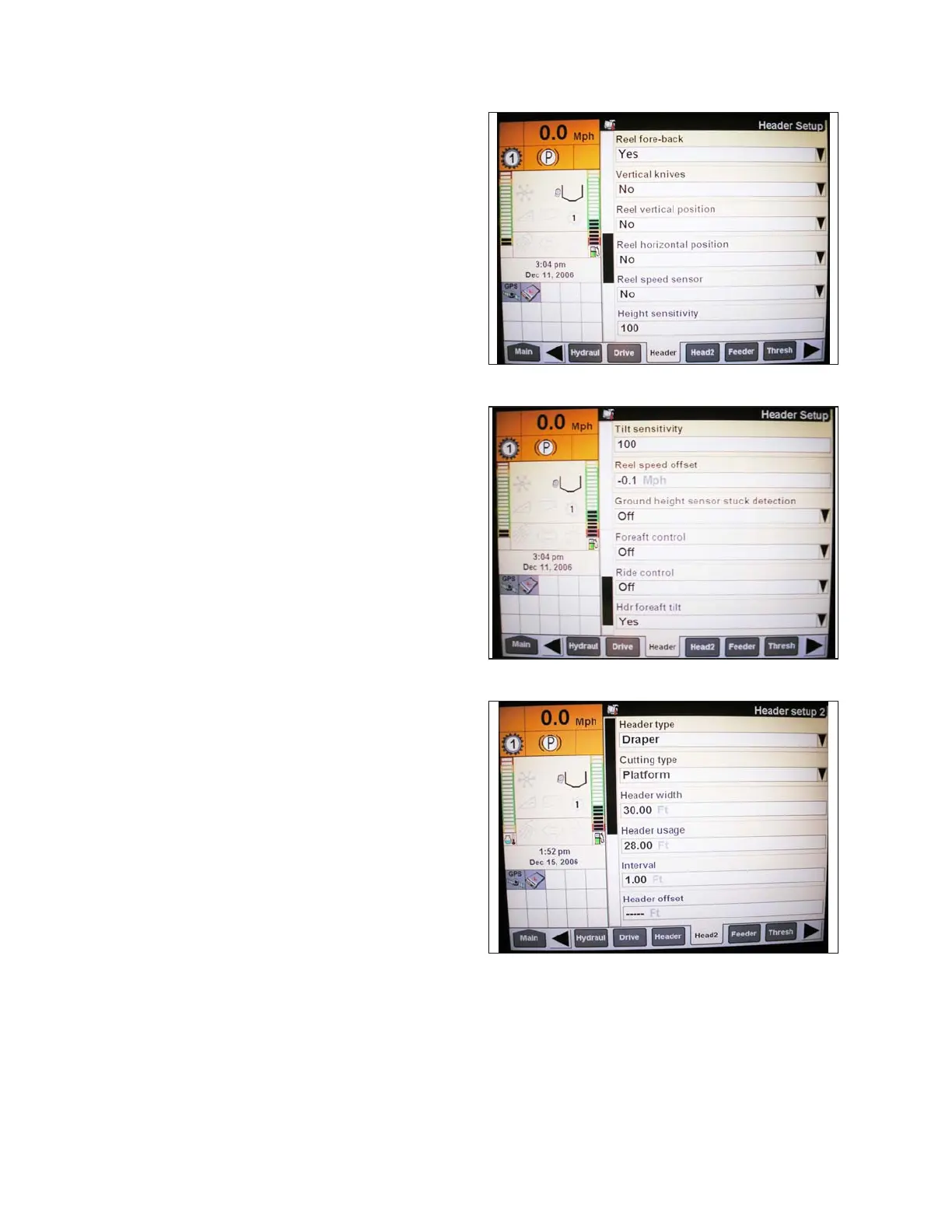
Figure 3.159: Case IH Combine Display
7. Install REEL FORE-BACK (if applicable).
8. Set HEIGHT SENSITIVITY to desired value. The
recommended starting point is 180.
Figure 3.160: Case IH Combine Display
9. Install FORE-AFT CONTROL and HDR FORE-AFT
TILT (if applicable).
Figure 3.161: Case IH Combine Display
10. Press HEAD2 at bottom of page.
11. Ensure HEADER TYPE is DRAPER.
NOTE:
If recognition resistor is plugged into header harness,
you will not be able to change this value.
12. Set cutting type to PLATFORM.
13. Set appropriate HEADER WIDTH and
HEADER USAGE.
OPERATION









 To Next Page