214323 152 Revision A
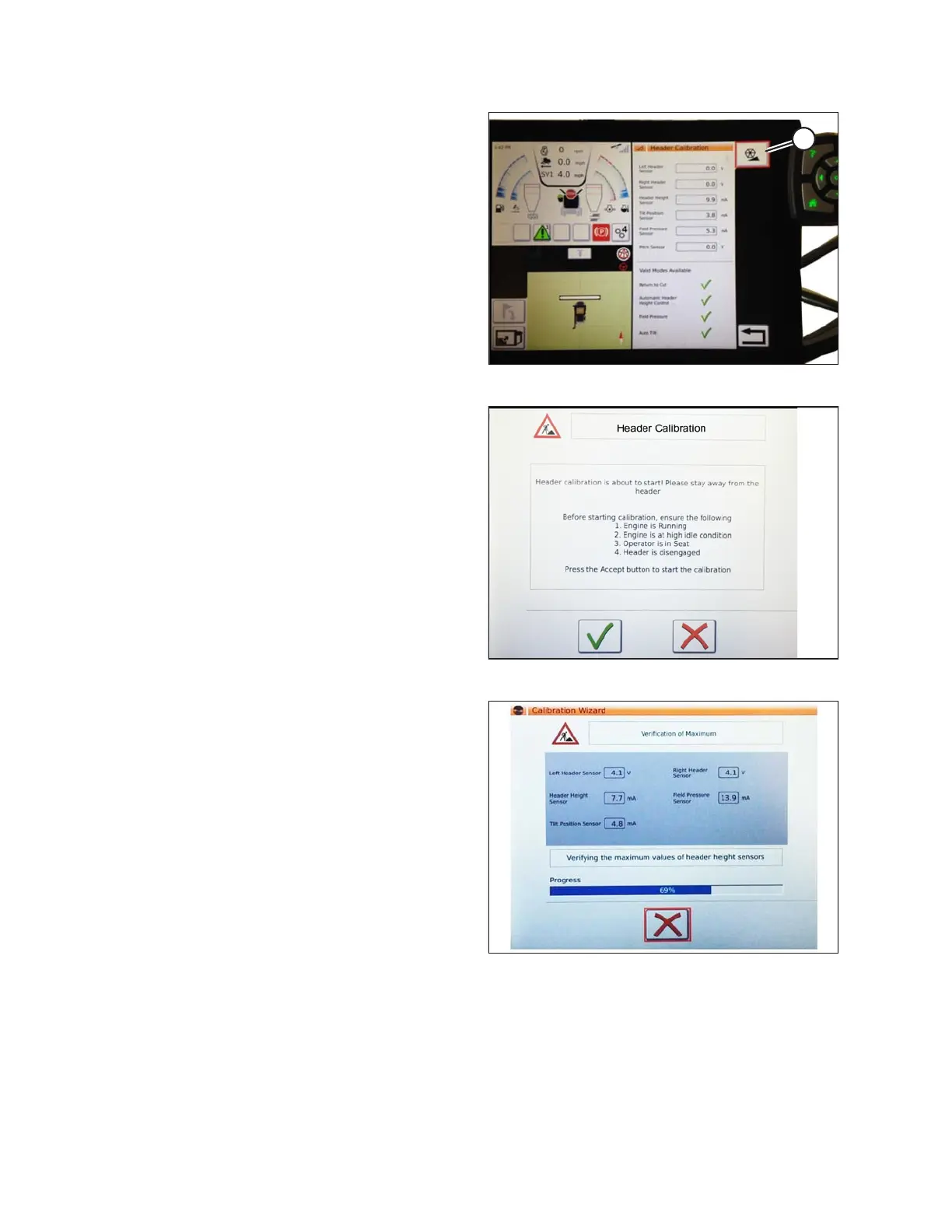
Figure 3.228: Header Calibration
4. When sensor values are stable, touch CALIBRATE
icon (A).
Figure 3.229: Header Calibration Warning
5. The hazard message warning page for HEADER
CALIBRATION appears. Before proceeding with
calibration by touching green check mark, make sure
that all conditions on page are met.
6. Touch green check mark at bottom of page to start
CALIBRATION WIZARD.
Figure 3.230: Calibration In Progress
A progress bar is provided and wizard can be stopped at
any time by touching red X. The header moves
automatically and erratically during this process.
OPERATION









 To Next Page