214323 154 Revision A
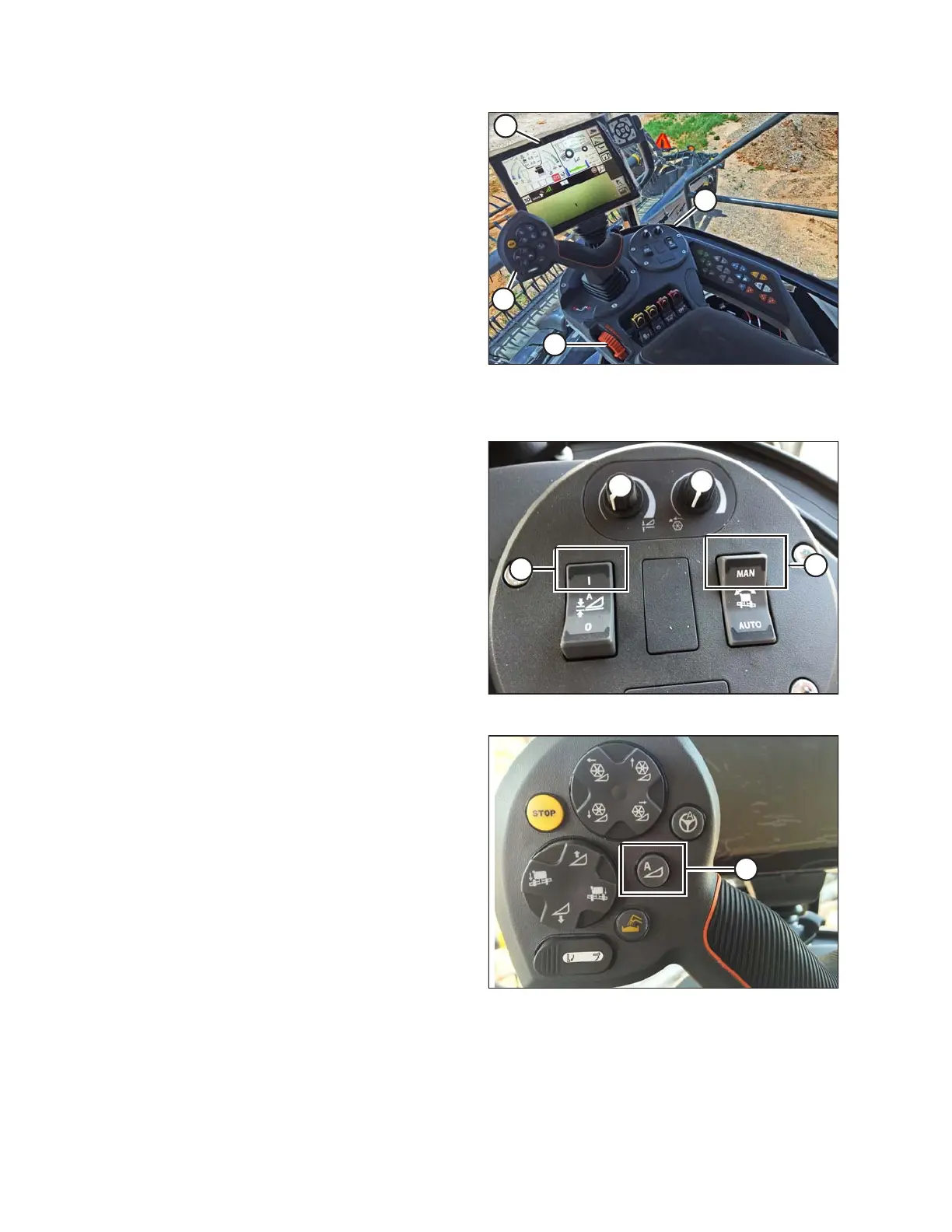
Figure 3.233: Gleaner S9
A - Tyton Terminal B - Hydro Handle/Ground Speed Lever
C - Throttle Lever D - Header Control Cluster
These are primary controls to be used to engage and use
auto header height control (AHHC) function.
Figure 3.234: Header Control Cluster
1. With header running, set Lateral Tilt to MANUAL by
pressing switch (A) upward to MAN position.
2. Engage AHHC by pressing switch (B) upward to
I position.
Figure 3.235: AHHC on GSL
3. Press AHHC control switch (A) on ground speed
lever (GSL) to engage AHHC. The header positions
itself in current setpoint position.
OPERATION









 To Next Page