214323 193 Revision A
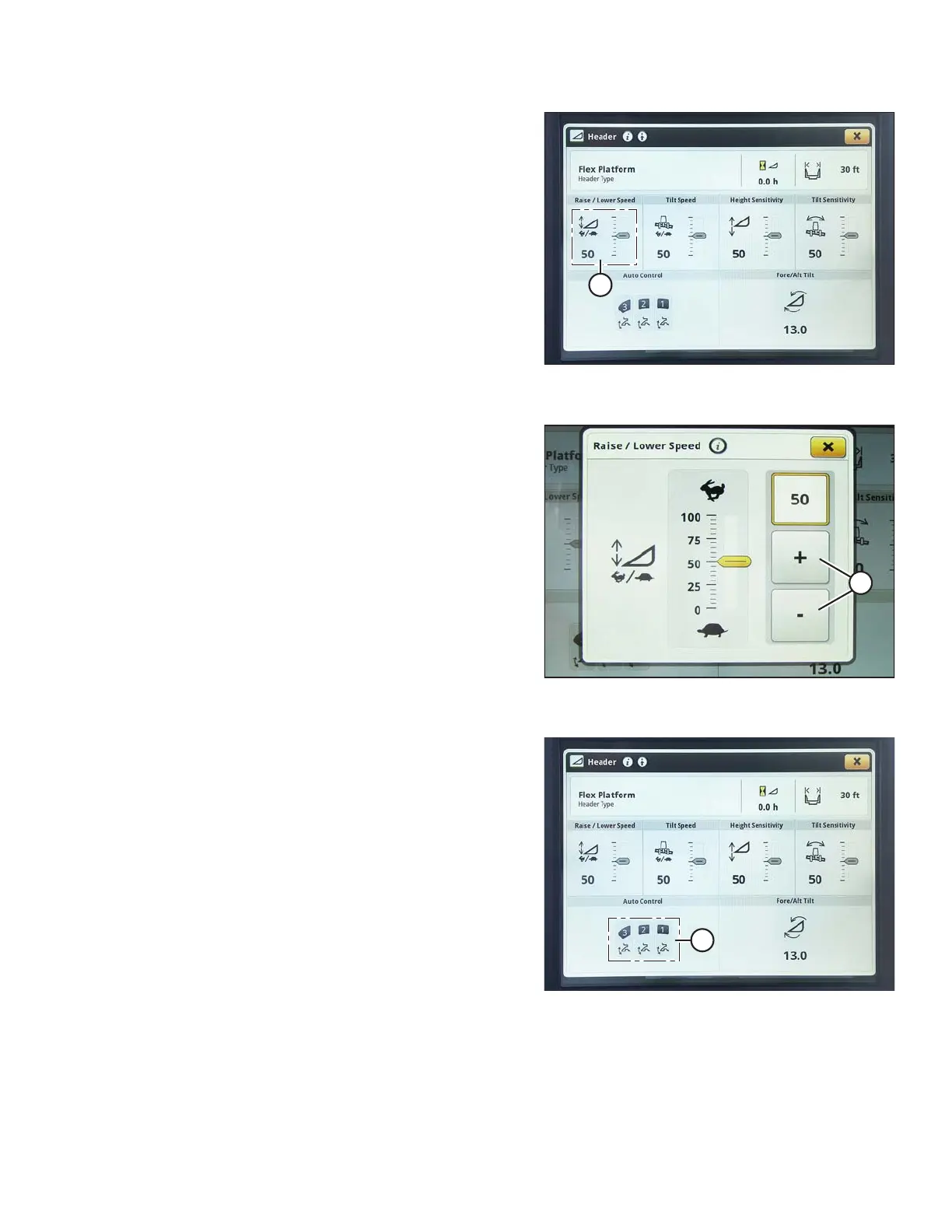
Figure 3.320: John Deere S7 Display –
Header Page
7. The raise/lower speed, tilt speed, height sensitivity, and
tilt sensitivity can all be adjusted from this page. Select
the option (A) you would like to adjust. This example
shows the raise/lower speed adjustment.
Figure 3.321: John Deere S7 Display –
Raise/Lower Speed Adjustment
8. Use the + and – buttons (A) to adjust the setting.
9. Press the X button to return to HEADER page.
Figure 3.322: John Deere S7 Display –
Header Page
10. Select the AUTO CONTROL icons (A). The AUTO
HEADER CONTROLS page opens.
OPERATION









 To Next Page