214323 205 Revision A
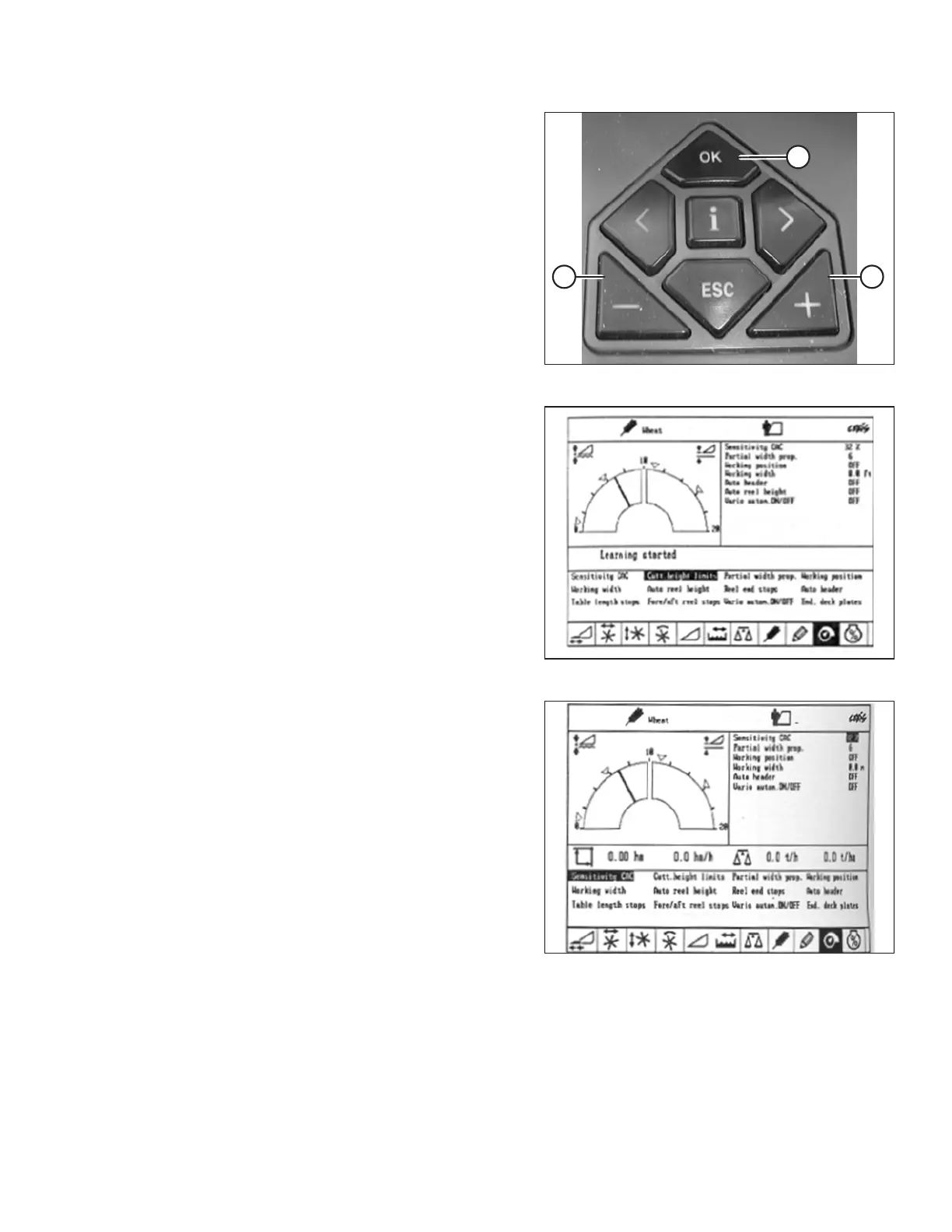
Figure 3.349: CLAAS Combine Controls
3. Use – key (A) or + key (B) to turn ON AHHC, and
press OK (C).
4. Engage threshing mechanism and header.
Figure 3.350: CLAAS Combine Display
5. Use < or > key to select CUTT.HEIGHT LIMITS, and
press OK.
6. Follow procedure displayed on screen to program
upper and lower limits of header into CEBIS (CLAAS
Electronic on-Board Information System).
Figure 3.351: CLAAS Combine Display
7. Use < or > key to select SENSITIVITY CAC, and
press OK.
NOTE:
Setting sensitivity of AHHC system impacts reaction
speed of AHHC on the header.
8. Use – key or + key to change setting of reaction speed,
and press OK key.
OPERATION









 To Next Page