214323 236 Revision A
CAUTION
Check to be sure all bystanders have cleared the area.
1. Position header 150 mm (6 in.) above ground, and unlock adapter float.
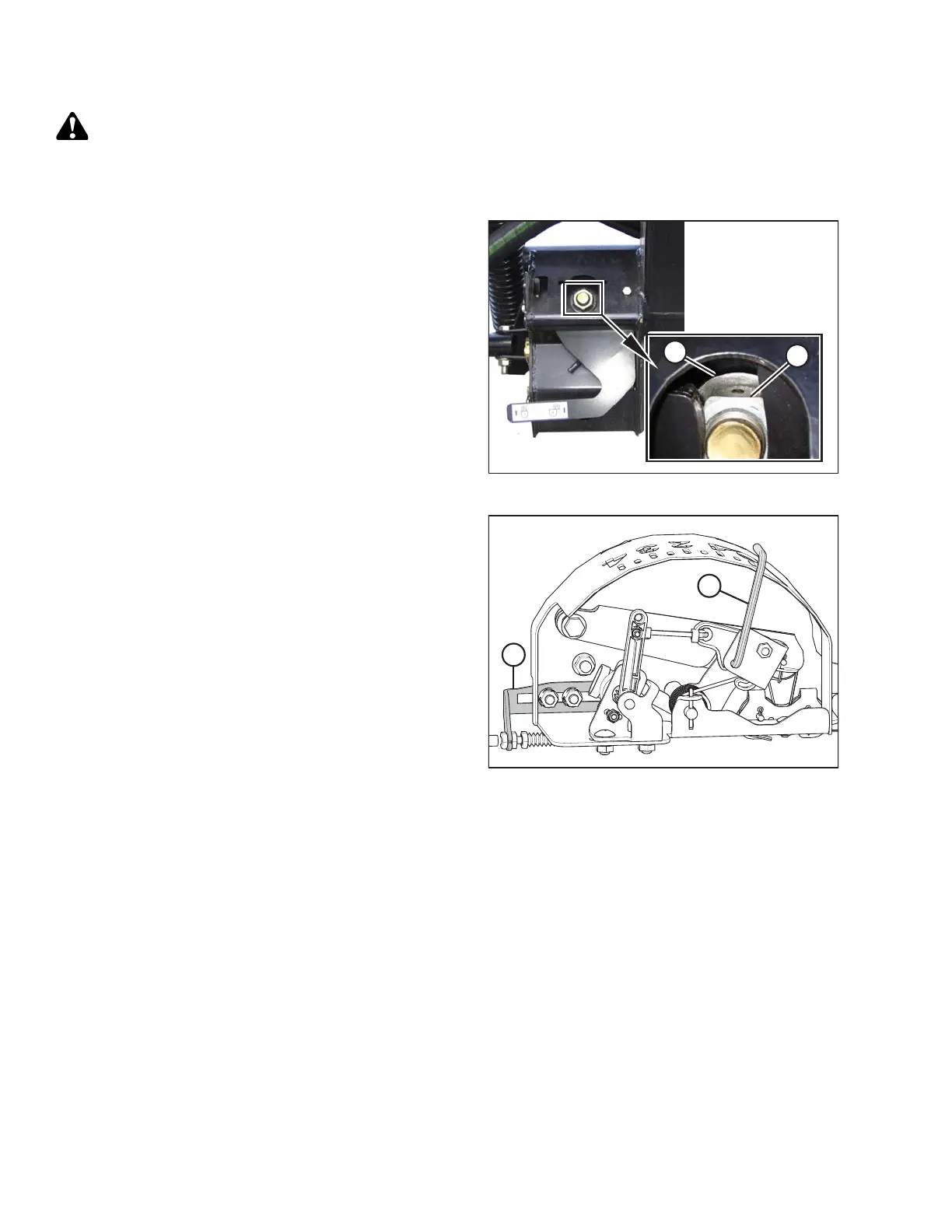
Figure 3.417: Float Lock
2. Check that float lock linkage is on down stops
(washer [A] and nut [B] cannot be moved) at both
locations.
NOTE:
If header is not on down stops, float is too light.
Readjust float if necessary.
NOTE:
If header is not on down stops during next two steps,
voltage may go out of range during operation causing a
malfunction of auto header height control (AHHC)
system.
Figure 3.418: Float Indicator Box (5 Volt AHHC
Sensor Assembly Shown)
3. Adjust cable take-up bracket (B) (if necessary) until
pointer (A) on float indicator is on 0.
OPERATION









 To Next Page