215916 123 Revision A
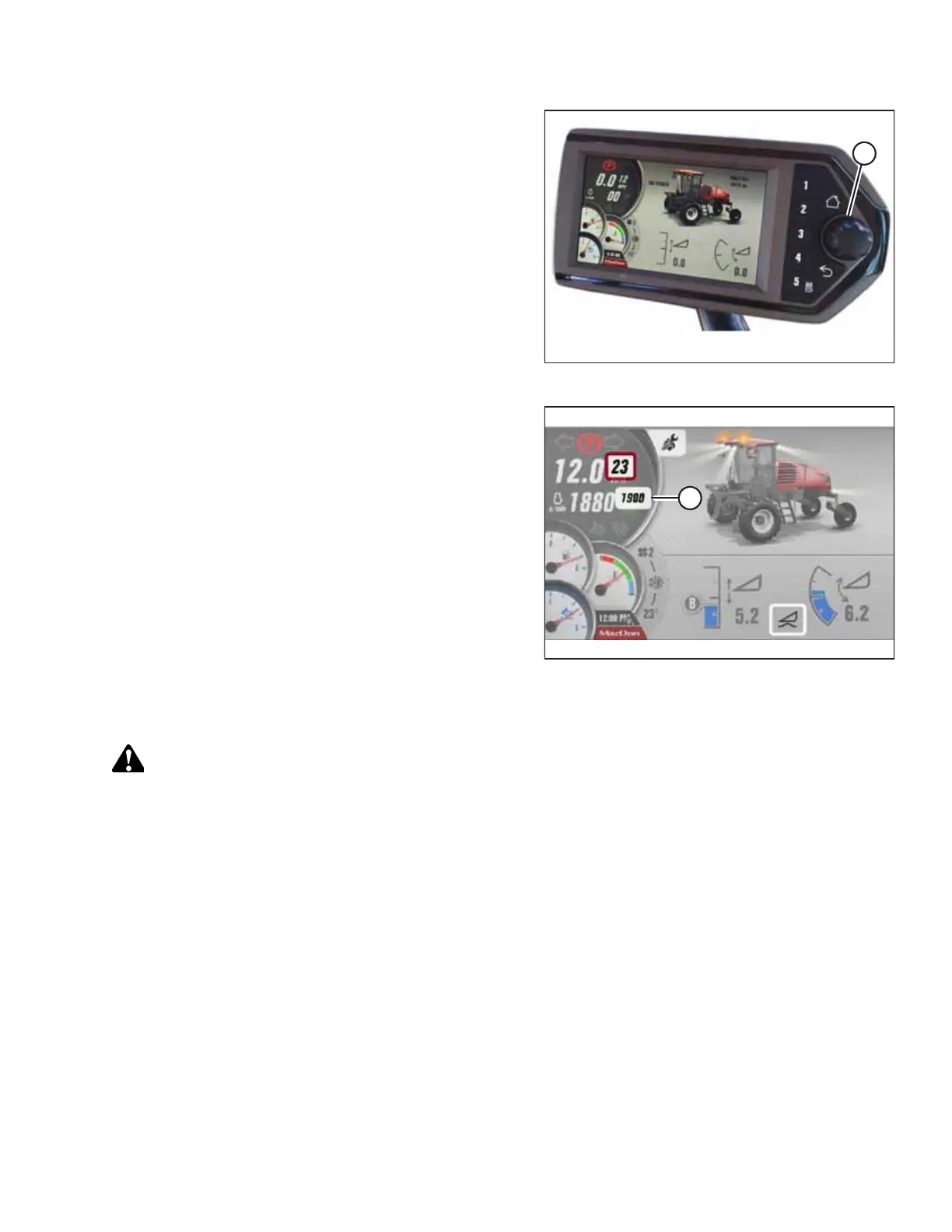
Figure 4.20: HPT Scroll Knob/Select Button
1. To open the QuickMenu system while in any run screen,
press the scroll knob (A) on the HPT.
Figure 4.21: HPT Display
2. Use the HPT scroll knob to move the red cursor to ECO
THROTTLE LIMIT value (A).
3. Press the HPT scroll knob to select ECO THROTTLE LIMIT
adjustment function (A).
4. Adjust the ENGINE rpm value using the HPT scroll knob.
5. Press the HPT scroll knob to program the adjusted value.
Shutting down Engine
CAUTION
Park on a flat, level surface with the header on the ground, the ground speed lever (GSL) in the PARK position, and the
steering wheel in the locked position (centered). To confirm that the parking brake is engaged, wait for the HPT to beep
and display a red P symbol.
IMPORTANT:
Before stopping the engine, run at low idle for approximately 5 minutes to cool hot engine parts (and allow turbocharger to
slow down while engine oil pressure is available).
1. Park the windrower on a level surface.
OPERATION



 To Next Page