215916 105 Revision A
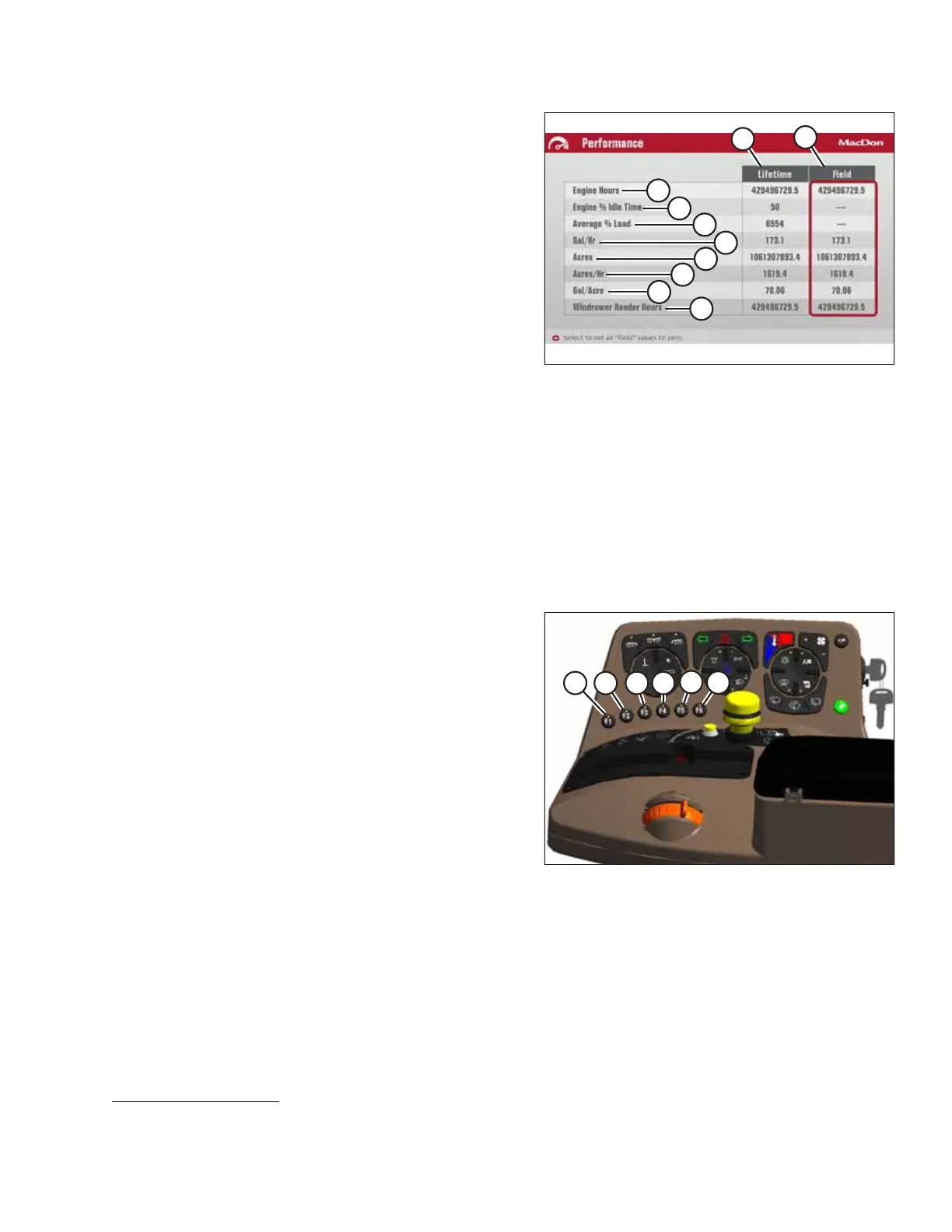
Figure 3.133: Performance Information Menu
The performance information menu displays two columns:
one column displays the accumulated data over the
machine’s lifetime (A) and is not resettable, the other
displays the data accumulated per field (B) and is resettable.
The performance information menu displays the following
information:
• Engine hours (C)
• Engine % idle time (D)
• Average % load (E)
• Gal/Hr (F)
• Acres (G)
• Acres/Gal (H)
• Gal/Acre (J)
• Windrower header hours (K)
NOTE:
To reset all of the field values to zero, use the scroll knob to highlight the FIELD column (B) and press the SELECT
button.
3.17.7 F1 to F6 Function Buttons
The function buttons are located on the console.
Figure 3.134: Operator’s Console Shortcut Buttons
The following functions have been assigned to the function
buttons on the operator’s console:
• F1 (A) – Float menu
• F2 (B) – One-Touch-Return
• F3 (C) – Windrower settings
• F4 (D) – Header settings
• F5 (E) – Conditioner baffle raise
6,7
• F6 (F) – Conditioner baffle lower
6,7
Press a function button to override the existing screen and
display the function.
Press the function button again or press the Back button to
return to the previous screen.
Press the HOME button on the Harvest Performance Tracker to
return to the run screen.
OPERATOR’S STATION
6. If a button is pressed momentarily the baffle will move approximately 3 mm (0.12 in).
7. Available as an option on the R216. Order MD #B6664.



 To Next Page