215916 99 Revision A
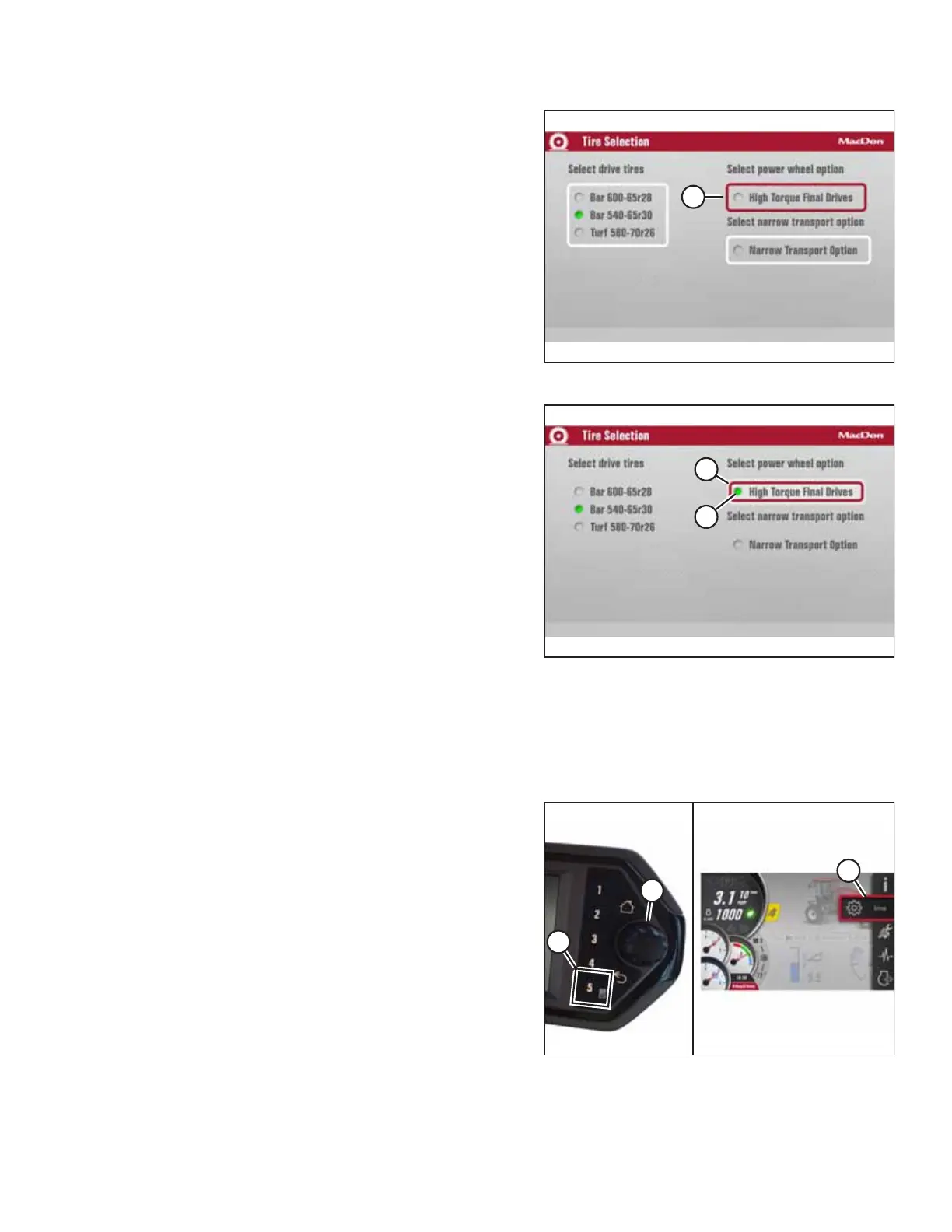
Figure 3.116: Tire Selection
9. If the optional high torque wheel drives are installed:
Once the correct tire size is selected, press the BACK button
to deselect the list of tire sizes, and scroll to SELECT POWER
WHEEL OPTION (A).
NOTE:
Do NOT select this option unless the high torque (36.82:1)
wheel drives are installed.
Figure 3.117: Tire Selection
10. Press the scroll knob to select (A) the list.
11. Press the scroll knob. Make sure green radio button (B)
appears beside HIGH TORQUE FINAL DRIVES.
12. The high torque wheel option is now enabled (assuming
there is no sudden power loss to the HPT).
13. You can now either exit the menu by pressing the BACK
button, or exit the TIRE SELECTION page by pressing the
HOME button.
NOTE:
Pressing the BACK or HOME buttons will save the settings
to memory.
3.17.5 Activating Control Locks
All header functions are factory-set to the unlocked position, but certain functions can be locked to prevent changes. This
feature can be used to maintain preferred settings when there are multiple Operators.
Figure 3.118: Displaying the Main Menu
1. Press soft key 5 (A) to display the main menu.
2. To scroll to setting icon (C), use the Harvest Performance
Tracker (HPT) scroll knob (B) or the ground speed lever
(GSL) scroll wheel (not shown).
3. Press HPT scroll knob (B) or the GSL SELECT button (not
shown) to activate the settings menu options.
OPERATOR’S STATION



 To Next Page