215916 78 Revision A
3.17 Harvest Performance Tracker Display
The Harvest Performance Tracker (HPT) display settings are preset at the factory. This section explains how to adjust the
settings.
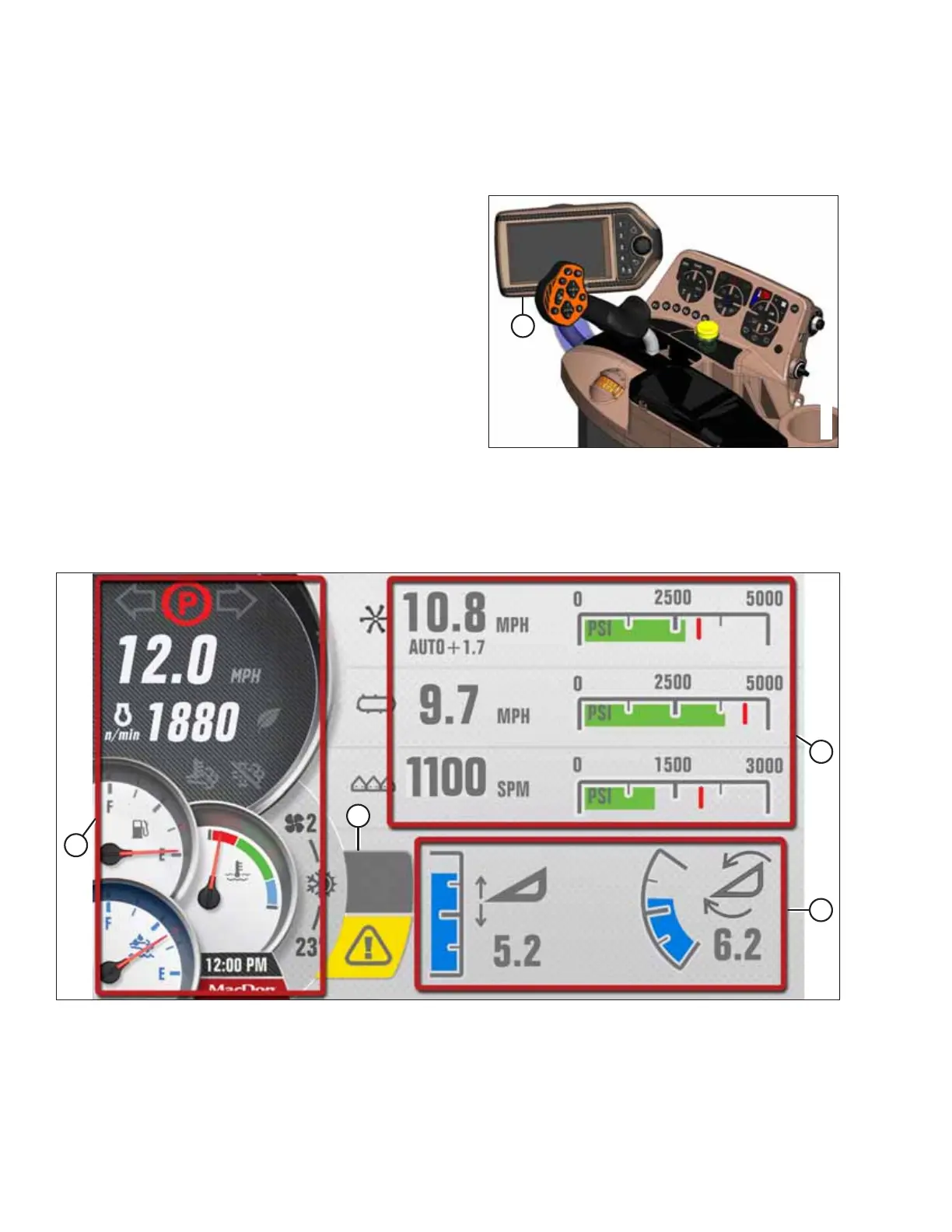
Figure 3.71: Operator’s Console
The HPT (A) is located on the operator’s console.
3.17.1 Harvest Performance Tracker Screen Layout
The appearance and functions of the Harvest Performance Tracker (HPT) depend on the type of header attached.
Figure 3.72: Run Screen 1 – Draper Header Shown
A - Left Gauge Cluster B - Header Information C - Current Header Position D - Telltales
OPERATOR’S STATION



 To Next Page