215916 248 Revision A
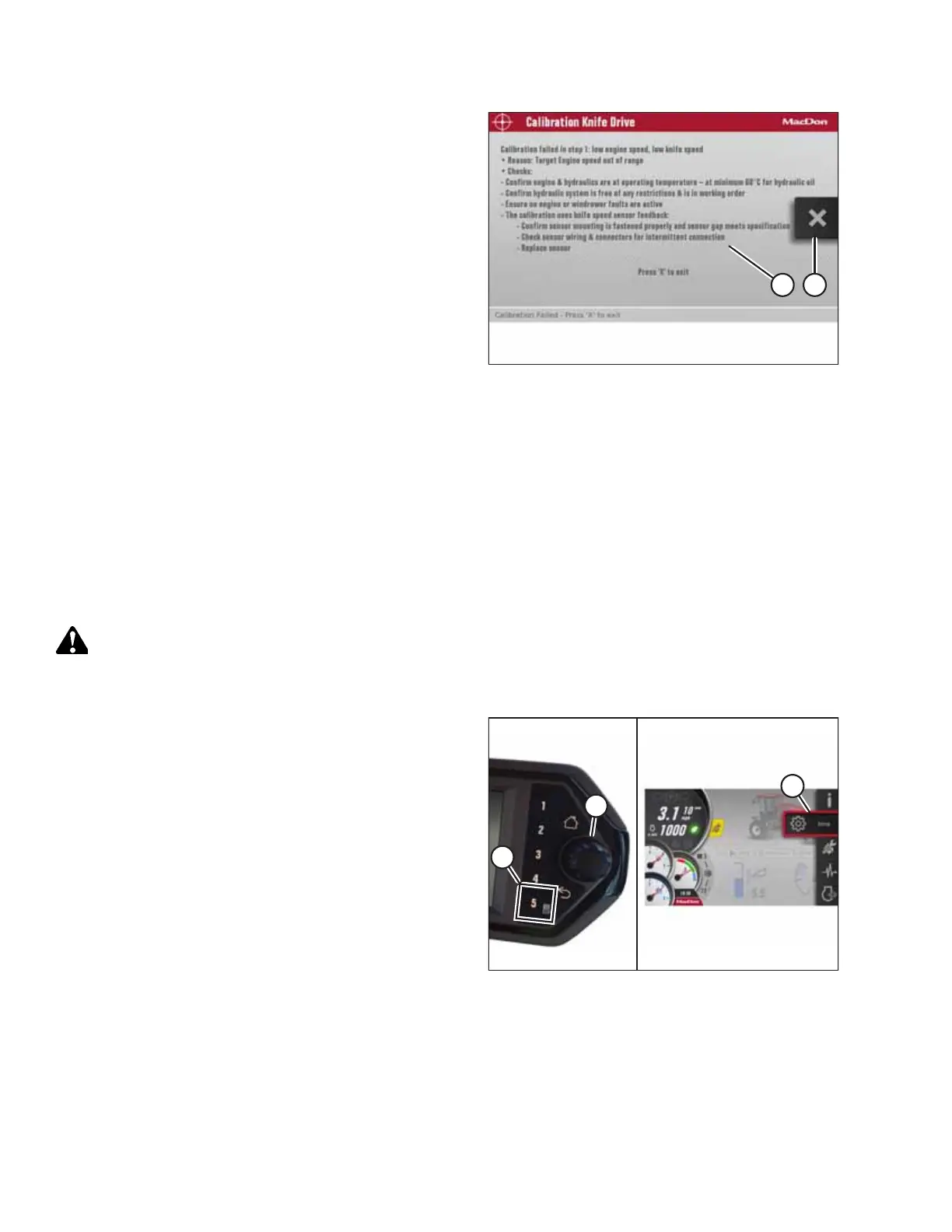
Figure 4.313: Calibration Page
NOTE:
If error message (A) appears when calibrating the knife drive
system, follow the instructions in the message to fix the
error. Press X (B) to exit the message. If the knife
calibration fails:
• Confirm that the engine and hydraulics are at operating
temperature.
• Confirm that the hydraulic system is free of any
restrictions and is in working order.
• Confirm that the throttle is working:
– Check the engine codes to confirm that engine is not
de-rated or throttle-inhibited
– The throttle is controlled via the powertrain’s CAN
network 1. Check the network’s wiring and connectors for an open or intermittent connection
• Confirm that the sensor mounting is secured properly and that the sensor’s gap is set correctly.
• Check the sensor wiring and connectors for an intermittent connection.
• Replace the sensor.
Calibrating Header Position Sensors on Harvest Performance Tracker Display
The header position sensors need to be recalibrated whenever the Harvest Performance Tracker (HPT) is replaced, a
position sensor is replaced, sensor readouts are erratic, a pump has been replaced, or when a new header type or
attachment is connected to the windrower.
DANGER
Never start or move the machine until you are sure that all bystanders have cleared the area.
1. Start the engine.
Figure 4.314: Opening the Main Menu
2. Press soft key 5 (A) to open the Harvest Performance
Tracker (HPT) main menu.
NOTE:
Calibrations MUST be performed with the engine
running. Some calibrations will not be available with the
engine off.
3. Use HPT scroll knob (B) or the ground speed lever (GSL)
scroll wheel (not shown) to highlight SETTINGS icon (C).
4. Press HPT scroll knob (B) or the GSL SELECT button (not
shown) to activate the settings menu options.
OPERATION



 To Next Page