215916 249 Revision A
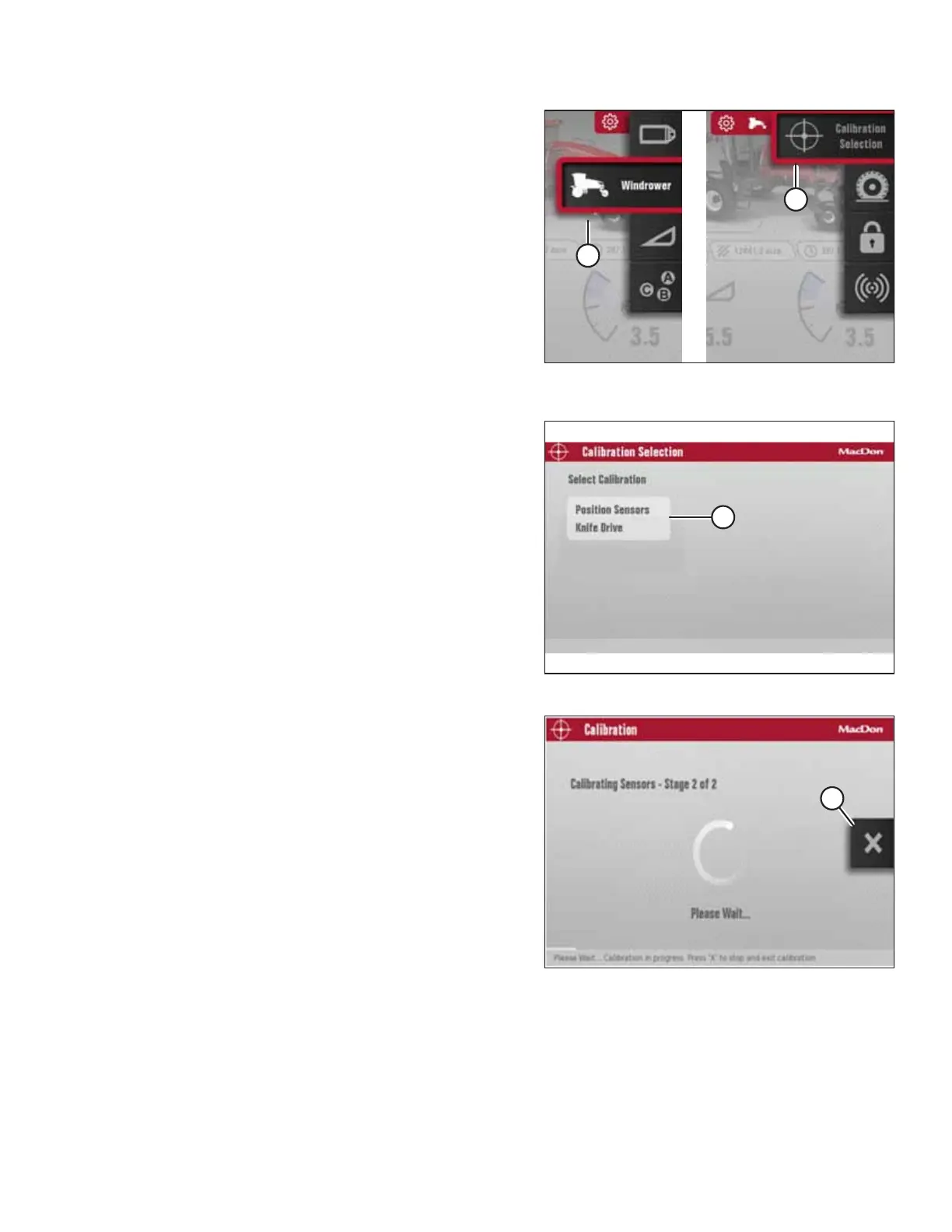
Figure 4.315: Windrower Settings Icon and Calibration
Submenu Icon
5. Scroll to WINDROWER SETTINGS icon (A) and press SELECT.
6. Scroll to CALIBRATION icon (B), and press SELECT to open
the Calibration Selection screen.
NOTE:
The F3 shortcut button on the operator’s console will also
open the WINDROWER SETTINGS menu.
Figure 4.316: Calibration Selection Screen
7. In the Calibration Selection screen, scroll to POSITION
SENSORS (A) and press SELECT.
Figure 4.317: Calibration Screen
NOTE:
Pressing X icon (A) on the screen (or pressing the HOME,
BACK or any GSL button [buttons not shown]) at any time
during the calibration process will EXIT the calibration
procedure without saving your progress. The engine speed
will also return to the original rpm prior to starting the
calibration process.
NOTE:
If a sensor goes out of its normal operating range during
the calibration process, calibration will stop and a message
will appear on the screen indicating that a sensor is out
of range.
OPERATION



 To Next Page