215916 306 Revision A
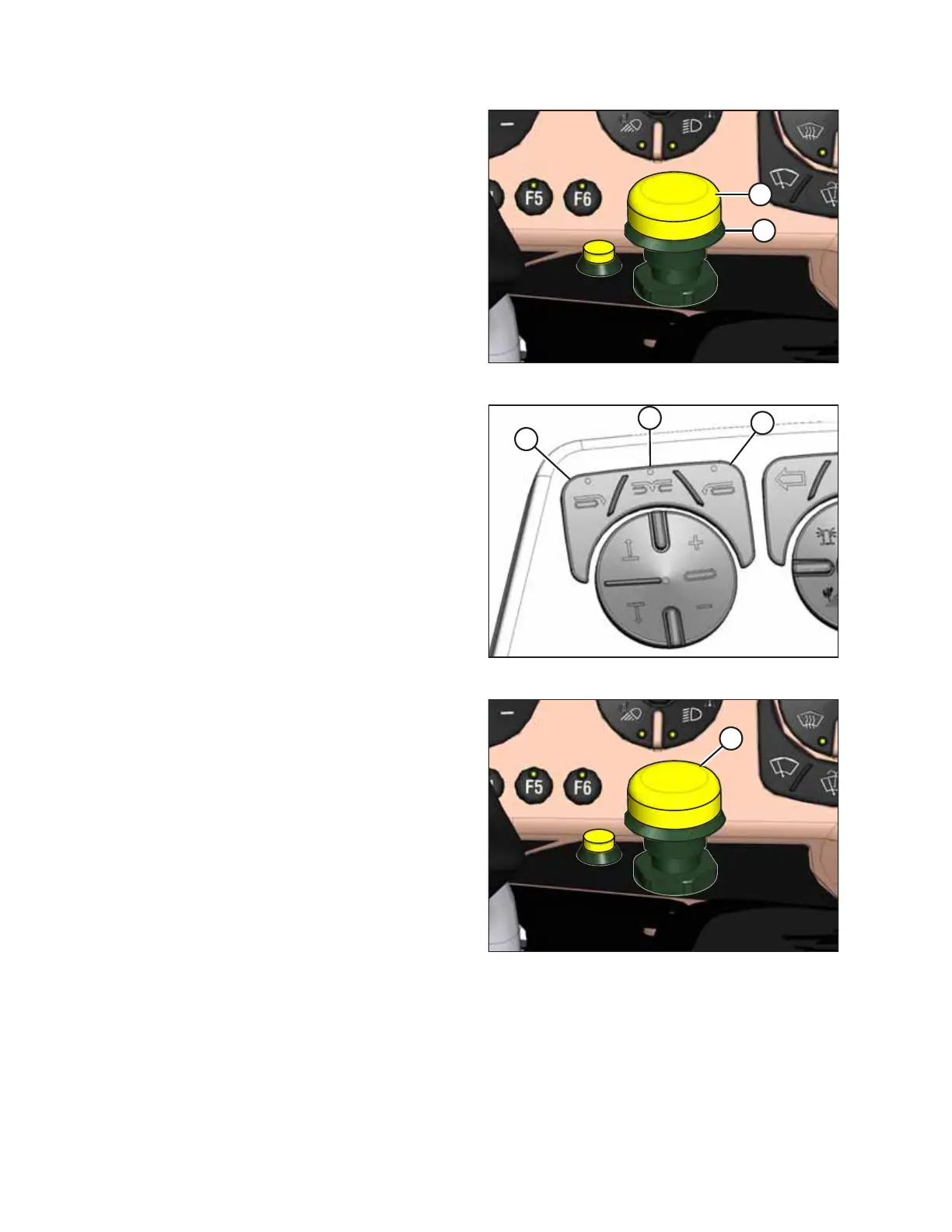
Figure 4.444: Header Engage Switch
2. Engage the header by pushing and holding down HEADER
ENGAGE switch (A), and pulling up on collar (B).
Figure 4.445: Header Deck Shift Switches
3. Select one of the following deck positions using the DECK
SHIFT switches on the operator’s console:
• Right-side delivery (A)
• Center delivery (B)
• Left-side delivery (C)
Figure 4.446: Header Engage Switch
4. Disengage the header by pushing down on HEADER
ENGAGE switch (A).
5. Adjust the float setting for the selected deck position. For
instructions, refer to Setting Float, page 253.
6. Repeat steps for the other deck positions.
OPERATION



 To Next Page