215916 246 Revision A
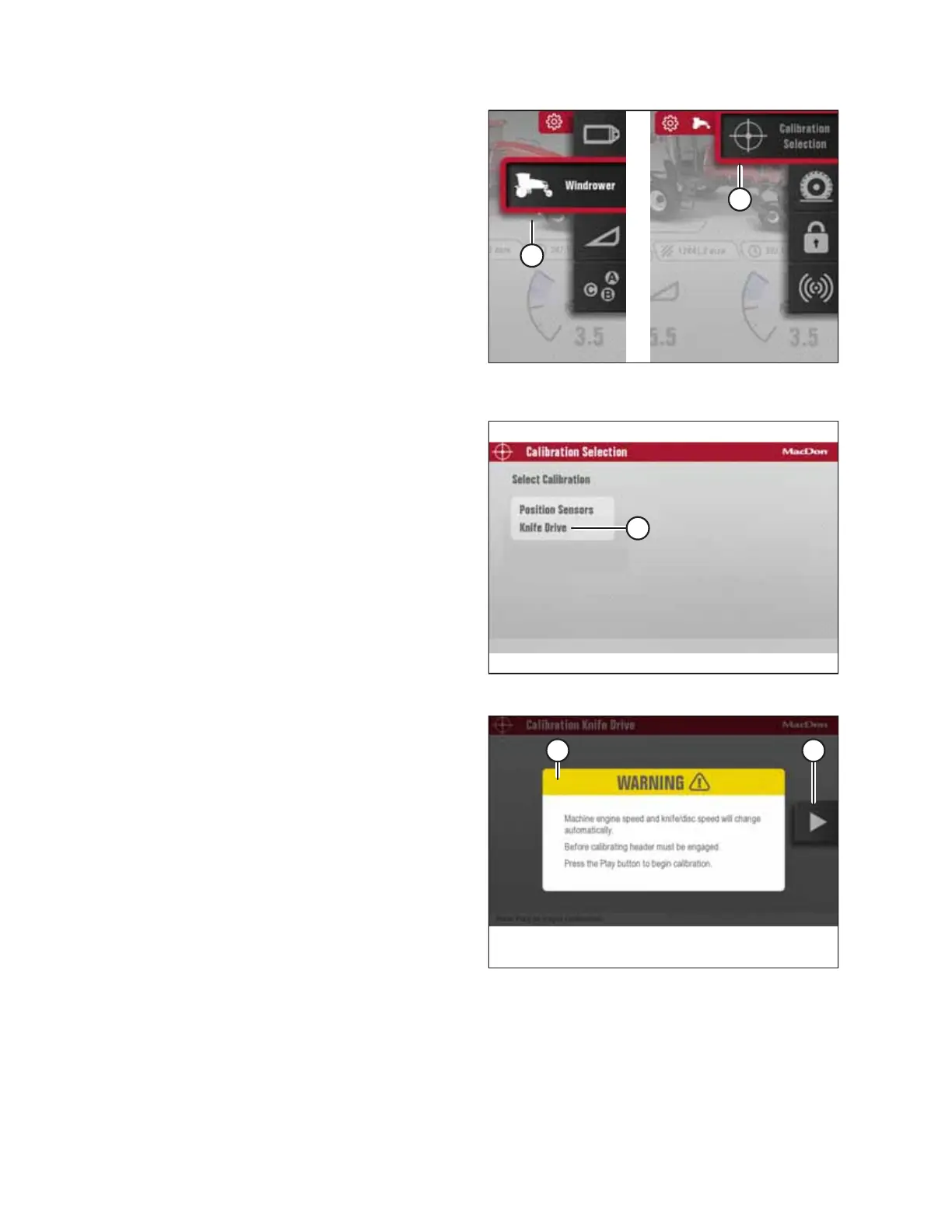
Figure 4.307: Windrower Settings Icon and Calibration
Submenu Icon
5. Scroll to WINDROWER SETTINGS icon (A) and press SELECT.
6. Scroll to CALIBRATION icon (B), and press SELECT to open
the Calibration Selection screen.
NOTE:
The F3 shortcut button on the operator’s console will also
open the WINDROWER SETTINGS menu.
Figure 4.308: Calibration Selection Screen
7. In the Calibration Selection screen, scroll to KNIFE DRIVE (A)
and press SELECT.
8. Engage the header.
Figure 4.309: Engage Header Warning
NOTE:
If calibration is selected while the header is disengaged,
WARNING (A) will appear. Engage the header. PLAY icon (B)
appears after you engage the header.
OPERATION



 To Next Page