215916 243 Revision A
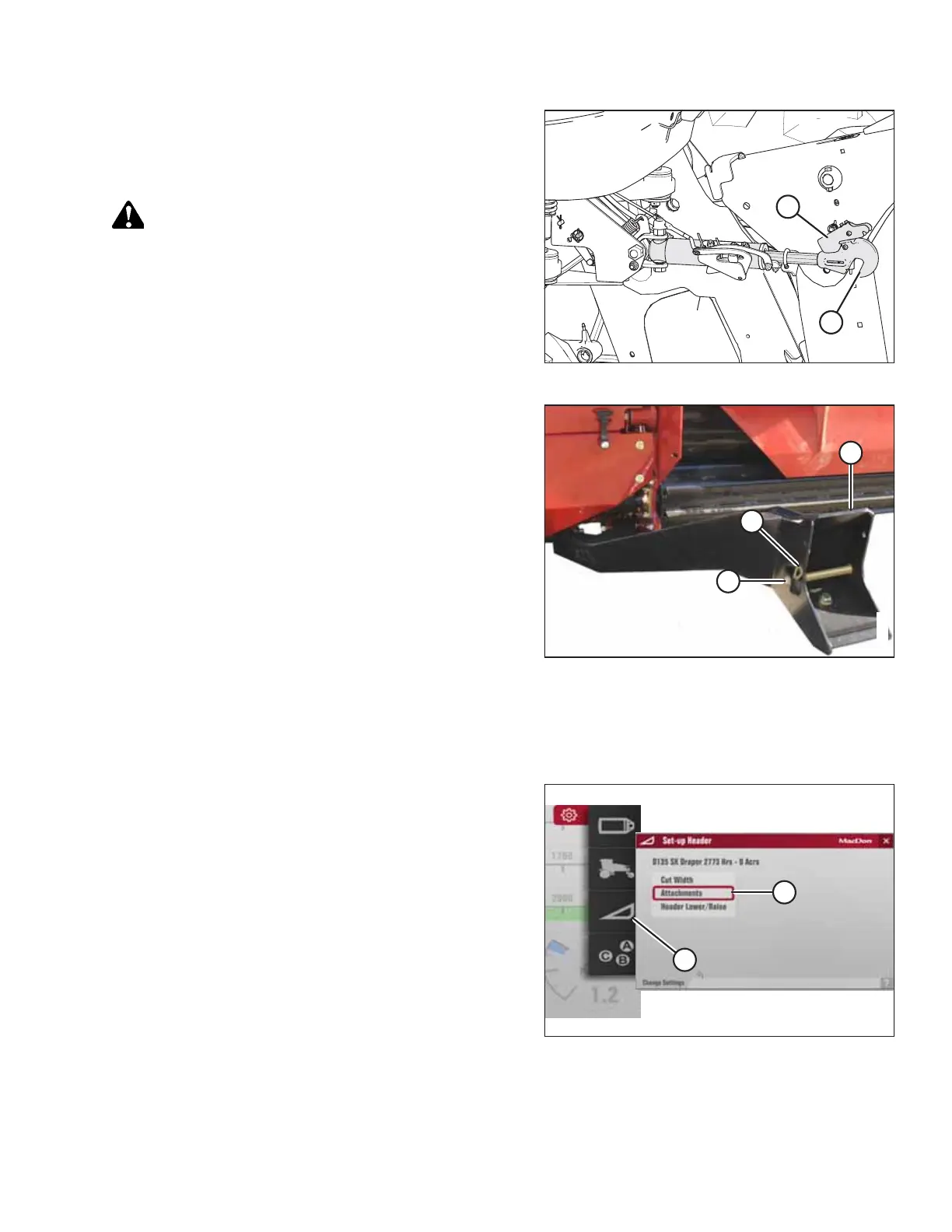
Figure 4.302: Hydraulic Center-Link
13. For windrowers without self-aligning center-link: Shut off
the engine and remove the key.
14. Lift hook release (B) and lift hook (A) off header pin.
DANGER
Ensure that all bystanders have cleared the area.
15. Start the engine.
Figure 4.303: Header Support
16. Slowly back the windrower away from header.
17. Reinstall clevis pin (A) through support (C) and secure with
hairpin (B). Repeat for opposite side.
4.4.6 Adjusting Header Settings on Harvest Performance Tracker
Before operating the header, ensure that the Harvest Performance Tracker (HPT) settings are appropriate for your header.
Figure 4.304: Header Settings
1. Navigate to the SETTINGS menu using soft key 5 and the
HPT scroll knob. For instructions, refer to 3.17.2 Navigating
Harvest Performance Tracker Display, page 81.
2. Scroll to SET-UP HEADER option (A) and press the scroll
knob to select it.
NOTE:
The settings displayed will vary depending on the type of
header attached to the windrower.
3. Scroll to highlight the appropriate option and press the
scroll knob to select it.
For example, if a draper header is attached, and
ATTACHMENTS (B) is selected, the available choice is
DOUBLE DRAPER DRIVE.
OPERATION



 To Next Page