215916 126 Revision A
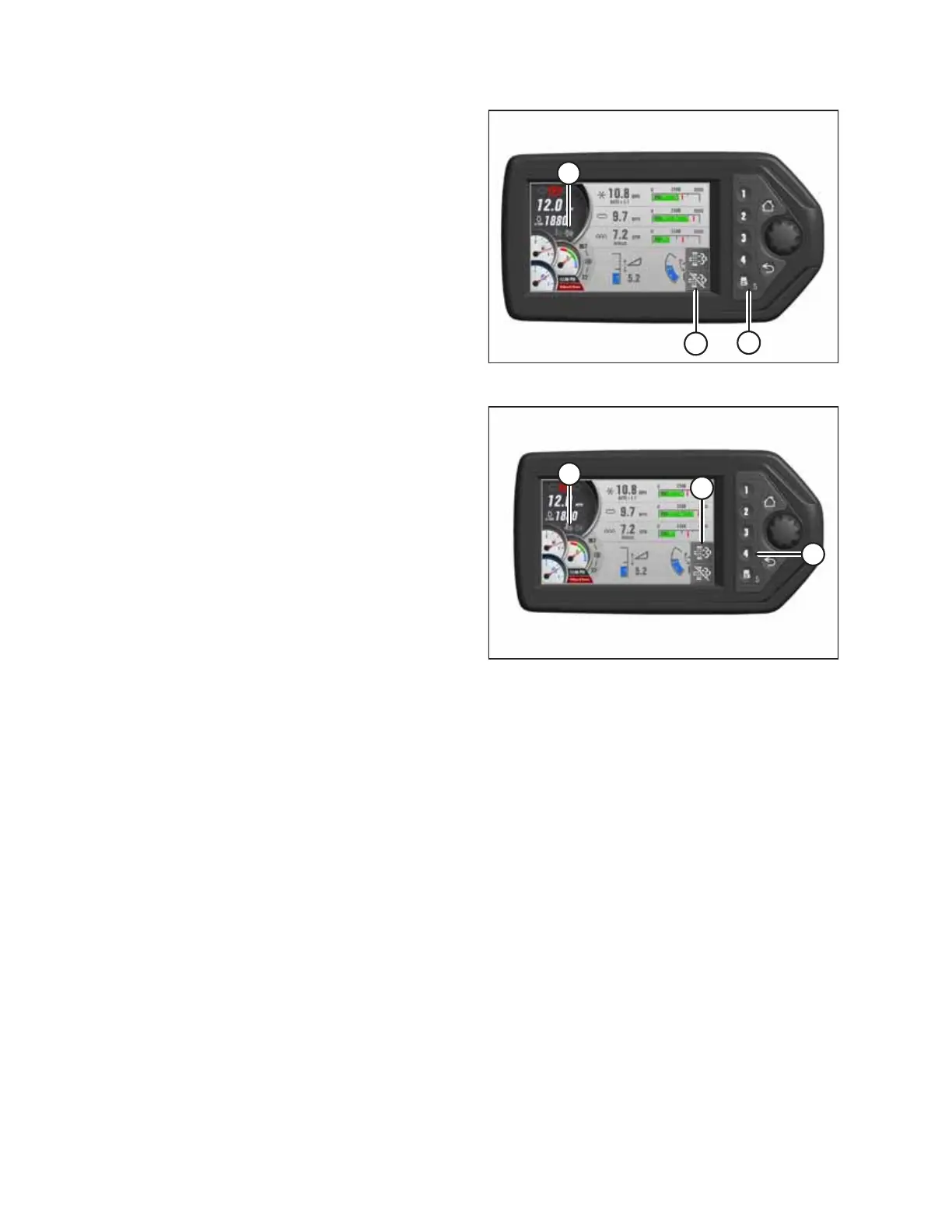
Figure 4.25: HPT Display
3. To inhibit SCR conditioning, press soft key 5 / menu
button (A) next to INHIBIT SCR CONDITIONING icon (B), and
hold for 3 seconds. SCR CONDITIONING INHIBIT icon (C) will
appear under the engine rpm display.
Figure 4.26: HPT Display
4. To select manual SCR conditioning, press soft key 4 (A) next
to MANUAL SCR CONDITIONING icon (B), and hold it for
3 seconds. High exhaust system temperature (HEST)
icon (C) appears highlighted under the rpm display during
system cleaning.
NOTE:
The HEST icon also appears during normal operation when
the exhaust temperature exceeds the maximum
temperature threshold. The icon remains on until the
exhaust temperature drops below the minimum
temperature threshold.
OPERATION



 To Next Page