215916 127 Revision A
Viewing Engine Cooling Data
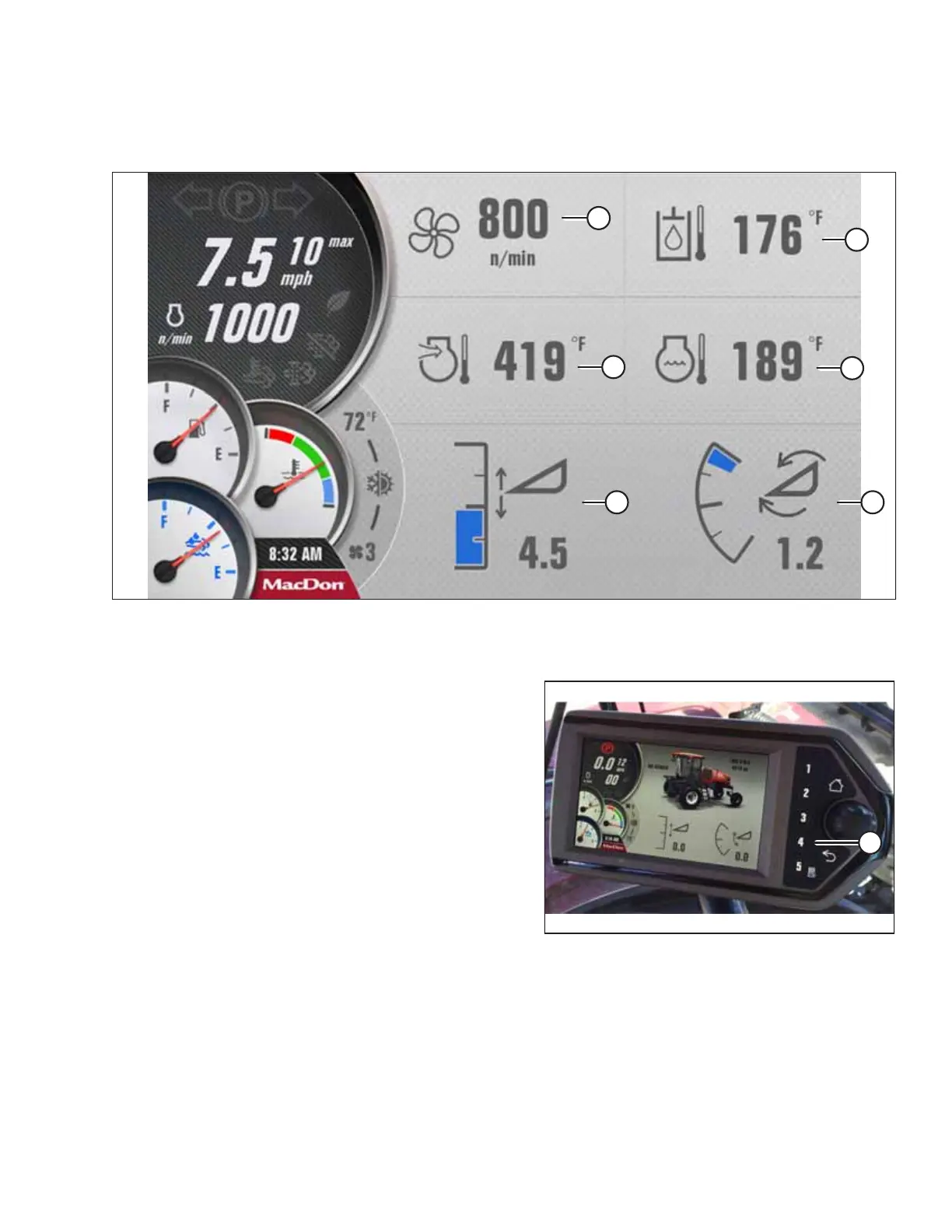
You can check the current engine cooling information on Run Screen 4 on the Harvest Performance Tracker (HPT) display.
Figure 4.27: Run Screen 4 – Cooling Data
A - Fan Speed B - Hydraulic Oil Temperature C - Engine Air Intake Temperature
D - Engine Coolant Temperature E - Header Height F - Header Tilt
Figure 4.28: HPT Display
1. Press soft key 4 (A) on the Harvest Performance
Tracker (HPT) to open the COOLING DATA display.
NOTE:
Soft keys 1–5 also function as buttons within menus.
NOTE:
The engine fan speed will increase or decrease, depending
on the windrower’s cooling requirements. A small fan icon
will appear beside the icon of the parameter that is
currently controlling the fan.
NOTE:
The engine fan will automatically reverse on a set time
interval, or when one of the system temperatures gets high
enough. No operator input is required to reverse the fan.
In this screen, you can view:
• Fan speed
• Engine air intake temperature
• Engine coolant temperature
OPERATION



 To Next Page