215916 273 Revision A
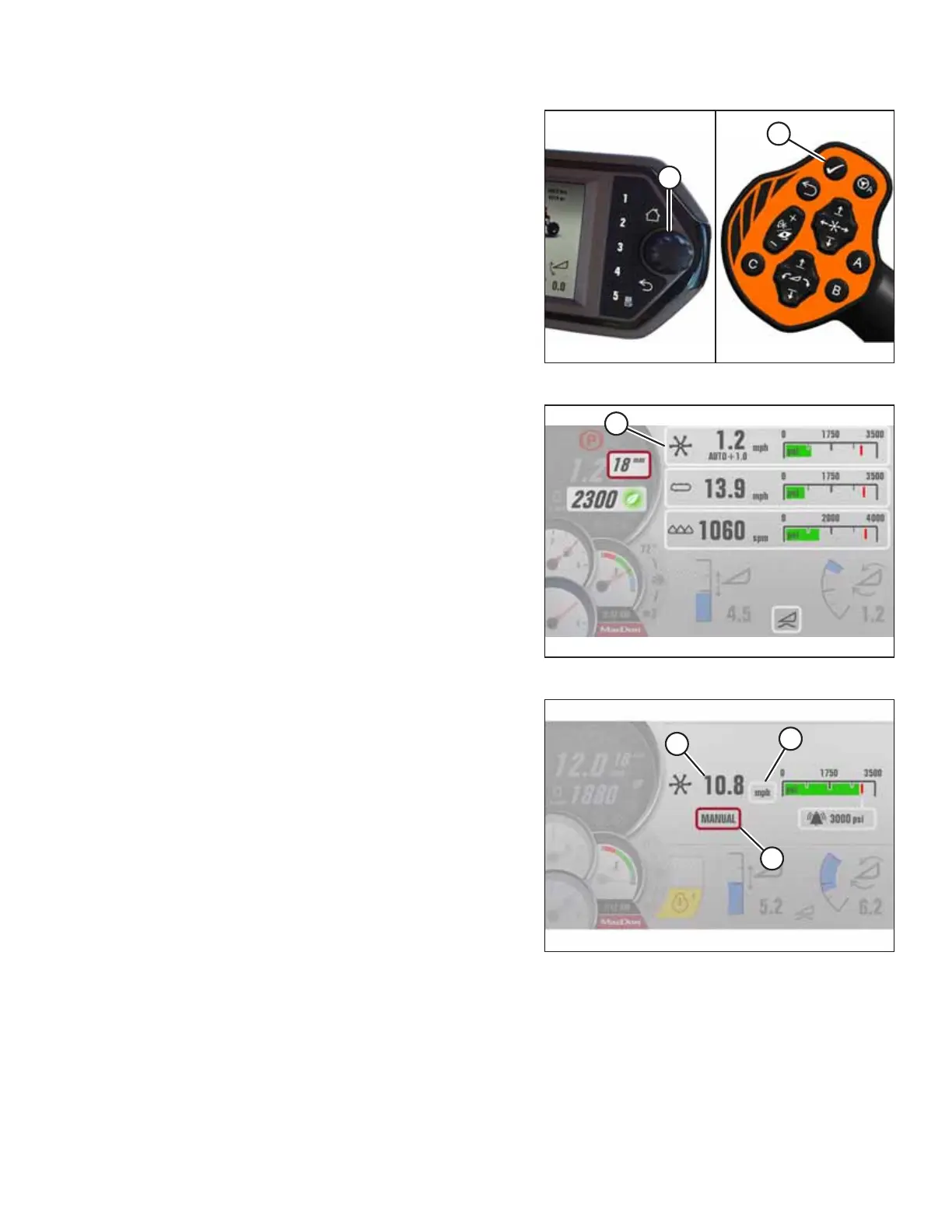
Figure 4.366: HPT and GSL
2. Press scroll knob (A) or SELECT button (B) on the ground
speed lever (GSL) to display the QUICKMENU PAGE.
Figure 4.367: Header QuickMenu
3. Turn the knob to scroll to REEL setting (A) on QuickMenu,
and press the knob to select it. The next page opens.
Figure 4.368: Draper Header Reel Page
4. Turn the scroll knob to mode window (A) and press the
scroll knob to select it.
5. Scroll in the pop-up window to MANUAL and press the
scroll knob to select it.
6. Scroll to units (B) and select the desired unit (rpm, mph,
or km/h).
7. Proceed to the next step to adjust reel speed (C).
OPERATION



 To Next Page