215916 52 Revision A
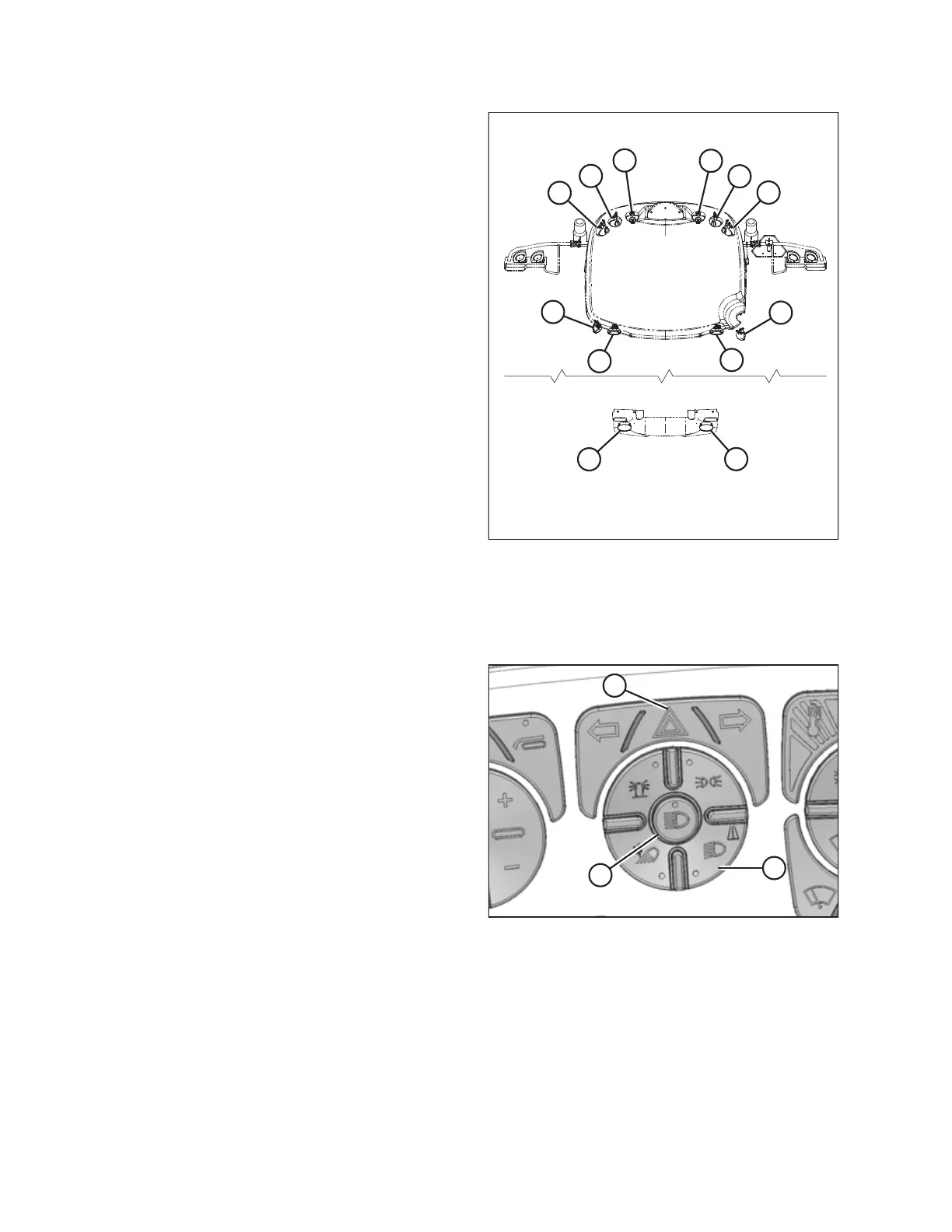
Figure 3.23: Windrower Lighting – Top View
• Cab-forward road lights (A) with low/high beams
• Engine-forward road lights (B) with low/high beams
• Inner work lights (C)
• Outer work lights (D)
NOTE:
Work lights (D) are also turned on when the high beams
are activated in cab-forward mode.
• Rear roof work lights (E)
• Rear swath lights (F)
NOTE:
For adjustment procedures, refer to Aligning Headlights
– Cab-Forward, page 447.
3.7.2 Cab-Forward Lighting – Road
When travelling from the field, road lights are used to light up the area ahead of the windrower.
Figure 3.24: Road Light Button
The following lights are functional when ROAD LIGHT button (A)
is selected and the operator’s station is locked in the cab-
forward mode:
• To toggle between the low and high beams, press HIGH
BEAM button (B)
• To operate the hazard lights, press HAZARD LIGHT
button (C)
OPERATOR’S STATION



 To Next Page