215916 96 Revision A
Resetting to Factory Defaults
The Harvest Performance Tracker (HPT) can be reset to the defaults setting.
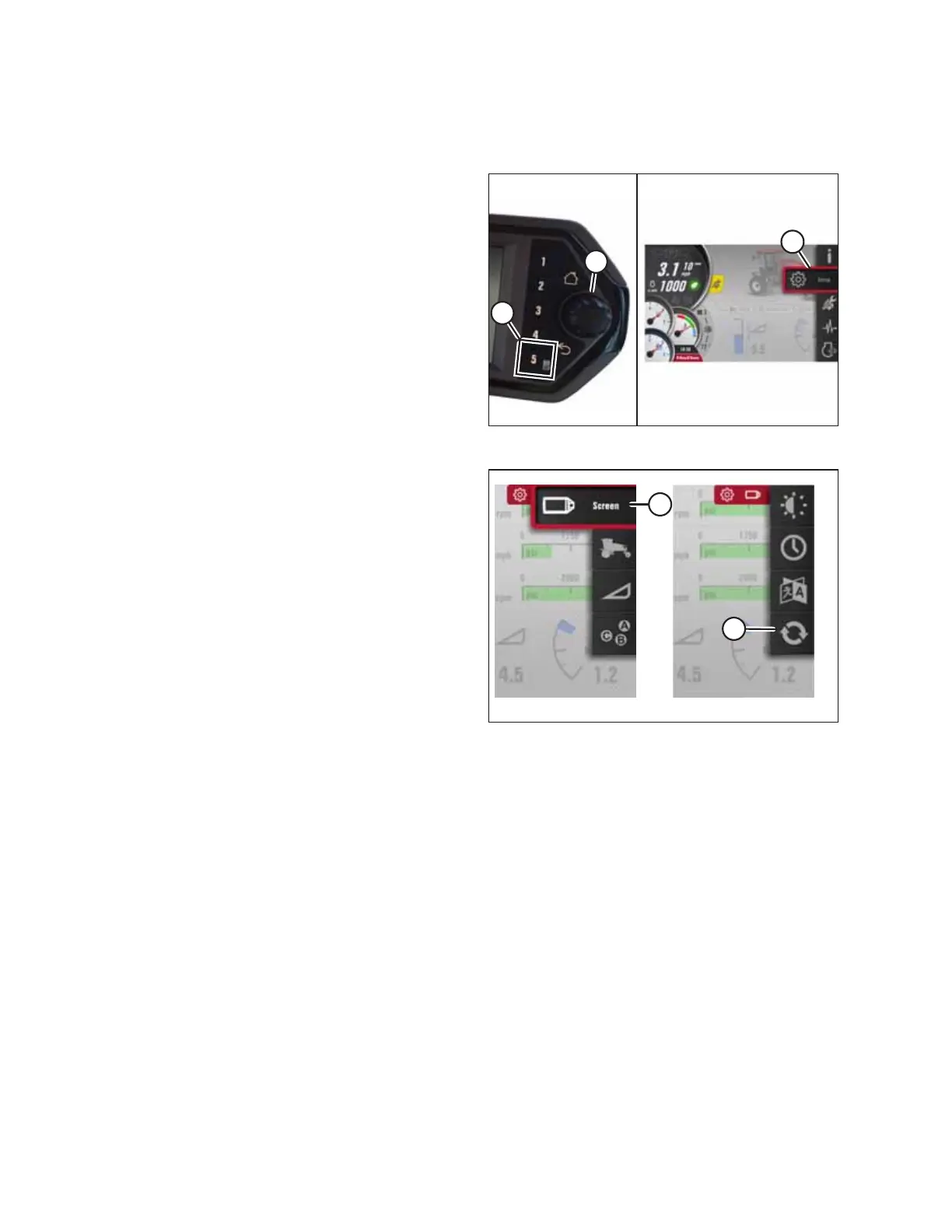
Figure 3.111: Opening the Main Menu
1. Press soft key 5 (A), and use HPT scroll knob (B) or the
ground speed lever (GSL) scroll wheel (not shown) to place
the red cursor over SETTINGS icon (C).
2. Press HPT scroll knob (B) or the GSL SELECT button (not
shown) to activate main menu (C).
Figure 3.112: Opening the Reset to Defaults Page
3. Scroll to DISPLAY SETTING icon (A) and press SELECT.
4. Scroll to RESET TO DEFAULTS icon (B), and press SELECT to
open the adjustment window.
OPERATOR’S STATION



 To Next Page