215916 322 Revision A
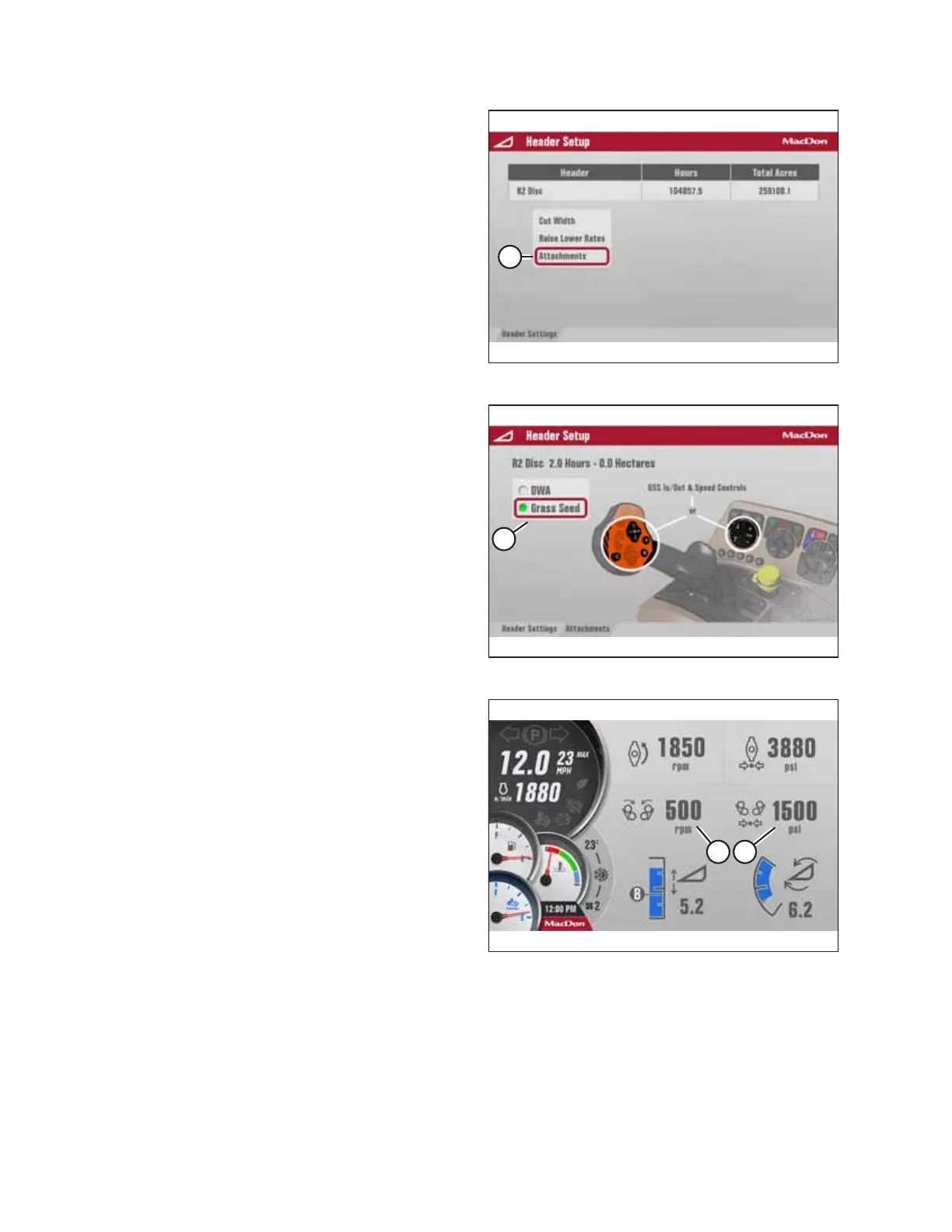
Figure 4.477: Header Setup
7. Select ATTACHMENTS (A).
Figure 4.478: Header Setup
8. Select GRASS SEED (A). The sensor is now active, and the
HPT, the GSL, and the operator console can be used to
control the grass seed attachment.
Figure 4.479: Run Screen 2 – Grass Seed Active
9. Once the grass seed option is activated, Run Screen 2 on
the HPT will display speed (A) and pressure (B) of the grass
seed drums.
OPERATION



 To Next Page