215916 316 Revision A
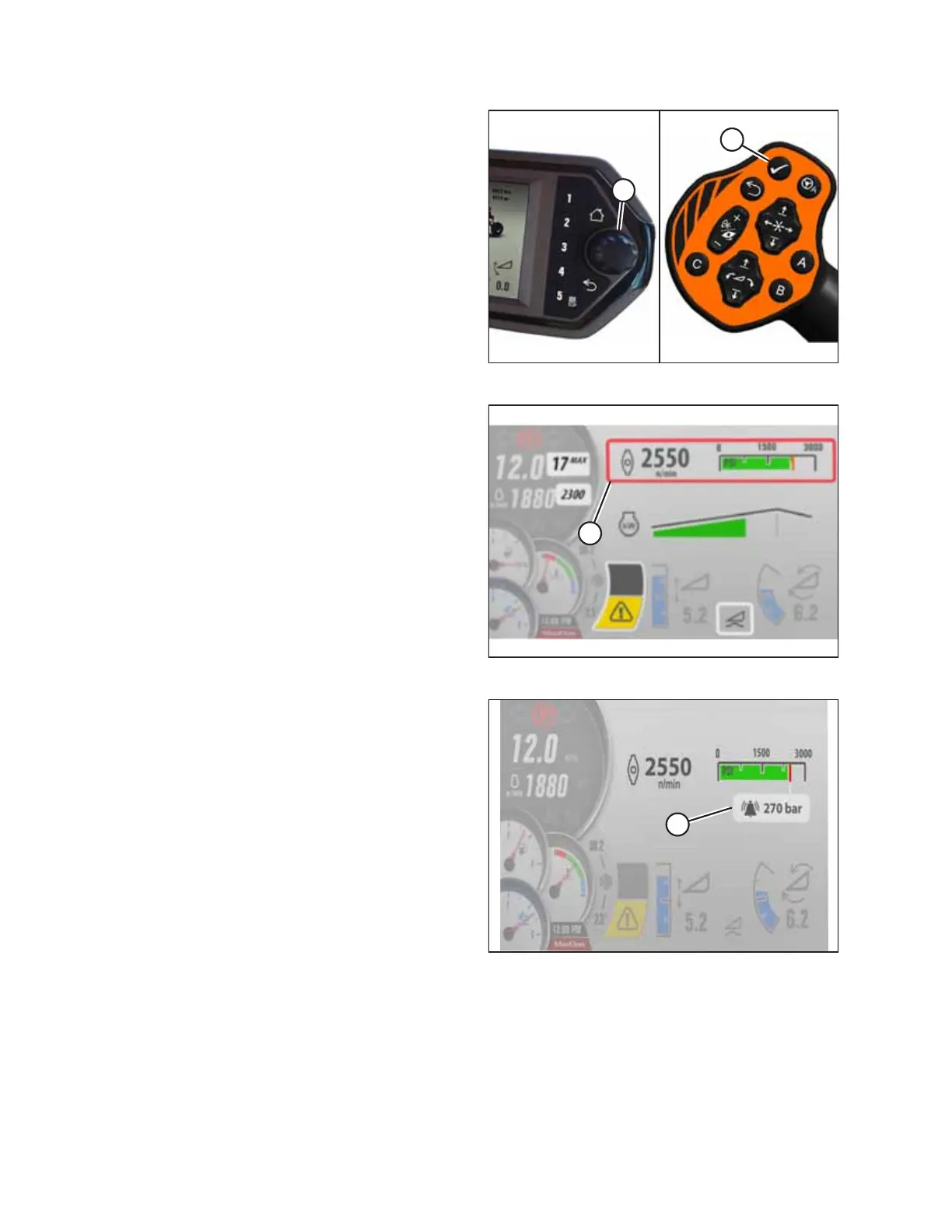
Figure 4.463: HPT Scroll Knob and GSL Select Button
2. Press scroll knob (A) on the Harvest Performance Tracker
(HPT) or SELECT button (B) on the ground speed lever (GSL)
to display the QuickMenu system.
Figure 4.464: Disc Header QuickMenu Screen
3. Scroll to DISC SPEED setting (A) on the QuickMenu screen,
and select it.
Figure 4.465: Disc Pressure Screen
4. Scroll to DISC PRESSURE ALARM setting (A), and select it.
5. Scroll to the desired alarm set-point or scroll past the
highest setting to turn the alarm OFF. The digital value is
replaced by three dashed lines, indicating that it is possible
to adjust the alarm set-point value.
6. Adjust the disc alarm pressure set-point to the
desired value. The factory setting is 310 bar (4500 psi).
4.9.2 Setting Float Options with Fixed Deck
When using an auger or rotary header, the DECK SHIFT buttons can be used to store three different float settings. This is
useful when cutting in varying ground conditions, or when having one side lighter is desirable (such as cutting along wheel
tracks or irrigation borders).
OPERATION



 To Next Page