215916 75 Revision A
3.16.4 Console Header Buttons
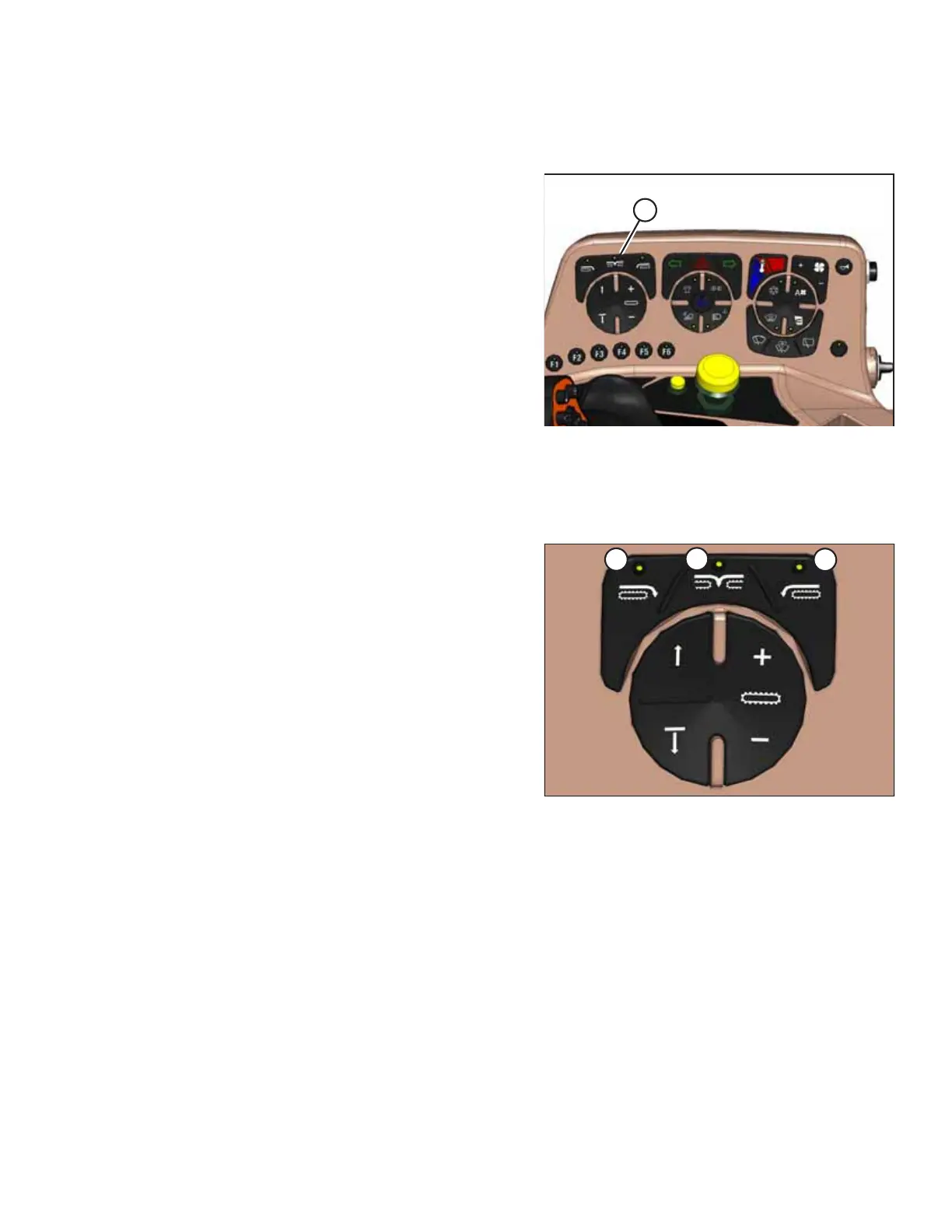
Buttons to control header functions are conveniently located on the console.
Figure 3.66: Console Header Buttons
Console header buttons (A) adjust the following header
functions:
• Deck shift/float preset
• Draper speed
• Double windrow attachment (DWA) or swath compressor lift
functions
Deck Shift / Float Presets
Buttons to control header functions are conveniently located on the console.
Figure 3.67: Header Deck Shift Buttons
A - Right-Side Delivery B - Center Delivery
C - Left-Side Delivery
Draper header with deck shift option:
• Controls the draper deck position for double windrowing
with a draper header.
• Set header float for each deck position. For instructions,
refer to Setting Float, page 253.
NOTE:
The last float setting used in any deck shift position will be stored
into memory automatically.
OPERATOR’S STATION



 To Next Page