215916 191 Revision A
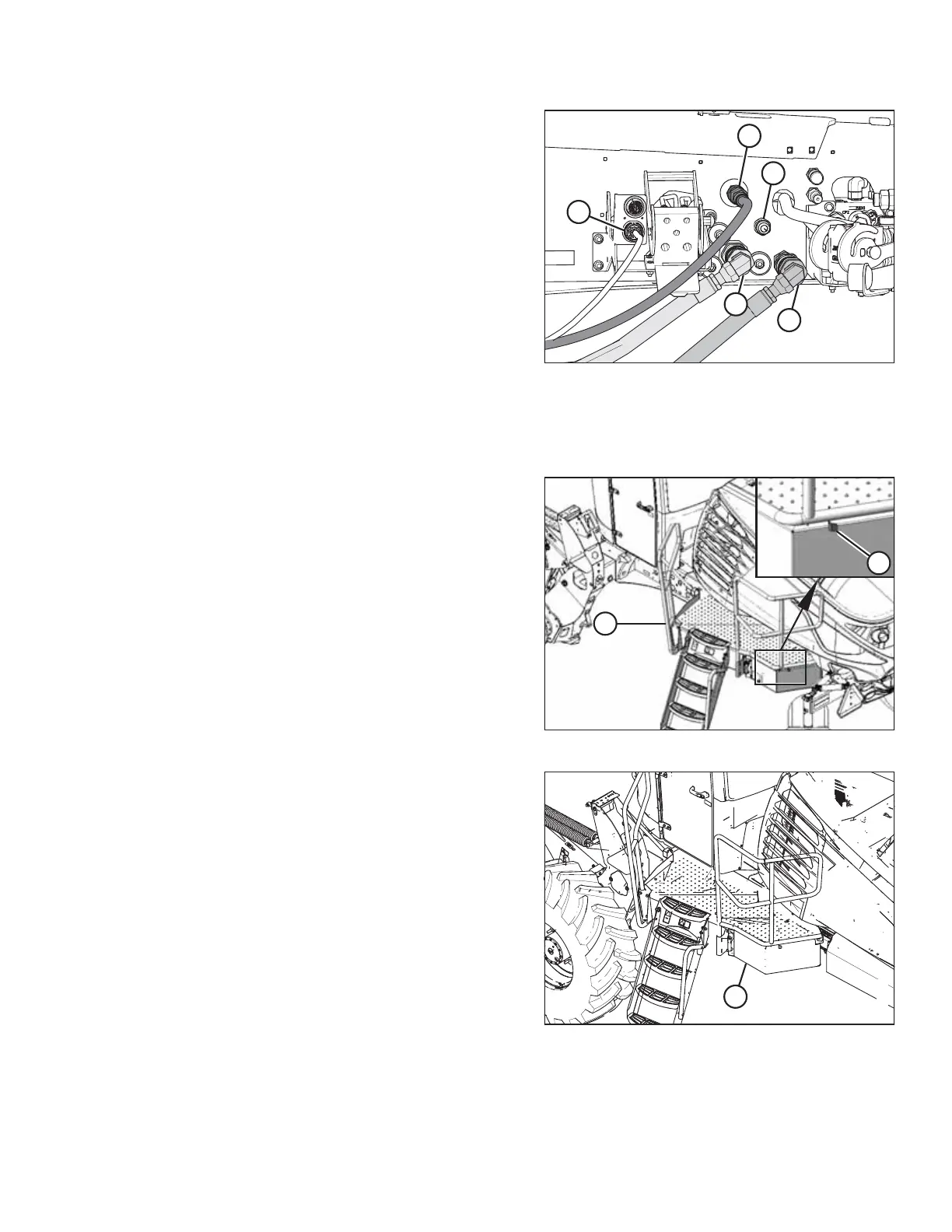
Figure 4.173: Hydraulics and Electrical Installed–
Auger/Rotary/Draper-Ready Windrower
3. Connect the hydraulic hoses to the windrower with the
quick coupler fittings as follows:
a. Connect the pressure hose female coupler to
receptacle (A).
b. Connect the return hose male coupler to
receptacle (B).
c. Connect case drain hose (C) to the mating 1/2 in.
coupler on the frame.
NOTE:
This coupler is only present if the M1240 Low Pressure
Case Drain kit (MD #B6698) has been installed.
IMPORTANT:
Do NOT connect the case drain coupler to other 1/2 in. flat
faced coupler (E).
d. Connect the electrical harness to receptacle (D).
Figure 4.174: Left Cab-Forward Platform
4. Push latch (A) to unlock platform (B).
Figure 4.175: Left Cab-Forward Platform
5. Pull platform (A) towards the cab until it stops and the latch
is engaged.
OPERATION



 To Next Page