215916 81 Revision A
3.17.2 Navigating Harvest Performance Tracker Display
The Harvest Performance Tracker (HPT) display provides access to the windrower’s electronic systems. To operate,
maintain, and service the windrower, it is essential that you understand how to use the controls and navigate through the
various menus and pages on the display.
Scroll Knob, Scroll Wheel, and Select Button
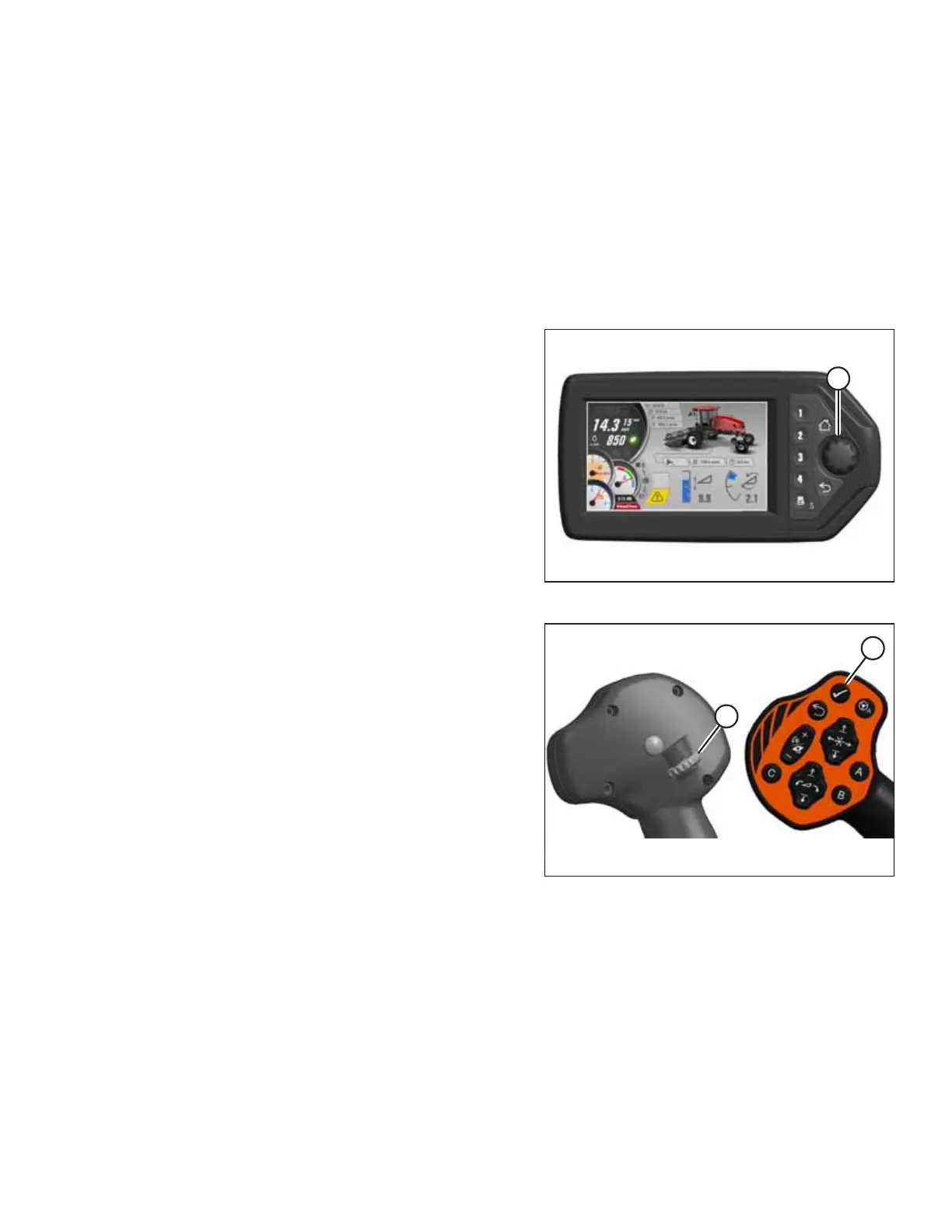
Turning scroll knob (A) on the Harvest Performance Tracker (HPT) display highlights the available options within a menu
and adjusts the settings. Pushing the scroll knob selects functions or menu items. Scroll and select functions are duplicated
on the ground speed lever (GSL) controls. Unless otherwise specified, both buttons will perform the same function. When
SELECT is used in this document, either of these buttons can be used.
Figure 3.78: HPT Scroll Knob
• Turn scroll knob (A) clockwise or counterclockwise to move
the cursor to different selections on the display.
• Push scroll knob (A) to activate a selection.
• Turn scroll knob (A) to increase/decrease settings on the
activated selection.
Figure 3.79: GSL Scroll Wheel and Select Button
NOTE:
Scroll wheel (A) on the back of the GSL and SELECT button (B) on
the front of the GSL perform the same functions as the HPT
rotary scroll knob.
OPERATOR’S STATION



 To Next Page