215916 408 Revision A
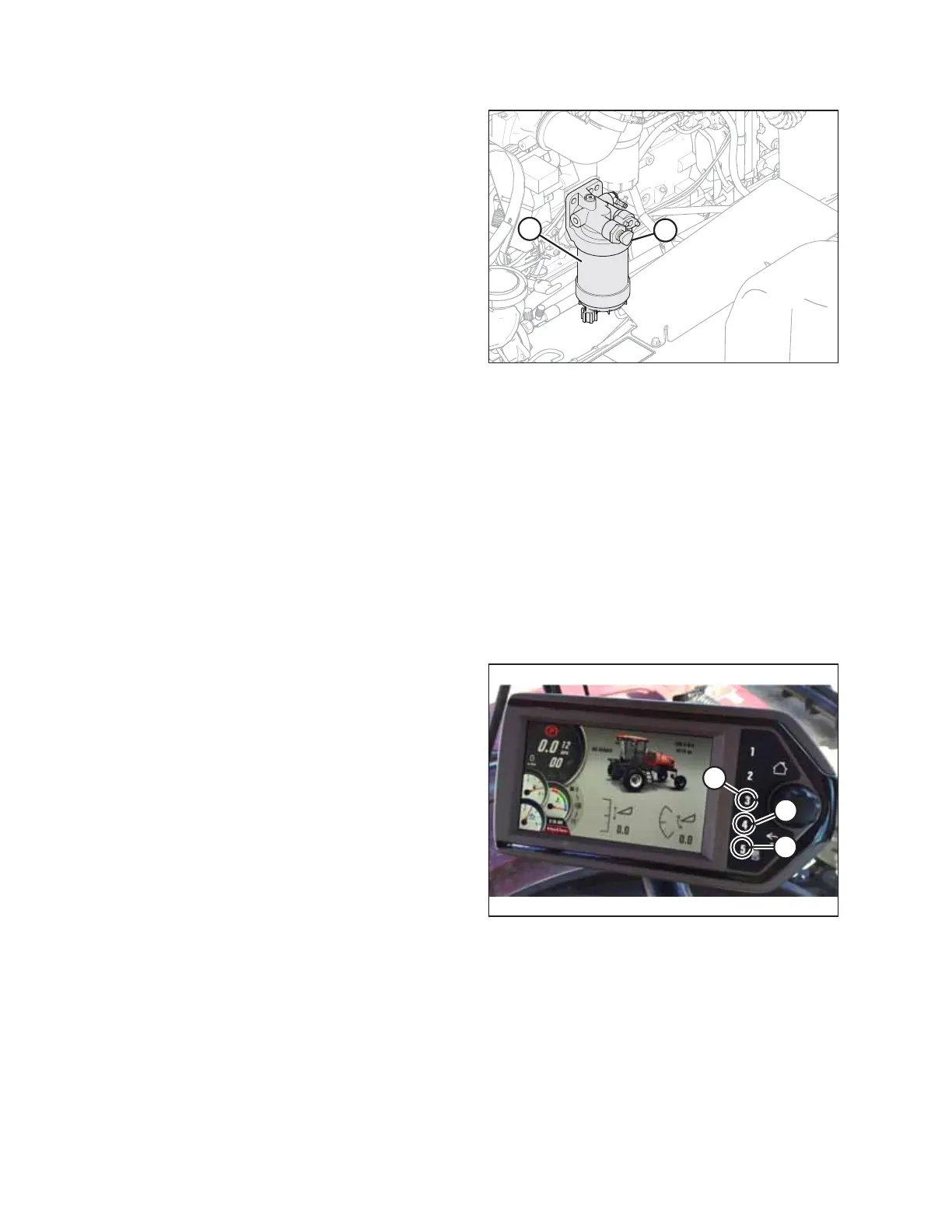
Figure 5.117: Primary Fuel Filter
3. Locate primary fuel filter assembly (A).
4. Turn priming knob (B) counterclockwise to unlock the
plunger on the primary filter head.
5. Pump until hand pump becomes firm.
6. Push the plunger in and lock it by turning knob (B)
clockwise until snug.
7. Try starting engine. If engine does NOT start, or starts then
shuts down, repeat priming procedure.
8. Close the hood. For instructions, refer to 5.3.2 Closing
Hood, page 336 .
5.11.2 Safety Systems
Checking Operator Presence System
The Operator Presence System is a safety feature designed to deactivate selected systems or sound an alarm when an
Operator is not seated at the operator’s station.
The Operator Presence System is designed to function as described in 3.2 Operator Presence System, page 39.
Perform the following checks on the Operator Presence System every year or every 500 hours—whichever occurs first.
Checking the Operator Presence System switch status on the Harvest Performance Tracker (HPT) display:
1. Turn the key in the windrower ignition to the ON position.
Figure 5.118: HPT Soft Keys
2. Access the windrower menus by pressing soft key 5 (A).
3. Access the diagnostic menu by pressing soft key 4 (B).
4. Access the Input/Output list by pressing soft key 3 (C).
NOTE:
The screen will display two options: ABNORMAL STATUS
and SYSTEM.
5. Scroll to SYSTEM and press the scroll knob to select.
MAINTENANCE AND SERVICING



 To Next Page