215916 409 Revision A
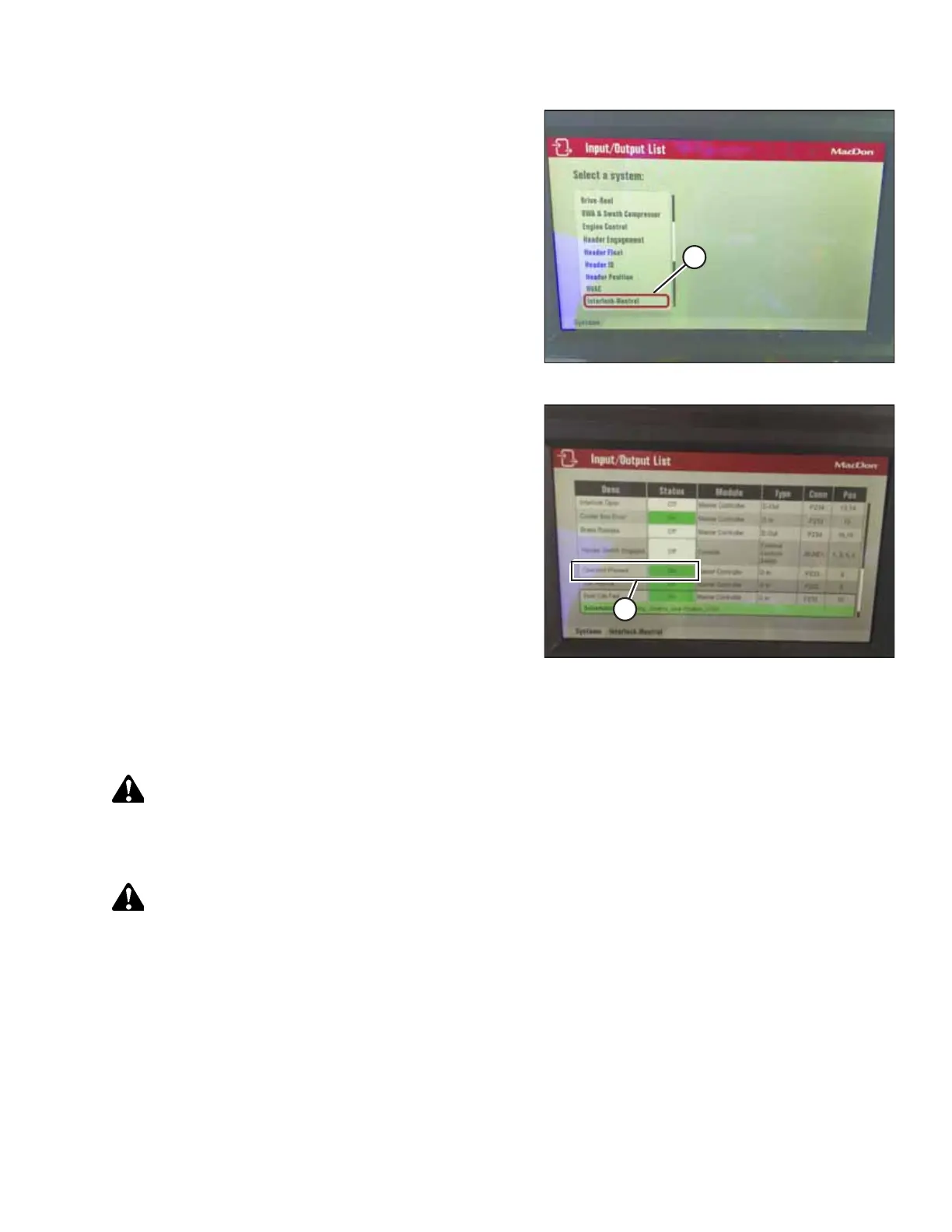
Figure 5.119: Input/Output List
6. Scroll to INTERLOCK-NEUTRAL (A) in the Input/Output List
and press the scroll knob to select.
Figure 5.120: Operator Present Status (Set to ON)
7. Scroll to OPERATOR PRESENT (A) and check the following
conditions:
• The status must be ON when the Operator is sitting on
the seat.
• The status must be OFF when the Operator is not sitting
on the seat.
NOTE:
If the two conditions listed above are NOT true, the
Operator Presence System requires adjustment. Contact
your MacDon Dealer.
Perform the following checks on the Operator Presence System every 5 years.
Checking the Operator Presence System and engine lock-out systems:
CAUTION
Park on a level surface with the ground speed lever (GSL) in the PARK position and the steering wheel in the locked
(centered) position. Wait for the Harvest Performance Tracker (HPT) to beep and display a red P symbol to confirm that
the parking brake is engaged.
DANGER
Ensure that all bystanders have cleared the area.
1. With the windrower engine running, place the ground speed lever (GSL) in PARK and center the steering wheel until
it locks.
2. With everyone clear of the machine, engage the HEADER ENGAGE switch:
a. After the header drives are running, stand up out of the seat. In approximately 5 seconds, the header should
shut off.
b. If NOT, the Operator Presence System requires adjustment. Contact your MacDon Dealer.
NOTE:
To restart the header, move the HEADER ENGAGE switch to OFF position and then back to the ON position.
MAINTENANCE AND SERVICING



 To Next Page