215916 259 Revision A
4.5.4 Adjusting Header Angle
Header angle is the angle between the ground and the drapers/cutterbar. It is adjustable to accommodate crop conditions
and soil types.
Refer to the appropriate header operator’s manual for the range of adjustment and recommended settings for your
particular header.
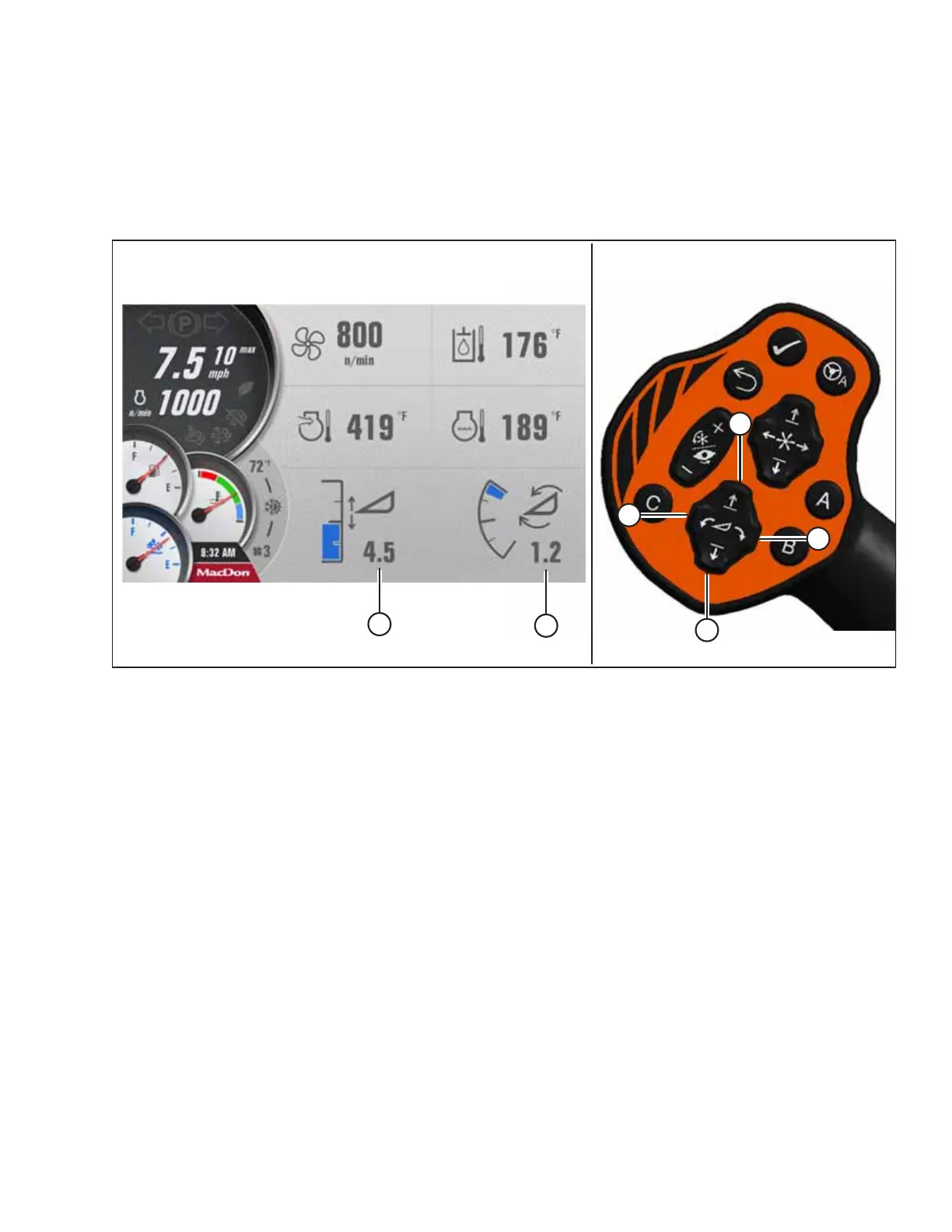
Figure 4.335: HPT Display and GSL
The header angle can be adjusted from the cab without shutting down the windrower. A readout on the Harvest
Performance Tracker (HPT) display indicates HEADER HEIGHT (A) and HEADER ANGLE (B).
IMPORTANT:
• Changing the header angle affects the header float because it has the effect of making the header lighter or heavier.
Adjust the float as required. For instructions, refer to Setting Float, page 253.
• To prevent excessive guard breakage when conditions are suited to the lighter float (e.g., rocky), do NOT use ground
speed lever (GSL) TILT CONTROLS (C) and (D) while in motion. Instead, use HEADER HEIGHT CONTROLS (E) and (F).
Adjust the header angle as follows:
• To decrease (flatten) the header angle, operate HEADER TILT UP switch (C) on the GSL to retract the cylinder.
• To increase (steepen) the header angle, operate HEADER TILT DOWN switch (D) on the GSL to extend the cylinder.
NOTE:
HEADER TILT switches (C) and (D) can be locked out to prevent unintentional header angle changes when pressing HEADER
HEIGHT control switches (E) and (F). For instructions, refer to 3.17.5 Activating Control Locks, page 99.
OPERATION



 To Next Page