215916 209 Revision A
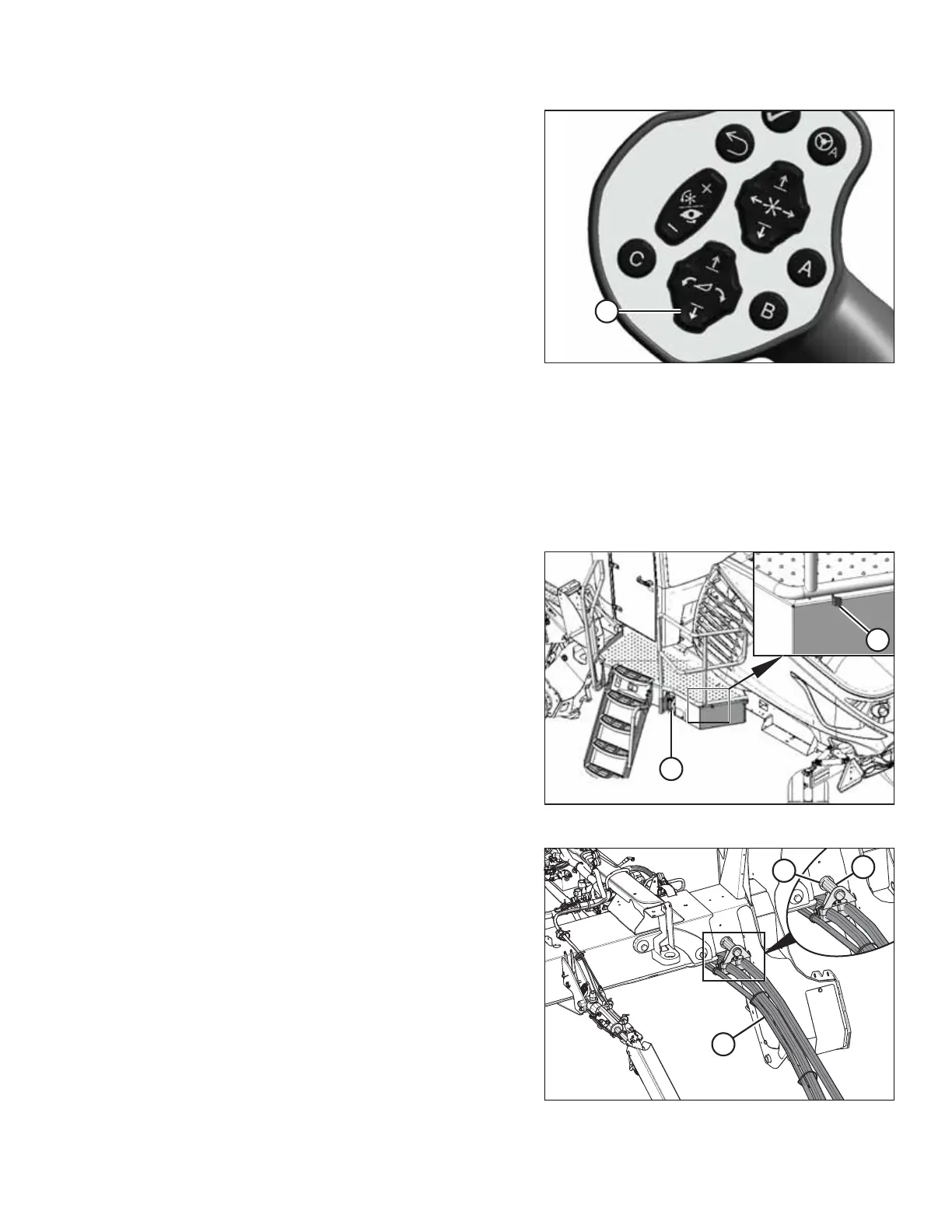
Figure 4.219: GSL
22. Start the engine and press HEADER DOWN switch (A) on
the GSL to fully lower the header.
NOTE:
If you are not prompted by the HPT display to restore the
float, restore the float manually.
23. Shut down the engine, and remove the key from
the ignition.
Connecting R2 Series Rotary Disc Header Hydraulics and Electrical Systems
Connecting the R2 series header's hydraulic and electrical systems to the windrower involves attaching the header’ s knife
drive, pressure, return, case drain, and electrical connectors to the windrower’s receptacles.
IMPORTANT:
To prevent contamination of the hydraulic system, use a clean rag to remove dirt and moisture from all hydraulic couplers.
Figure 4.220: Left Cab-Forward Platform
1. Approach platform (A) on the left cab-forward side of the
windrower and ensure the cab door is closed.
2. Push latch (B), and pull platform (A) toward the walking
beam until it stops and the latch engages.
Figure 4.221: Hose Support Attachment
3. Retrieve hydraulic hoses (A) from the header and route the
hose bundle under the windrower frame.
NOTE:
Adding anti-seize compound to the hose holder pin will
make future removal easier.
4. Insert pin (B) into hole (C) in the windrower frame.
IMPORTANT:
Route the hydraulic hoses as straight as possible, avoiding
wear points that could damage the hoses. To prevent
abrasion damage, the hoses should have enough slack to
pass by the multicoupler bracket without contacting it. To
adjust the slack in the hoses, loosen the clamps below
pin (B), adjust the hoses, then retighten the hose holder.
OPERATION



 To Next Page