215916 98 Revision A
3.17.4 Setting Windrower Tire Size and Wheel Type
The Harvest Performance Tracker (HPT) is factory-configured for 600/65R28 bar tires. If the windrower is equipped with a
different type of tire, you will need to change this setting. Setting the proper tire size ensures that the HPT accurately
tracks the windrower’ s ground speed, the area cut, and other productivity data.
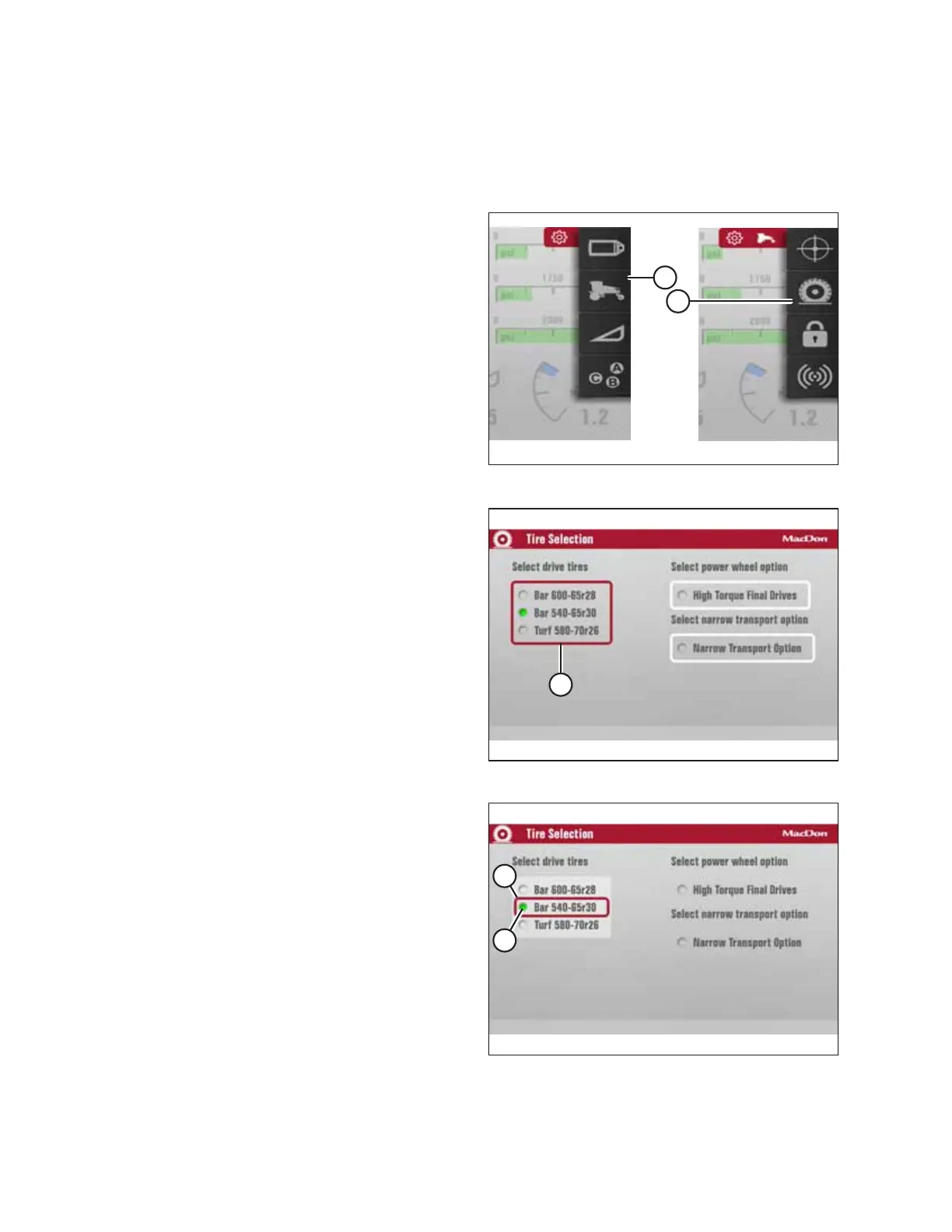
Figure 3.113: Tire Size
1. Navigate to the SETTINGS menu with soft key 5 and the
HPT scroll knob. For instructions, refer to 3.17.2 Navigating
Harvest Performance Tracker Display, page 81.
2. Scroll to WINDROWER SETTINGS icon (A) and select it.
3. Scroll to TIRES icon (B), and select it to display the
adjustment window.
NOTE:
The F3 shortcut button on the operator’s console will also
cause the WINDROWER SETTINGS menu to appear.
Figure 3.114: Tire Selection
4. Scroll to highlight tire sizes (A) listed under SELECT
DRIVE TIRES.
5. Press the scroll knob to select the list.
Figure 3.115: Tire Selection
6. Scroll until the correct tire size is highlighted (A).
7. Press the scroll knob. Make sure green radio button (B)
appears beside the tire size.
8. The tire size is now enabled.
• If the optional high torque wheel drives are installed,
proceed to Step 9, page 99.
• If the optional high torque wheel are NOT installed,
proceed to Step 13, page 99.
OPERATOR’S STATION



 To Next Page