215916 299 Revision A
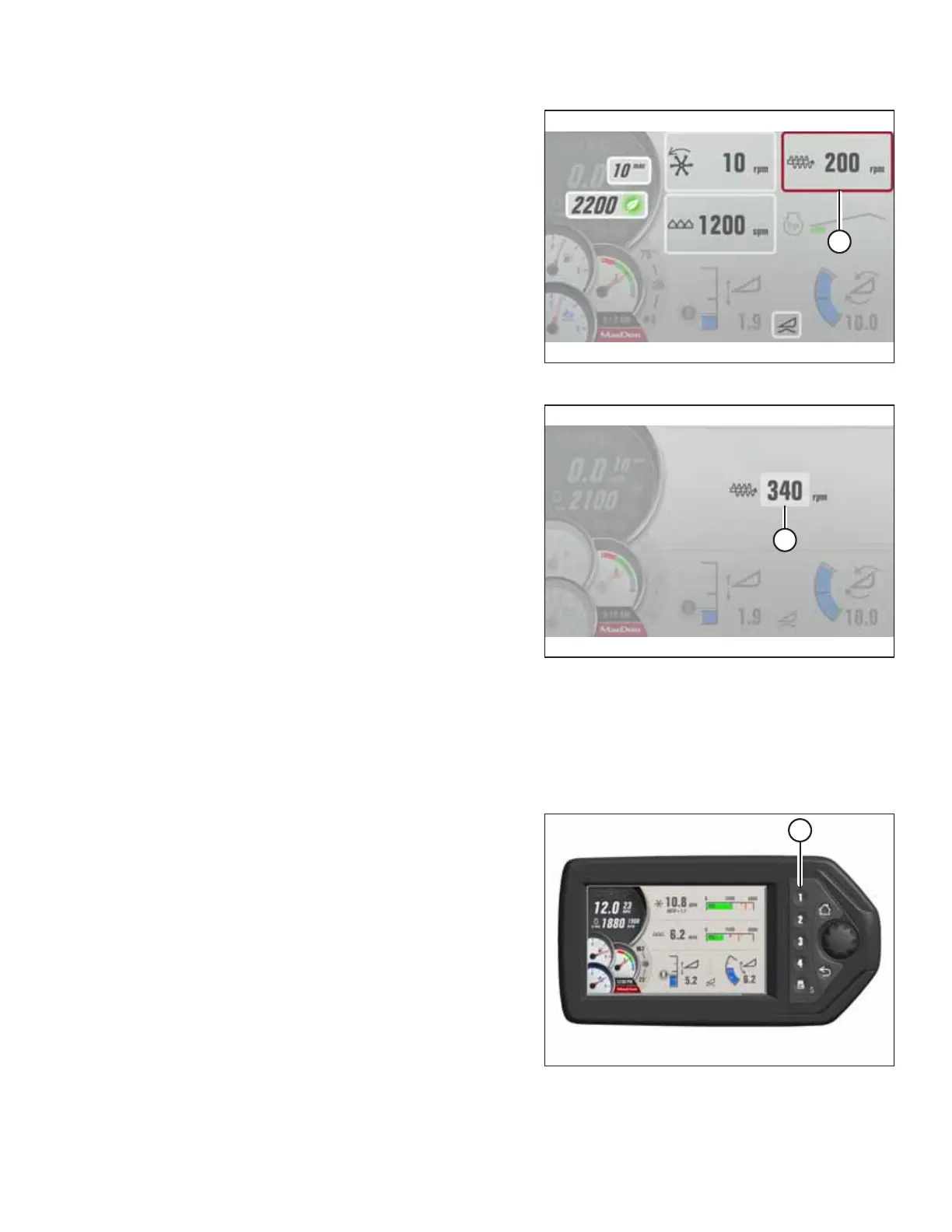
Figure 4.426: HPT Screen Display
3. Scroll to AUGER SPEED tile (A) and select it.
Figure 4.427: HPT Screen Display
4. AUGER SPEED (A) can now be adjusted between 150 and
340 rpm.
NOTE:
Auger speed can be displayed in rpm, mph, or km/h
(depending on global units selection) and can be switched
by navigating to the QuickMenu and selecting the speed
symbol.
Adjusting Reel/Auger Alarm Pressure
Adjusting the reel/auger alarm allows the operator to set an alert to inform them that the reel is operating above the
desired pressure. A lower setting will cause the alarm to be set off more often; a higher setting will allow the alarm to be
set off less frequently. This adjustment requires the header to be in operation.
Figure 4.428: Header Run Screen 1
1. If RUN SCREEN 1 is not already displayed, press soft
key 1 (A) on the Harvest Performance Tracker (HPT) to
display auger RUN SCREEN 1.
OPERATION



 To Next Page