WorkCentre 3210/3220 Multifunction Printer Service Manual 8-43
Service Parts Disassembly
ADF Stacker
PL6.1.10
1. Remove the ADF (page 8-31).
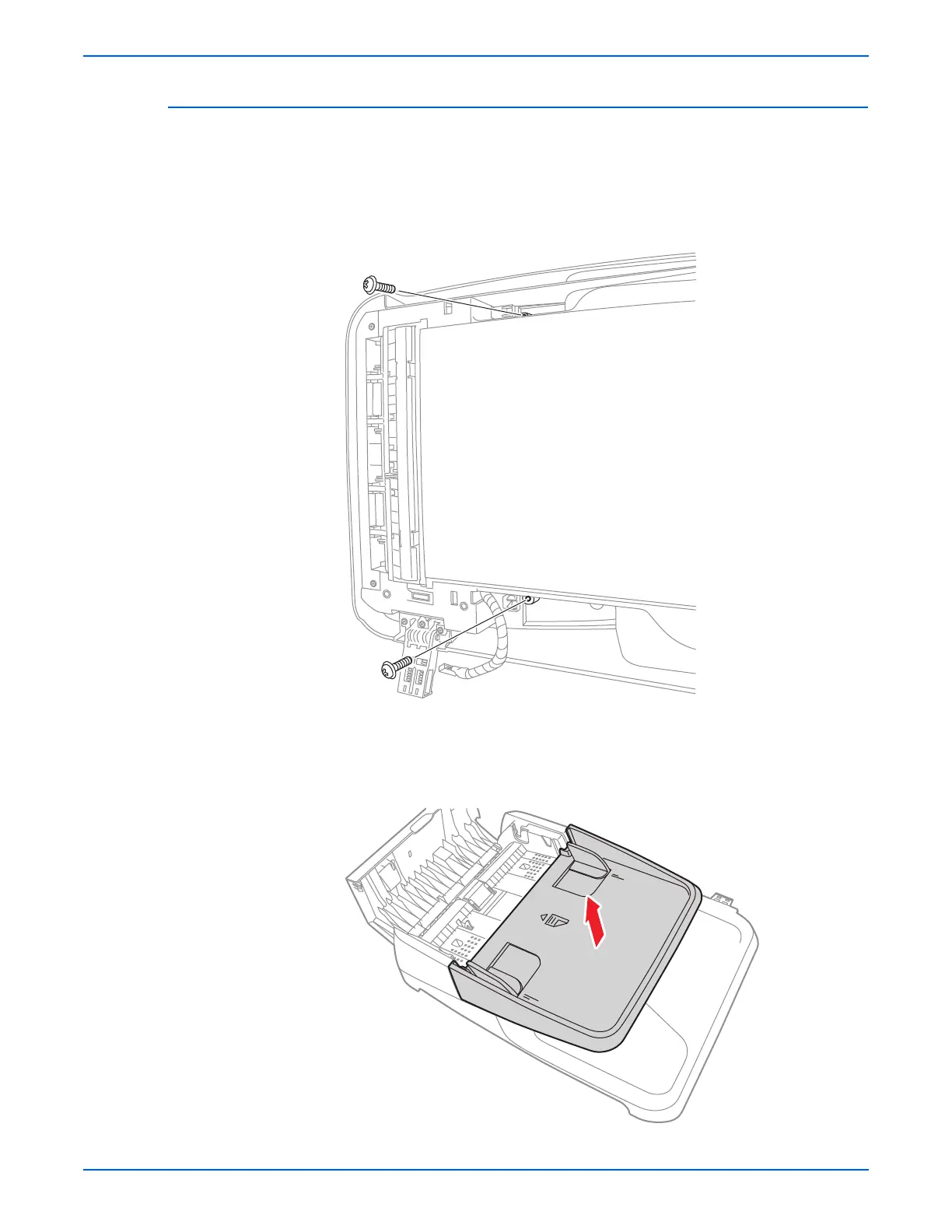
2. Turn the ADF over with the bottom side facing up.
3. Remove 2 screws (12 mm, silver) that secure the ADF Stacker.
4. Turn the ADF over with the top side facing upward.
5. Open the ADF cover.
6. Lift and remove the ADF Stacker.






 To Next Page