NAVIGATING THE MENU STRUCTURE
SELECTING A FUNCTION FROM THE MENU BAR
102 ENVOY™ TRANSCEIVER REFERENCE MANUAL
Selecting a function from the menu bar
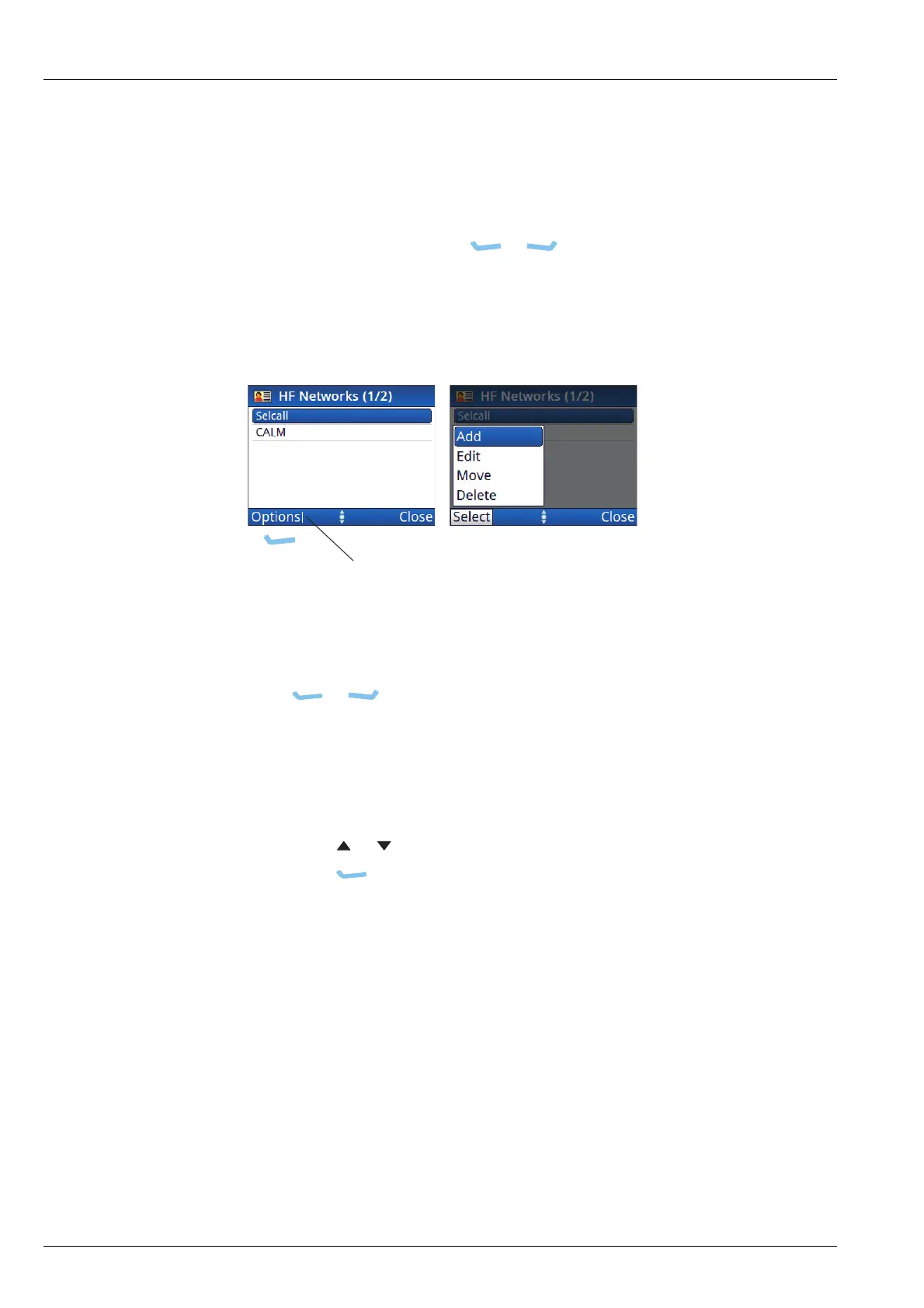
The menu bar at the bottom of the screen provides varying functions, depending on
the context. You can select a function directly, or activate a pop-up from the menu bar
by pressing the corresponding key ( or ). A vertical line next to the text
indicates that there are a number of choices from which to choose. Typically, you can
add, edit, move, delete, save, duplicate, and clear items specific to your current
location in the user interface.
Figure 30: Functions on the menu bar
To select a function from the menu bar:
1 Press or , corresponding to the function that you want to select.
If the function in the menu bar does not have a vertical line next to it, the
function is performed immediately.
If the function in the menu bar has a vertical line next to it, a pop-up is shown.
1 If a pop-up of available functions is shown:
• Press or to scroll to the function that you want to select.
•Press (Select).
The function is performed.
1 If you want to close the pop-up and not perform any of the functions, press the
opposite software key (typically Close).
indicates that several
functions are available



 To Next Page