214323 363 Revision A
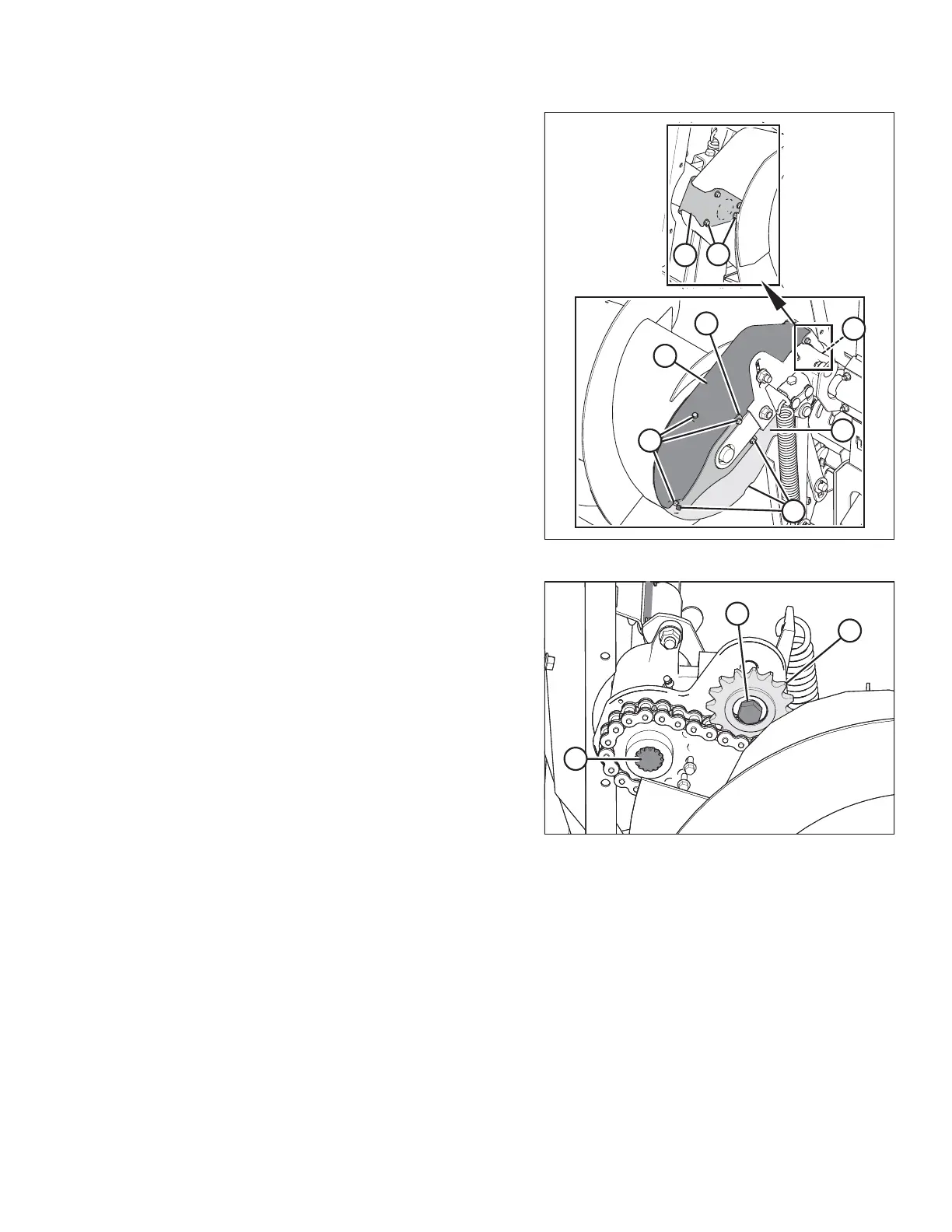
Figure 5.66: Auger Drive
3. Remove the four bolts (A) securing the top cover to the
left side of the auger chain case.
4. Loosen bolts (B) on cover retainer plate (F).
5. Remove top cover (C) complete with cover retainer
plate (F).
6. Remove three bolts (D) securing the bottom cover.
7. Remove drive cover retainer (G).
8. Remove bottom cover (E).
Figure 5.67: Auger Drive
9. Loosen idler sprocket bolt (A), and raise sprocket (B) to
the highest position to release tension on the chain.
Tighten bolt (A) to hold sprocket.
10. Remove washer and screw (C) that secure the drive
sprocket to the shaft.
MAINTENANCE AND SERVICING









 To Next Page