214323 388 Revision A
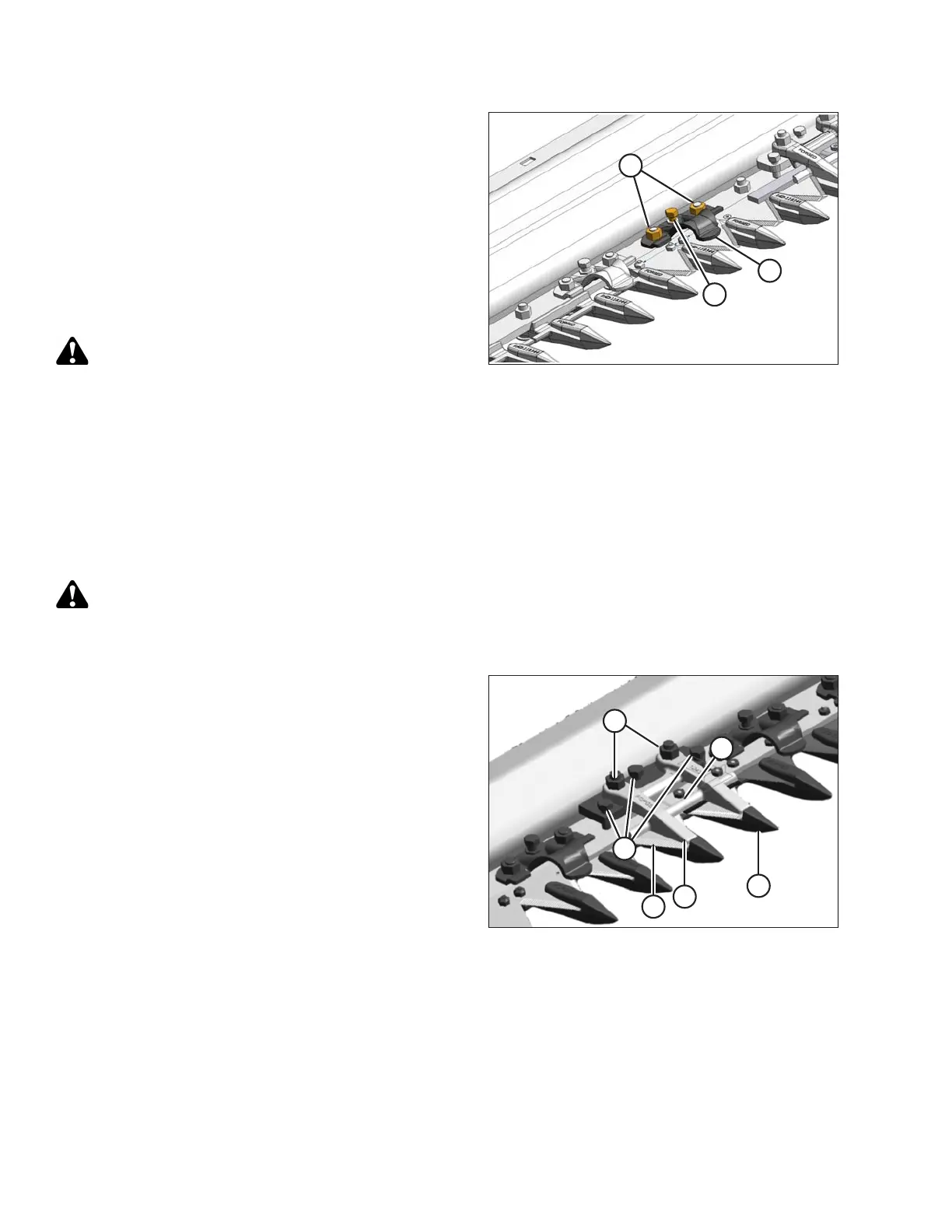
Figure 5.121: Cutterbar
1. Shut down combine, and remove key from ignition.
2. Decrease clearance by turning bolt (B) clockwise to
lower front of hold-down (A).
3. Increase clearance by turning bolt (B) counterclockwise
to raise front of hold-down.
NOTE:
For larger adjustments, it may be necessary to loosen
nuts (C), turn adjuster bolt (B), and then retighten nuts.
4. Check clearance again and adjust as required.
WARNING
Check to be sure all bystanders have cleared the area.
5. Complete hold-down adjustments, run header at low
engine speed, and listen for noise caused by insufficient
clearance.
NOTE:
Insufficient hold-down clearance will result in
overheating of knife and guards—adjust as necessary.
Adjusting Hold-Down at Double-Knife Center Pointed Guard
WARNING
To avoid bodily injury or death from unexpected startup of machine, always stop engine and remove key
before adjusting machine.
Figure 5.122: Center Guard
1. Shut down combine, and remove key from ignition.
2. Manually stroke knives so that sections (A) are under
hold-down (B) as shown.
3. Loosen nuts (C) and back off bolts (D) until they don’t
contact cutterbar.
4. Lightly clamp hold-down (B) to guard (E) with a C-clamp
or equivalent. Position clamp on trash-bar at (F)
as shown.
5. Turn bolts (D) until they contact cutterbar, then tighten
ONE turn.
6. Remove clamp.
7. Tighten nuts (C) and torque to 45 Nm (35 lbf·ft).
8. Check clearances. Refer to Checking Pointed Guard
Hold-Downs, page 386.
MAINTENANCE AND SERVICING









 To Next Page