215916 83 Revision A
Soft Keys
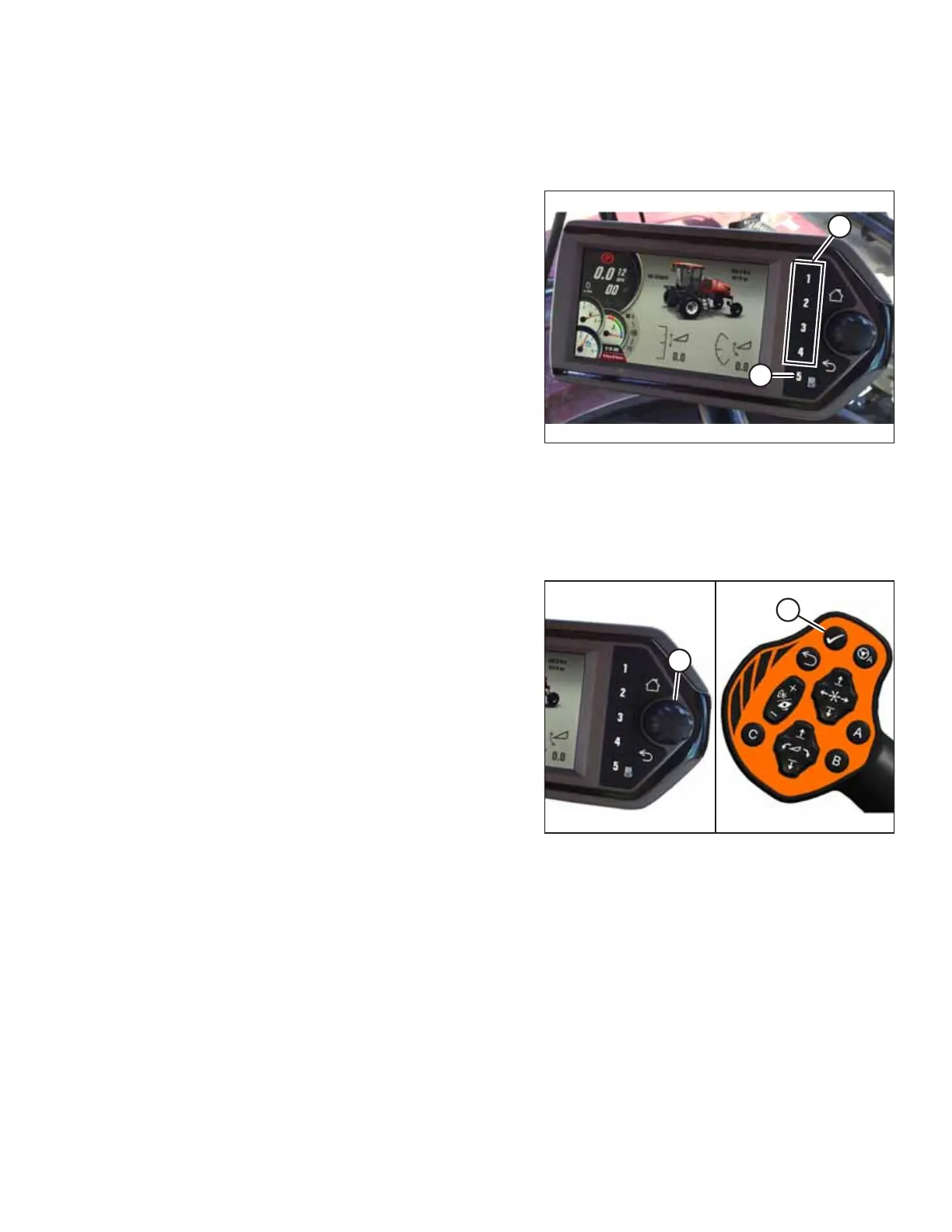
Soft keys, located beside the screen on the Harvest Performance Tracker (HPT), can be used to navigate through the
display.
Figure 3.82: HPT Soft Keys
• Soft keys 1–4 (A) on the HPT display run screens 1–4
respectively.
• Soft key 5 (B) displays the main menu.
• After a menu is open, soft keys 1–5 also function as buttons
within menus.
QuickMenu System
The QuickMenu system allows you to change certain windrower and header functions directly on the screen of the Harvest
Performance Tracker (HPT).
Figure 3.83: HPT Scroll Knob and GSL Select Button
1. Press scroll knob (A) on the HPT or SELECT button (B) on
the ground speed lever (GSL) while in any run screen to
open the QuickMenu system.
OPERATOR’S STATION



 To Next Page