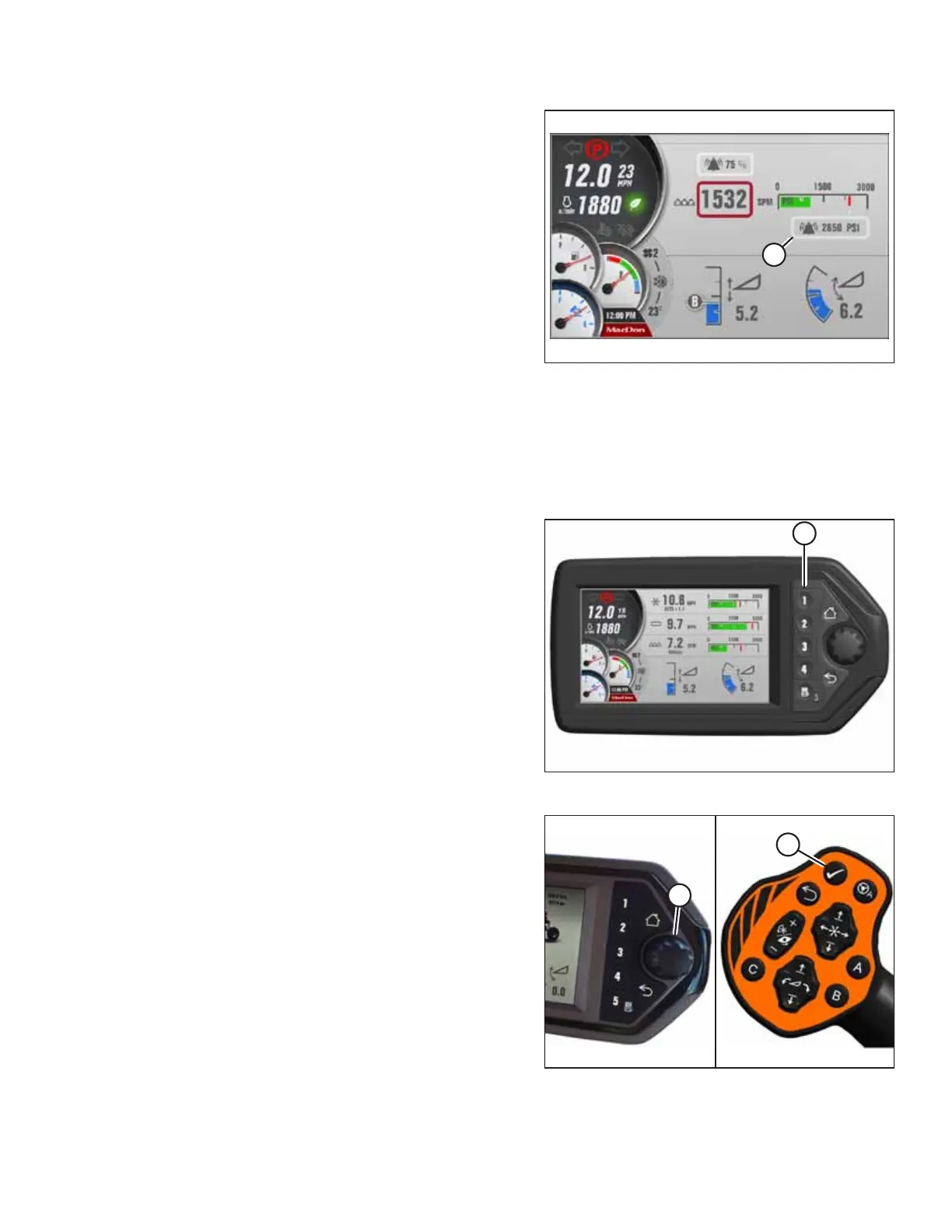
215916 285 Revision A
Figure 4.396: Adjusting Knife Alarm Pressure
4. Scroll to knife alarm pressure setting (A), and press the
knob to select it.
5. Turn the knob to change the ALARM set-point in
window (A). Scrolling past the highest setting turns the
alarm off. When the alarm point is off, the digital value is
replaced with three dashed lines.
6. Adjust the knife alarm pressure set-point to the
desired value, and press the knob to select it.
NOTE:
The factory setting is 23,442 kpa (3400 psi).
Adjusting Knife Speed Alarm
The knife speed alarm informs the Operator when knife speed is outside the desired range. A lower setting will cause the
alarm to be set off less often; a higher setting will cause the alarm to be set off more frequently. The header must be in
operation for this adjustment.
Figure 4.397: Header Run Screen 1
1. If RUN SCREEN 1 is not already displayed, press soft
key 1 (A) on the Harvest Performance Tracker (HPT) to
display draper RUN SCREEN 1.
Figure 4.398: HPT Scroll Knob and GSL Select Button
2. Press scroll knob (A) on the HPT or SELECT button (B) on
the ground speed lever (GSL) to display the QuickMenu
system.
OPERATION



 To Next Page