215916 459 Revision A
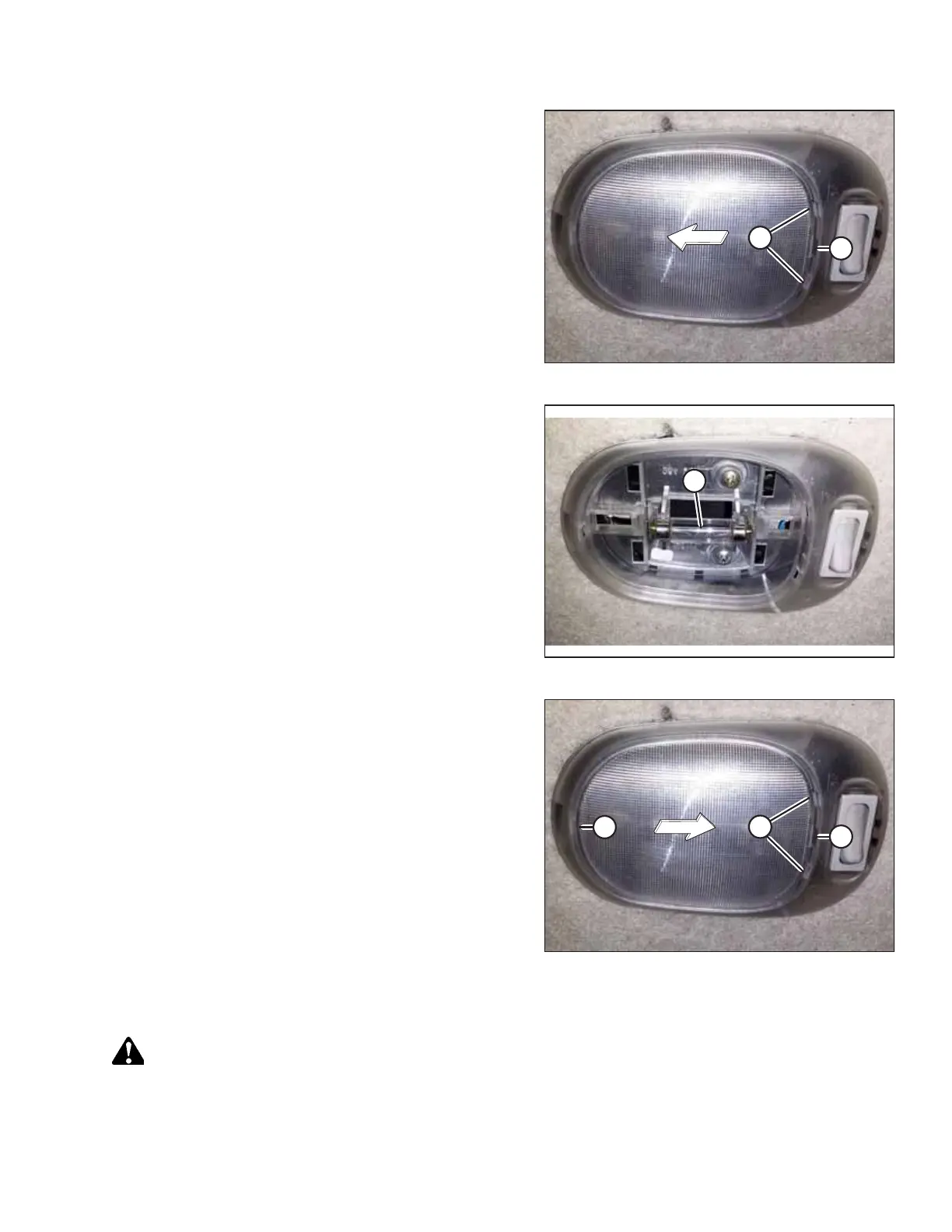
Figure 5.208: Cabin Dome Light
2. Insert a slotted screwdriver (or similar prying tool) into
slot (A). Gently pry the lens cover until retaining tabs (B)
are free of the dome light bezel.
3. Remove the lens cover.
Figure 5.209: Cabin Dome Light with Cover Removed
4. Replace bulb (A) (MD #208191).
IMPORTANT:
Do NOT touch the glass with your fingers.
Figure 5.210: Cabin Dome Light
5. Insert single retaining tab (A) into the dome light bezel.
6. Insert a slotted screwdriver (or similar prying tool) into
slot (B), and gently pry the lens cover until retaining
tabs (C) engage into the dome light bezel.
Replacing Cabin Dome Light Assembly
DANGER
To prevent bodily injury or death from the unexpected startup of the machine, always stop the engine and remove the
key from the ignition before leaving the operator’s seat for any reason.
1. Shut down the engine, and remove the key from the ignition.
MAINTENANCE AND SERVICING



 To Next Page