215916 64 Revision A
7. Rotate VOL/SEL knob (B) to display ON and press VOL/SEL
to select.
NOTE:
Bluetooth discovery will be active every time the radio is
turned off and back on.
Pairing a Bluetooth
®
Device
The installed radio allows the operator to pair a Bluetooth
®
phone or audio device.
Before proceeding, check that Bluetooth
®
is enabled and that the radio has been set to DISCOVER mode. For instructions,
refer to Activating Bluetooth
®
Feature, page 63.
MOTOROLA
CONNECTED
ϭϬϯϲϴϵϮ
A
B
C
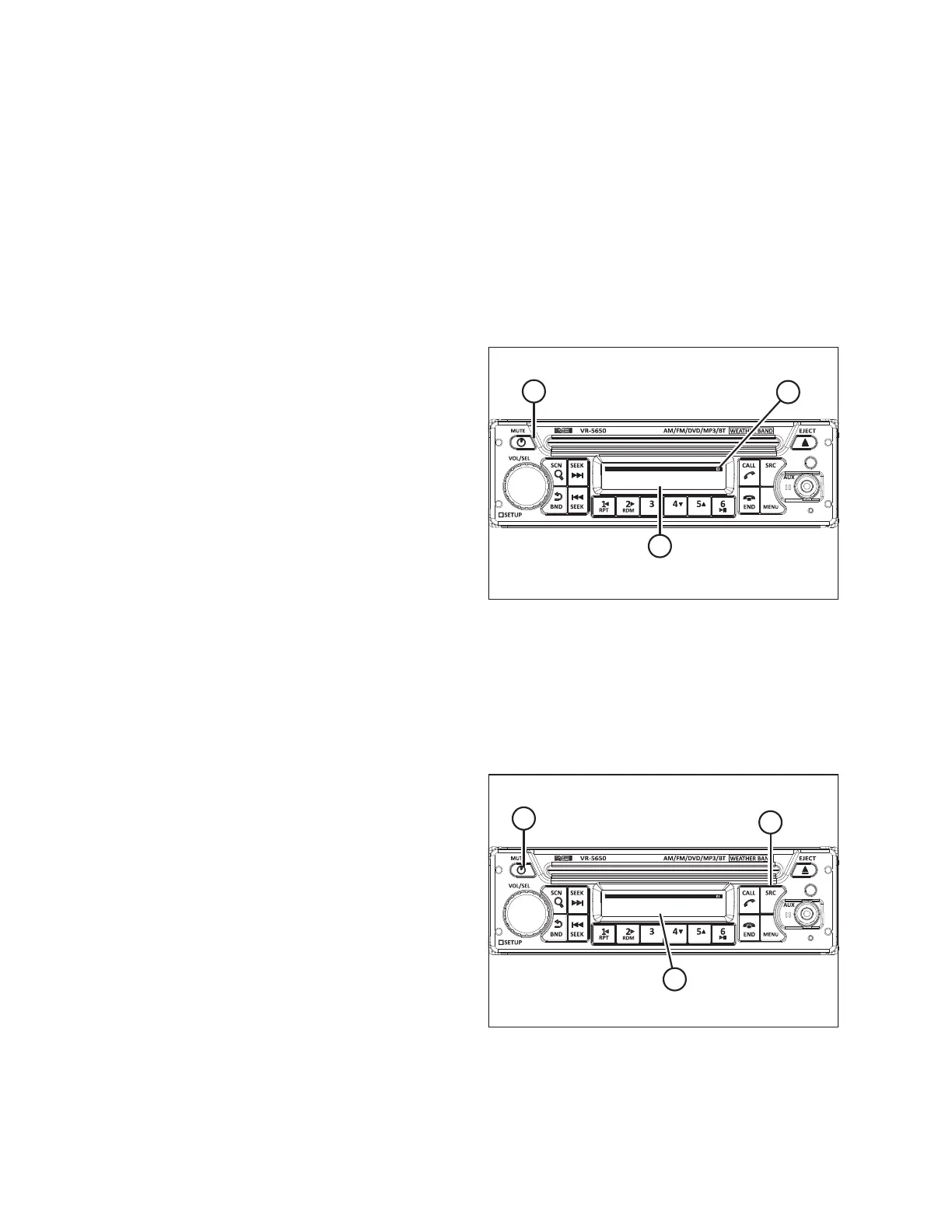
Figure 3.48: Radio Display
1. Press POWER button (A) to turn radio ON.
This will set the radio to Bluetooth
®
discover mode if the
Bluetooth
®
feature has been activated. If not refer to the
radio operator’s manual for instructions to access the
SETUP MENU, BT SET screen.
2. Turn the mobile device’s Bluetooth
®
to ON. For instructions,
refer to the device’s operator’s manual. The radio appears
as a discoverable device.
3. Select VR-5650 on the mobile device.
NOTE:
A passkey is required to connect to the Bluetooth
®
radio.
The default passkey is four zeros (0000).
4. Enter the default passkey 0000. The radio will display
CONNECTED (B) and the Bluetooth
®
icon (C) appears in the
upper right corner of the screen.
Selecting Audio Source
On the receiver, select the active media source when playing media from different sources.
MOTOROLA
BT AUDIO
ϭϬϯϲϴϵϲ
B
C
A
Figure 3.49: Bluetooth
®
Radio
1. Press POWER button (A) to turn the radio on.
2. Press SRC button (B) until the required audio source is
displayed (C) on the screen.
OPERATOR’S STATION



 To Next Page