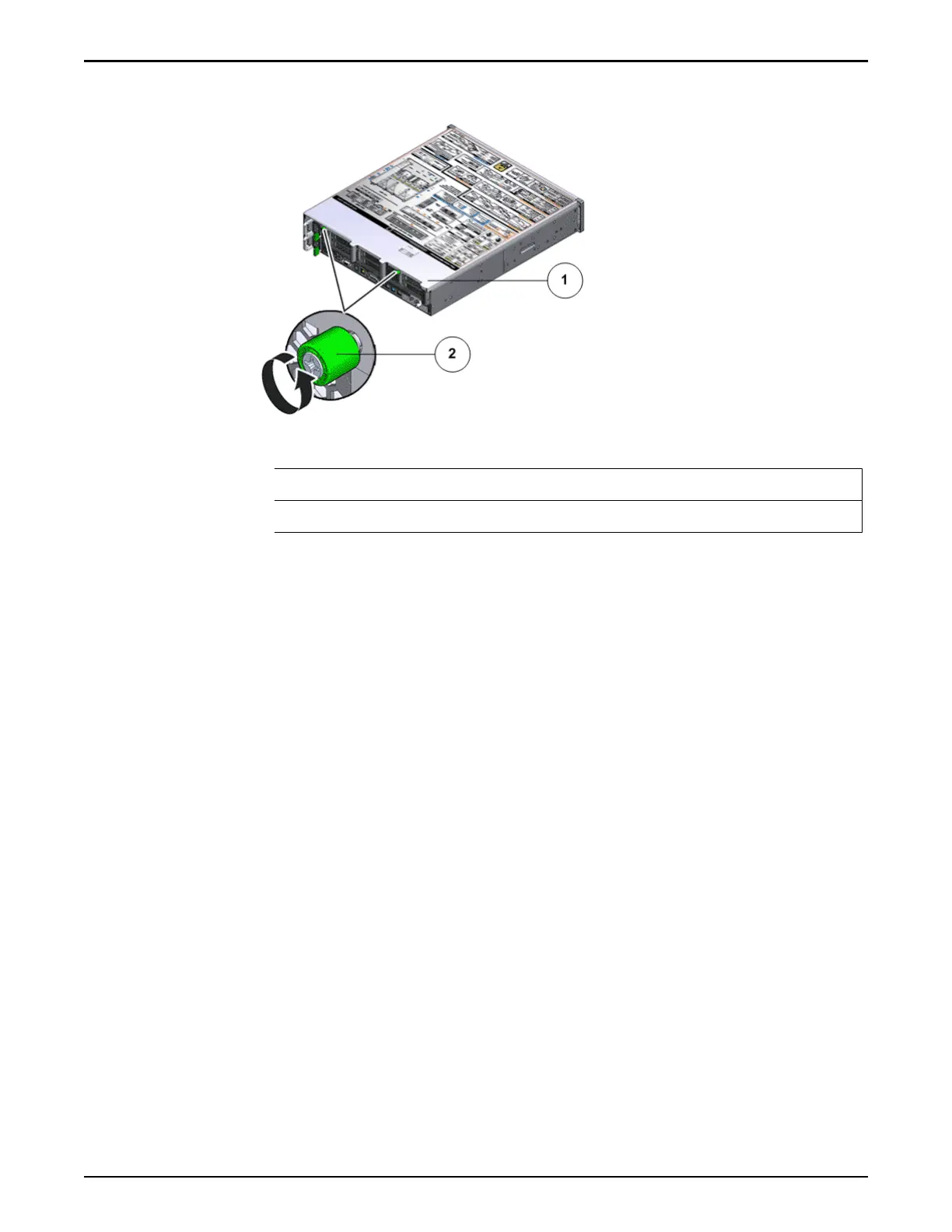
Figure 90: Captive thumb screws to remove the top cover
Legend
1 Controller top cover
2 Captive screws
2 Slide the top cov
er backwards 0.5 inches (13 mm) and lift the top cover
straight up and o the Controller chassis.
Remove a Riser
1 Disconnect any external cables that remain connected to the HBAs in the
risers.
Note: Also disconnect any internal cables aached to the HBAs, if that will
ease removing the HBA.
Tip: Make a note of the positions of all existing cable connections before
removing any cables. Replacing HBAs or their cables into the incorrect
position in the riser may result in a loss of performance or functionality.
2 Note the position of the HBAs installed on the riser.
Tip: Make a note of the slot numbers of all existing HBAs before removing
any HBAs.
3 Using a Phillips Number 2 screwdriver, loosen the two Phillips Number 2
captive screws on either side of the riser that hold the riser to the
Controller motherboard.
Note: The riser on the opposite end of the power supply has a latch that
must be disengaged to remove the riser from the Controller chassis
Controller Replacement Procedures
126














 To Next Page