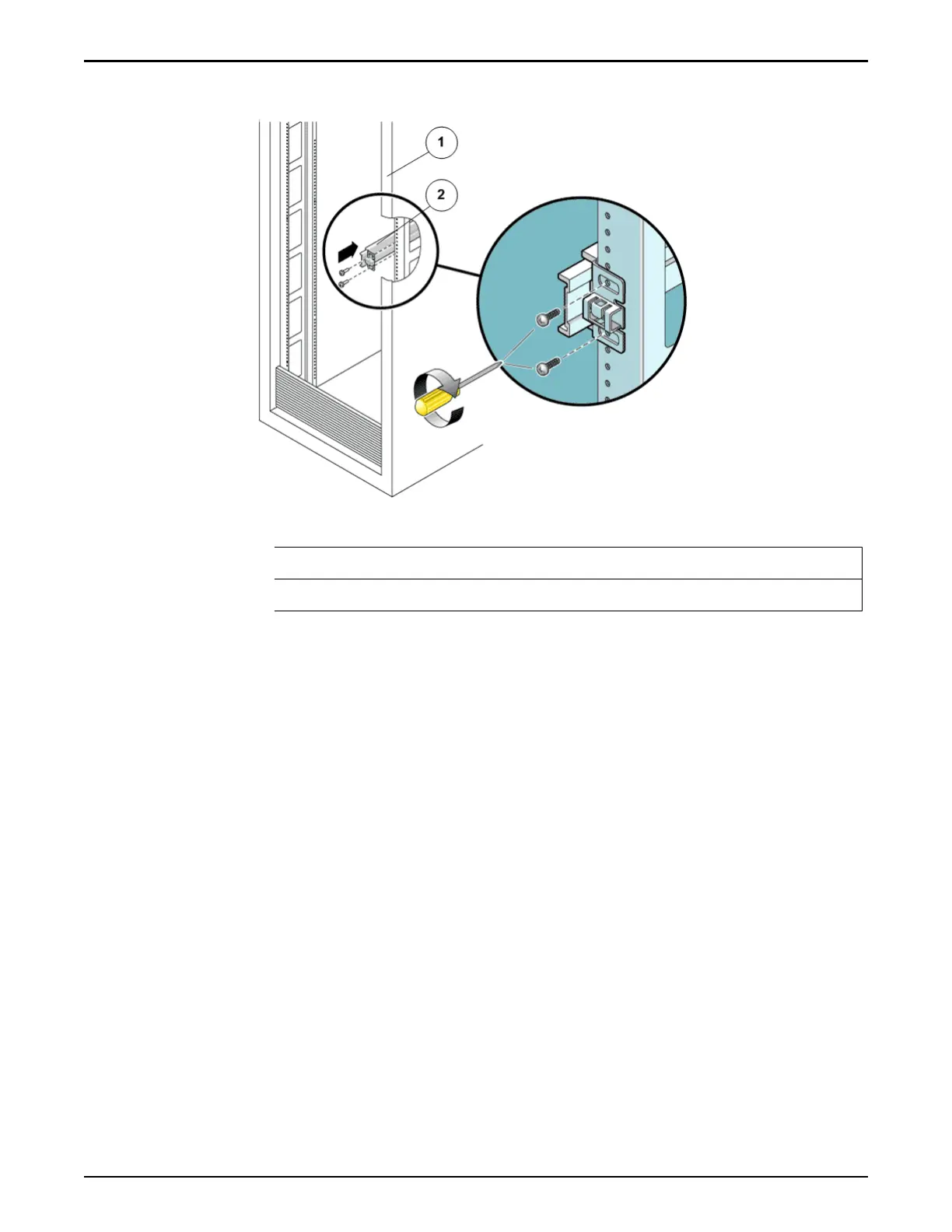
Figure 19: Slide rail mounted on the rack post
Legend
1 Rack post
2 Slide rail
Tip: Loosely aach the front of a slide rail to the right front rack post using
tw
o screws but do not tighten the screws yet. Adjust the length of the slide
rail by sliding the back mounting ange to reach the outside edge of the
back rack post. Loosely aach the back of the slide rail to the back rack
post with two screws.
8 Aach the second slide rail to the left rack posts in a similar manner.
Tip: Do not tighten the screws.
9 Use the slide rail spacing tool to adjust the distance between the slide rails.
Oracle FS1–2 Global Procedures
52















 To Next Page