DISPLAY AND CONTROL ELEMENTS 4
MHL360 E 4.37
4.5.11 Display settings
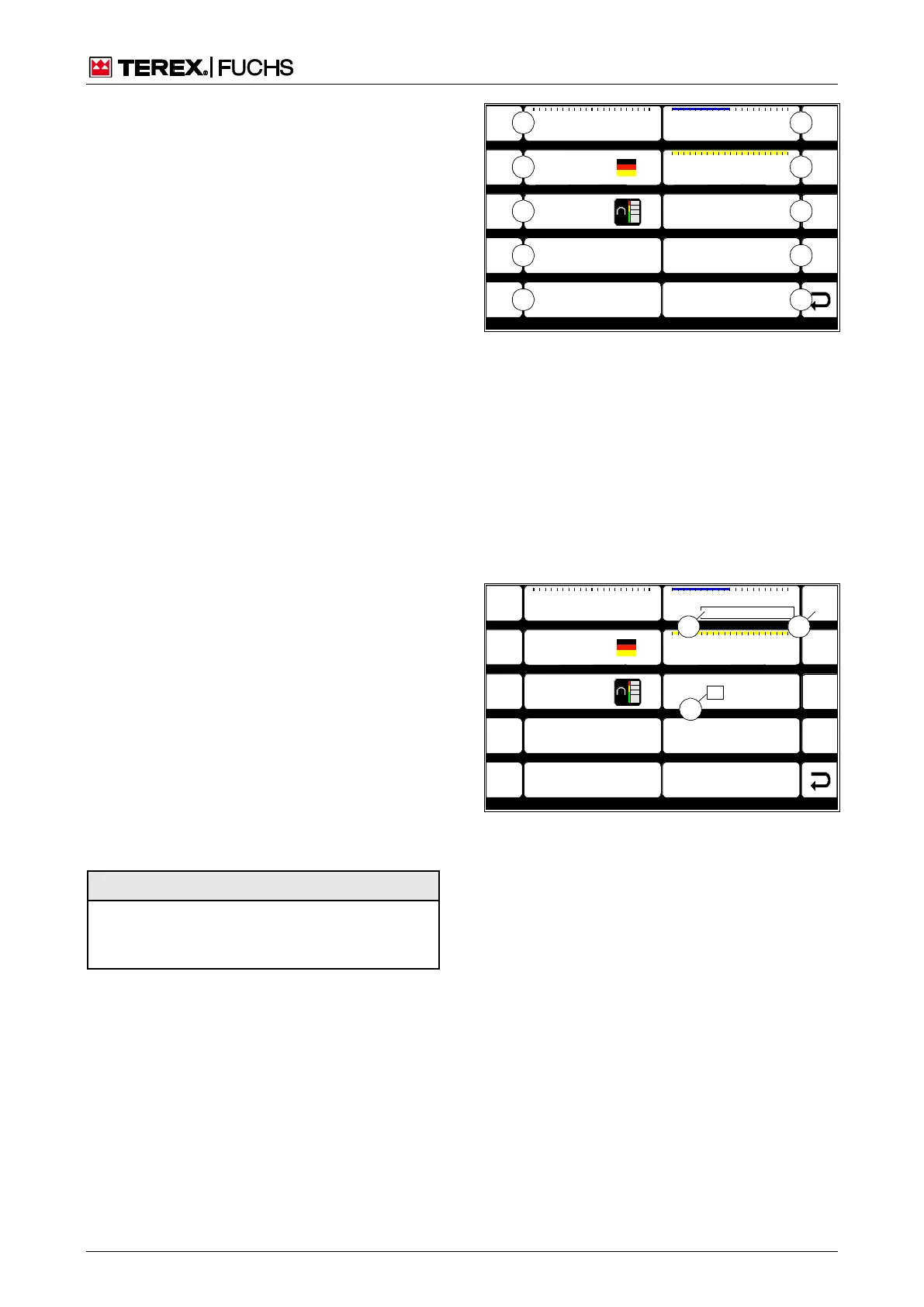
This display screen enables various display
settings to be adjusted.
Call-up
►
Main control display > Main menu > Dis-
play settings
Structure
The display settings menu is structured as a
two-column table. The individual cells indicate
the current settings.
Operating note
►
Briefly press side function key next to the
desired button (67/0-9).
The background of the letters in the table
cell turns white (68/2), for the clock time
and date, the first position turns white
(68/3). The table cell is active.
►
Use the up or down arrow key to change
the current setting. In the cell for time and
date, move the focus to the desired posi-
tion using the right arrow key.
►
Finally, briefly press the side function key
again.
or multifunction button
►
Navigate focus to the desired button (67/0-
9).
►
Briefly press button.
►
Turn the button. In the cell for time and
date, move the focus to the desired posi-
tion using the mini-joystick.
►
Briefly press button.
Selection of a different table cell or exiting the
display screen is only possible once the table
cell is no longer active.
F1
F2
F3
F4
F6
F7
F8
F9
F5
Brightness Day
10 : 43 : 55
06 . 08 . 2011
ESC
Language 0
BSB50621
2
1
0
8
7
6
5
9
100
0 50 100
4
3
Brightness Night 50
0 50 100
Brightness Standby 1
0 50 100
Design Colour 1
BSB51161
Fig. 67 Display settings
0 Back
1 Date
2 Time
3 Daytime brightness
4 Nighttime brightness
5 Not assigned
6 Not assigned
7 Design/Color: Activates or deactivates the comfort
magnet system display or changes its color (only
with optional magnet system)
8 Language
9 Standby brightness
F1
F2
F3
F4
F6
F7
F8
F9
F5
Brightness Day
10 : 43 : 55
06 . 08 . 2011
ESC
Language 0
BSB50634
100
0 50 100
Brightness Night 50
0 50 100
Brightness Standby 1
0 50 100
12
3
Design Colour 1
BSB51162
Fig. 68 Controlling display settings
Display



 To Next Page