OPERATION 5
MHL360 E 5.39
5.15.2 Setting the machine in motion
If the machine gets stuck on difficult terrain, do
not attempt to free it by rocking.
h See Chapter 6 Recovery, Loading and
Transport for details of how to proceed.
►
The diesel engine is running, the speed is
matched to the driving situation, the left
armrest is folded down. n Outrigger is re-
tracted.
Gear changing
Always shift standard transmission
with the vehicle at a standstill. Only
upshift power shift transmission
(optional) while driving (without
load). Only shift to the slow gear
when the machine is at a standstill.
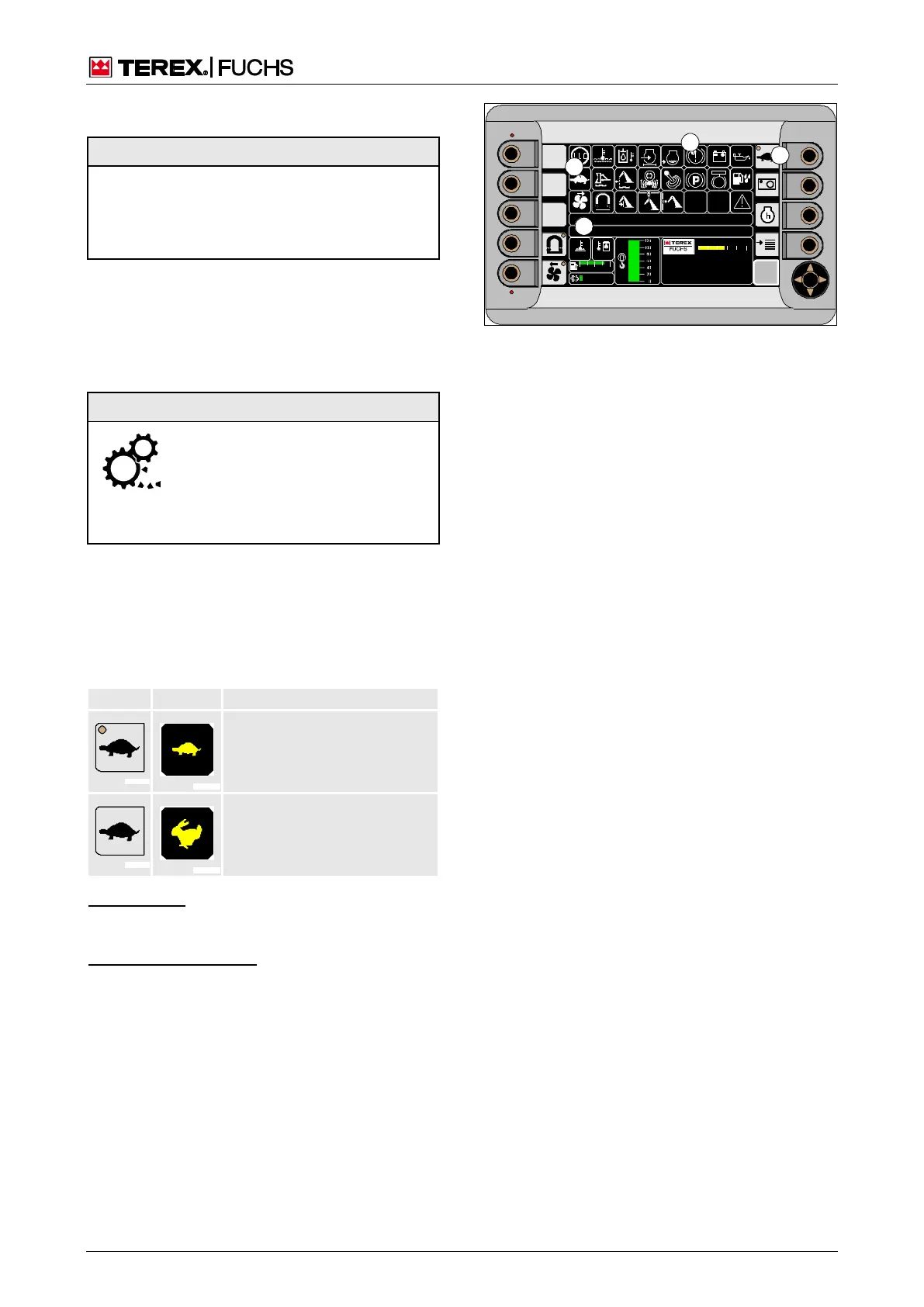
In the main control display, the button (154/4)
indicates the status of the transmission with a
symbolized LED. Corresponding messages
(154/18) and text outputs (154/34) appear.
Pressing the button (154/4) switches the
transmission range.
Driving with load
Loading the loading machine
High gear
Not for driving with load.
Function key
►
Press function key (154/4)
or multifunction button
►
With the mini-joystick, navigate the focus to
button (154/4).
►
Briefly press button.
F
09 :43 11 .03. 2 011
MH LX X X / XXX X
18 00 U PM
0 5 1 0 15 20 2 5
95°C 7 5°C
0 ½ 1
9 %
120 0
BSB50651
4
18
15
34
Fig. 154 Main control display
Setting
the
machin
e in



 To Next Page